Hello friends! Welcome back to EditProTips, your trusted source for AI tools, AI editing, content creation ideas, and useful digital resources.
Artificial intelligence has become an important part of modern business and content creation. From writing blog posts and creating images to generating marketing ideas, analyzing information, automating repetitive tasks, and improving productivity, AI tools can help individuals and businesses save valuable time.
In this guide, we will explore the best AI tools for business and content creation in 2026, including options for writing, design, marketing, productivity, research, video editing, customer support, and more.
Whether you are a small business owner, blogger, freelancer, YouTuber, social media creator, marketer, student, or entrepreneur, the right AI tool can make your daily workflow much easier.
Table of Contents
What Are AI Tools for Business?
AI business tools are software applications that use artificial intelligence to help with different business activities.
These tools can assist with:
- Content writing
- Marketing
- Graphic design
- Video creation
- Social media management
- Customer support
- Research
- Data analysis
- Project management
- Email writing
- Productivity
- Search and information gathering
- Business automation
Instead of completing every repetitive task manually, businesses can use AI to speed up parts of their workflow while keeping human review and decision-making in the process.
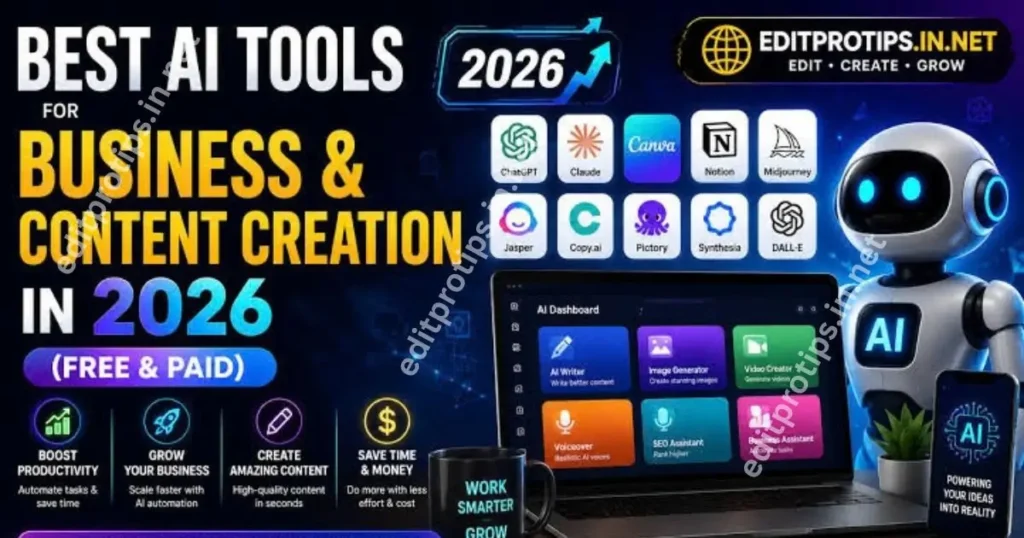
Best AI Tools for Business in 2026
Here are some popular categories and examples to consider when building an AI-powered business workflow.
1. ChatGPT – AI Assistant for Business
ChatGPT can be used for brainstorming, writing, summarizing, research assistance, coding, planning, customer-service drafts, and many other business tasks.
For content creators, it can help generate:
- Blog post ideas
- SEO outlines
- Social media captions
- Video scripts
- Product descriptions
- Email drafts
- FAQ content
- Marketing ideas
Businesses can also use AI assistants to organize ideas, create first drafts, analyze provided information, and improve communication.
Best for: Writing, brainstorming, research assistance, productivity, and business planning.
2. Google Gemini – AI for Research and Content
Google Gemini is another AI assistant that can help users with writing, brainstorming, information processing, coding, and creative tasks.
It can be useful for creators who already use Google’s ecosystem and want an AI assistant as part of their workflow.
Content creators can use AI assistants such as Gemini to brainstorm article topics, develop content structures, rewrite text, and generate creative concepts.
Best for: Content ideas, productivity, research assistance, and creative workflows.
3. Canva – AI Design and Content Creation
Canva is widely used for creating visual content without requiring advanced graphic-design skills.
Its AI-powered features can assist with creating and editing designs, presentations, social media graphics, marketing materials, and other visual assets.
For small businesses, Canva can be useful for creating:
- Instagram posts
- YouTube thumbnails
- Presentations
- Posters
- Advertisements
- Business graphics
- Social media content
Best for: Graphic design, social media content, presentations, and marketing materials.
4. Adobe Firefly – AI Creative Tools
Adobe Firefly provides generative AI features for creative workflows. It can help users generate and modify visual content using text-based instructions.
It can be useful for businesses that need marketing visuals, creative concepts, advertising assets, or image-editing assistance.
Best for: AI image generation and creative design workflows.

5. Grammarly – AI Writing Assistant
Professional communication is important for almost every business.
Grammarly can help users improve writing by checking grammar, spelling, clarity, tone, and other aspects of communication. Its AI features can also help with drafting and rewriting.
Businesses can use writing assistants for:
- Emails
- Proposals
- Website copy
- Reports
- Marketing messages
- Social media content
Best for: Business writing, proofreading, and communication.
6. Notion AI – Productivity and Workspace Assistance
Notion combines notes, documents, databases, project organization, and collaboration features. Its AI capabilities can assist with writing, summarization, organization, and knowledge-work tasks.
For teams and individual entrepreneurs, an AI-powered workspace can make it easier to manage projects and information in one place.
Best for: Project organization, documentation, notes, and productivity.
7. HubSpot AI – Marketing and Customer Workflows
Businesses often need tools for marketing, sales, customer relationship management, and content creation.
HubSpot offers AI capabilities across parts of its business platform, helping users with activities such as content creation, customer interactions, marketing workflows, and sales-related tasks.
Best for: Marketing, sales, CRM, and customer workflows.
8. Jasper – AI Marketing Content
Jasper focuses heavily on marketing and business content.
It can help marketing teams create and refine content for campaigns, websites, advertisements, social media, and other channels.
Businesses that produce large amounts of marketing content may find specialized AI writing tools useful for maintaining a consistent workflow and brand voice.
Best for: Marketing teams and business content.
9. Descript – AI Video and Audio Editing
Video content has become an important part of digital marketing.
Descript provides tools for editing video and audio using workflows that combine transcription, text-based editing, and AI-powered features.
It can be useful for creators producing:
- YouTube videos
- Podcasts
- Tutorials
- Interviews
- Marketing videos
- Short-form content
Best for: Video editing, podcasts, transcription, and content production.

10. CapCut – AI Video Editing
CapCut is particularly useful for social media creators and businesses that publish short-form video content.
It provides a range of editing features and AI-powered capabilities that can simplify video production.
Businesses can use video editors like CapCut to create content for platforms such as TikTok, Instagram, YouTube Shorts, and other social channels.
Best for: Short-form videos, social media content, and quick editing.
Best AI Tools for Content Creation
If your main goal is content creation, consider building a workflow around several different types of AI tools.
| Content Task | Useful AI Tool Category |
|---|---|
| Blog writing | AI writing assistant |
| Brainstorming | AI chatbot |
| Graphic design | AI design platform |
| Image generation | Generative AI |
| Video editing | AI video editor |
| Proofreading | AI writing assistant |
| Social media | AI content tools |
| Research | AI research assistant |
| Presentations | AI presentation tools |
| Productivity | AI workspace |
Using several specialized tools can sometimes be more effective than expecting one application to handle every task.
Free vs Paid AI Tools for Business
Many AI platforms provide free plans, while advanced features may require a subscription.
Free AI Tools
Free plans can be useful when you are starting out or testing an AI workflow.
They are suitable for:
- Beginners
- Students
- Freelancers
- Small creators
- New businesses
- Occasional users
However, free plans may have limits on usage, features, storage, model access, or generation credits.
Paid AI Tools
Paid plans can provide additional capabilities, higher limits, collaboration features, automation, advanced models, or business-focused functionality.
Paid AI tools may be more appropriate for companies that use AI regularly and need consistent access to advanced features.
Before subscribing, compare the current pricing, usage limits, features, privacy terms, and business requirements.
How AI Can Help Small Businesses
Small businesses often have limited time and resources. AI can help reduce the amount of time spent on repetitive tasks.
For example, a small business could use AI to help create a weekly content plan.
A workflow might look like this:
Step 1: Generate content ideas with an AI assistant.
Step 2: Create a content outline.
Step 3: Draft the article or social media post.
Step 4: Review and edit the content.
Step 5: Create supporting graphics.
Step 6: Produce short-form video content.
Step 7: Publish and monitor performance.
AI does not have to replace the entire workflow. Instead, it can assist with individual steps.

Best AI Tools for Marketing
AI can be useful for several marketing activities, including:
- Keyword brainstorming
- Content planning
- Email drafts
- Social media captions
- Advertisement concepts
- Customer communication
- Market research assistance
- Image creation
- Video production
However, AI-generated marketing content should always be reviewed before publication. Businesses should verify facts, brand claims, pricing, product information, and other important details.
Best AI Tools for Social Media Content
Social media creators and businesses can use AI for both creative and repetitive tasks.
AI can help generate:
- Reel ideas
- YouTube Shorts concepts
- Captions
- Hashtag ideas
- Video scripts
- Thumbnail concepts
- Promotional copy
- Content calendars
A useful approach is to combine AI-generated ideas with your own brand style, experience, and original content.
How to Choose the Best AI Tool for Your Business
There is no single AI tool that is perfect for every business.
Before choosing a tool, consider the following factors.
1. Your Business Goal
First identify what you actually want to accomplish.
Do you need AI for writing, marketing, design, customer support, video, research, or automation?
2. Features
Check whether the tool includes the features you need.
Avoid paying for advanced features that your business will not use.
3. Pricing
Compare free and paid plans carefully.
Look at monthly or annual pricing, usage limits, team features, and additional charges.
4. Ease of Use
A powerful AI tool is not useful if your team finds it difficult to use.
Choose software that fits your existing workflow.
5. Privacy and Security
Businesses should review how an AI service handles submitted information, especially when working with confidential business data, customer information, or proprietary documents.
6. Integration
Consider whether the AI tool works with the applications your business already uses.
Integrations can reduce repetitive manual work.
7. Output Quality
Always test the actual output before committing to a tool.
AI-generated text, images, code, or other content can require human review and correction.
Benefits of Using AI Tools for Business
AI tools can provide several potential benefits:
- Save time on repetitive tasks
- Generate ideas faster
- Assist with content creation
- Improve productivity
- Support marketing workflows
- Speed up research and drafting
- Help small teams handle more work
- Create visual content more efficiently
The actual benefit depends on the tool, workflow, task, and quality of human oversight.

Things to Consider Before Using AI
AI is powerful, but it should not be treated as automatically correct.
Before publishing or using AI-generated content, check:
- Facts and statistics
- Names and dates
- Product information
- Copyright considerations
- Brand claims
- Privacy-sensitive information
- Images and intellectual property
- AI-generated mistakes
Human review remains important, particularly for business, financial, legal, medical, or other high-impact information.
Frequently Asked Questions
What are the best AI tools for business?
The best AI tool depends on the business task. AI assistants, design platforms, writing tools, video editors, productivity platforms, and marketing tools can each support different business needs.
Can I use AI tools for free?
Yes. Many AI platforms offer free plans or limited free access. Paid plans generally provide additional features, higher limits, or advanced capabilities.
Which AI tools are best for content creation?
AI writing assistants, image-generation tools, graphic-design platforms, and video editors can all support content creation. The best combination depends on the type of content you produce.
Can AI help a small business?
Yes. Small businesses can use AI to assist with writing, marketing, customer communication, design, research, productivity, and content creation.
Are AI tools safe for business use?
Businesses should review each provider’s privacy, security, data-use, and retention policies before using the service with confidential or sensitive information.
Should businesses completely rely on AI?
No. AI is best used as an assistance tool rather than a replacement for human judgment. Important business information should be reviewed and verified before use.
Conclusion
The best AI tools for business depend on your goals, budget, industry, and workflow.
AI assistants can help with brainstorming and writing, design platforms can support visual content, video editors can speed up production, and productivity tools can help organize information and projects.
For businesses and creators, the most effective approach is usually to choose tools based on specific tasks rather than simply choosing the tool with the most features.
Start with one or two tools that solve an immediate problem, test them in your workflow, and expand your AI toolkit as your requirements grow.
Keep following Edit Pro Tips for more AI tools, AI editing ideas, creative prompts, templates, and useful digital resources.