Welcome to EditProTips! If you want to create professional-looking videos for Instagram Reels, YouTube Shorts, Facebook, or TikTok, VN Templates can make video editing much easier. You don’t need advanced editing skills or hours of experience to create attractive videos.
Many beginners search for VN Template Use Kaise Kare because they want to edit videos using ready-made templates, add their own photos and clips, and create trending videos in just a few minutes.
In this complete guide, you will learn how to use VN templates step by step, import your photos and videos, customize your edits, and export your final video in high quality. Let’s get started!
Table of Contents
What Is a VN Template?
A VN Template is a pre-designed video editing project that helps you create videos without editing everything manually. It may include ready-made transitions, effects, filters, text animations, music, and timing.
VN Video Editor is a popular mobile video editing application that allows users to create creative videos for social media platforms.
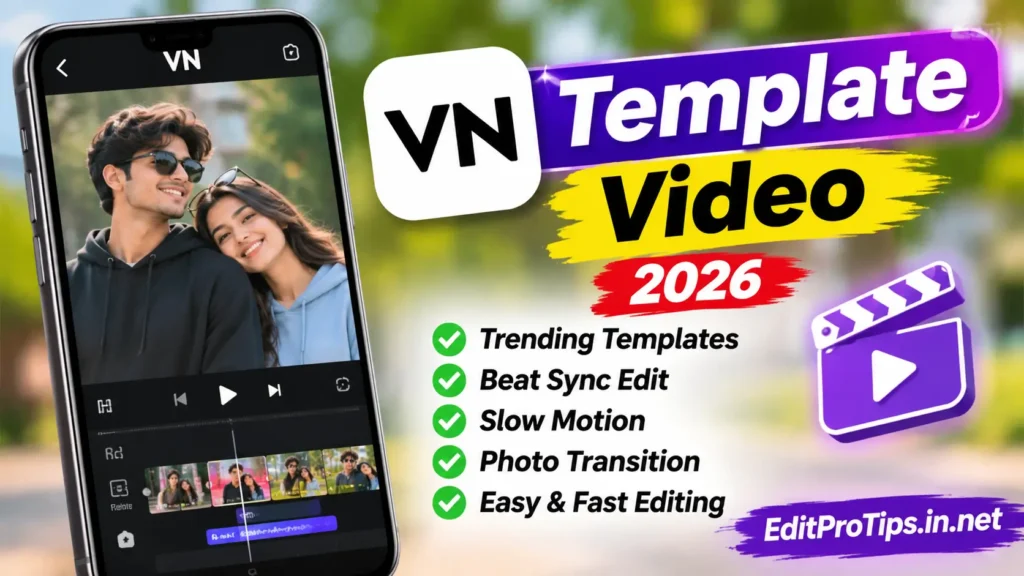
With VN templates, you can create:
- Trending Instagram Reels
- Birthday celebration videos
- Couple and romantic edits
- Slow-motion videos
- Travel and memories videos
- Cinematic photo edits
- Beat-sync music videos
- YouTube Shorts
VN Template Use Kaise Kare? (Step-by-Step Guide)
If you are a beginner, follow these simple steps to use a VN template on your mobile phone.
Step 1: Install the VN Video Editor App
First, install the VN Video Editor application on your Android or iPhone. Open the application after installation and allow the necessary permissions to access your photos and videos.
Step 2: Find a VN Template
Choose a VN template that matches your editing style. You can find templates shared by creators in the form of project files, QR codes, or supported template links.
Make sure the template is compatible with your version of the VN application.
Step 3: Open the VN Template
Open the template using the supported method provided by its creator.
Depending on the template format, you may need to scan its QR code, open a supported template link, or import a project file into VN.
Step 4: Add Your Photos and Videos
After opening the template, select the available photo or video placeholders.
Now replace the sample media with your own pictures and video clips. Select the photos you want to include in your final video.
Pro Tip: Choose clear, high-quality photos to make your final video look more attractive.
Step 5: Customize Your Video
You can customize your VN template according to your preferences.
Try changing:
- Background music
- Text and captions
- Video clips and photos
- Filters and color effects
- Transitions
- Video duration
- Speed and slow-motion effects
Some templates allow more customization than others, depending on how the original project was created.
Step 6: Preview Your Video
Before exporting, play the complete video and check whether all photos, clips, transitions, and effects are working properly. If you notice any mistakes, make the necessary changes.
Step 7: Export Your Final Video
Once your editing is complete, tap the Export option in VN.
Choose your preferred resolution and frame rate. For most social media videos, 1080p is a good starting point. Then save your edited video to your phone.
Congratulations! Your VN template video is ready to share.
How to Use VN QR Code Templates?
VN QR code templates are another convenient way to access video editing projects.
Follow these steps:
- Open the VN Video Editor application.
- Find the VN QR code template you want to use.
- Open the QR code scanning option if supported by your app version.
- Scan or import the QR code using the supported method.
- Open the associated editing project.
- Replace the sample photos and videos.
- Preview your video and make changes.
- Export your final video.
Note: Not every QR code works with every VN version. Use a compatible QR code and follow the creator’s instructions.
Best Tips for Creating Professional VN Template Videos
Want to make your videos look more professional? Follow these useful editing tips.
1. Use High-Quality Photos
Always choose clear and properly lit photos. Good-quality images can improve the overall appearance of your video.
2. Select Music That Matches Your Video
Choose background music that matches your editing style. Emotional songs work well for memories and romantic edits, while energetic music can make travel and transition videos more engaging.
3. Use Smooth Transitions
Transitions help connect different clips. Avoid using too many unnecessary effects because they can make your video look cluttered.
4. Choose the Right Video Ratio
For Instagram Reels, YouTube Shorts, and TikTok, the vertical 9:16 ratio is generally recommended.
5. Export in High Quality
Choose an appropriate resolution and frame rate according to your video requirements. Always preview the exported video before uploading it.
Common VN Template Problems and Their Solutions
Sometimes beginners face problems while using VN templates. Here are some common issues and possible solutions.
| Problem | Possible Solution |
|---|---|
| QR code not working | Check the QR code and app compatibility |
| Template not opening | Update VN and try the supported import method |
| Photos not loading | Check media permissions |
| Video lagging | Close background applications |
| Music missing | Check the original project and audio availability |
| Export failed | Check available phone storage |
| Effects not showing | Check the project compatibility |
Advantages of Using VN Templates
There are several benefits to using ready-made VN templates.
- Save Time: Create videos without starting from scratch.
- Beginner Friendly: Easy for people with limited editing experience.
- Creative Effects: Use pre-designed transitions and animations.
- Social Media Ready: Create vertical videos for popular social platforms.
- Easy Customization: Replace photos and clips with your own content.
- Professional Appearance: Create attractive edits with less manual work.
Frequently Asked Questions
VN Template Use Kaise Kare?
Open a compatible VN template, import or access its project, replace the sample photos and videos, customize the editing effects, and export your final video.
Can Beginners Use VN Templates?
Yes! VN templates are useful for beginners because they provide ready-made editing structures and reduce the need for manual editing.
How Can I Use a VN QR Code?
Open the supported QR code import or scanning option in VN, scan or import the code, and follow the instructions to open the associated project.
Is VN Video Editor Good for Instagram Reels?
Yes! VN can be used to create Instagram Reels with transitions, music, filters, text, and other video editing features.
Can I Change Photos in a VN Template?
Yes! If the template supports media replacement, you can replace its sample photos and video clips with your own content.
Conclusion
Now you know VN Template Use Kaise Kare with this easy step-by-step guide. Using VN templates is a simple way to create attractive videos without spending hours on manual editing. Whether you want to create birthday videos, romantic edits, cinematic transitions, travel memories, or trending Instagram Reels, VN templates can help you get started. Keep experimenting with different templates, photos, transitions, and music to improve your editing skills.
Thanks for visiting EditProTips! Keep creating, keep editing, and stay creative.