Hello friends! Welcome back to EditPro Tips. If you love creating beautiful travel photos with AI, you are going to love these Google Gemini AI Sea Trip Prompts.
Sea trips are perfect for creating cinematic and realistic travel photos featuring beaches, oceans, boats, sunsets, tropical locations, and luxury vacation scenes. With Google Gemini, you can transform your photo ideas into realistic-looking travel images using detailed prompts.
In this guide, we have shared 10 stunning Google Gemini AI Sea Trip Prompts that you can copy and use to create realistic sea-trip photos. These prompts are designed for social media creators, travel lovers, Instagram users, and anyone who wants to experiment with AI photo editing.
Table of Contents
What Are Google Gemini AI Sea Trip Prompts?
Google Gemini AI Sea Trip Prompts are detailed instructions that you can provide to Gemini to generate or edit images around a sea-trip or beach-travel theme.
You can describe the location, clothing, pose, lighting, camera angle, weather, ocean, boat, background, and overall photography style. The more clearly you describe the desired scene, the easier it is to create a specific visual result.
For example, you can create a realistic photo of yourself standing beside the ocean during sunset, relaxing on a yacht, walking along a tropical beach, or enjoying a sea journey.

How to Use Google Gemini AI Sea Trip Prompts
Follow these simple steps:
- Open Google Gemini.
- Upload your photo if you want to edit an existing image.
- Copy one of the sea-trip prompts from this article.
- Paste the prompt into Gemini.
- Ask Gemini to create or edit the image.
- Review the generated result.
- If necessary, modify the prompt for a different pose, outfit, location, or lighting.
- Save your favorite result and share it on your social media.
For better identity preservation, you can add instructions such as “keep my face and facial identity unchanged” when editing your uploaded photo.
10 Google Gemini AI Sea Trip Prompts
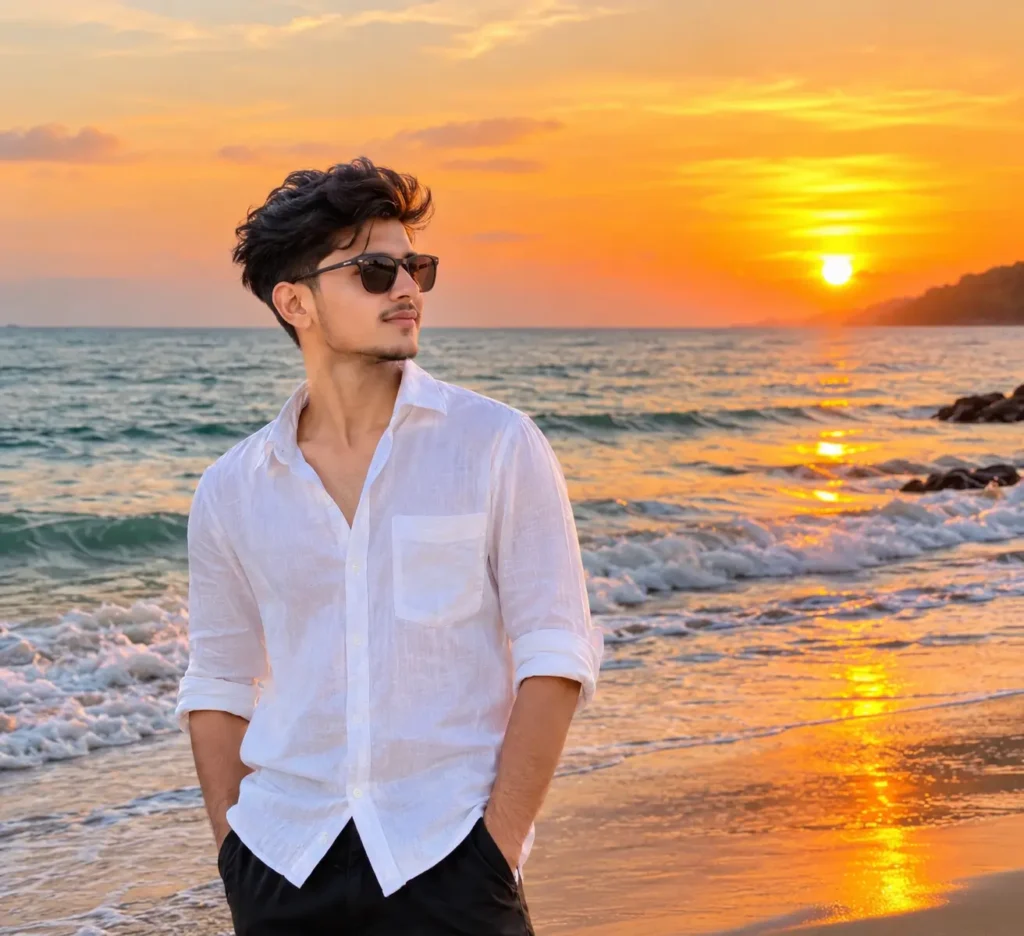
1. Cinematic Sea Trip Sunset Prompt
Create a highly realistic cinematic travel photo using my uploaded photo as the main subject. Keep the same person, facial identity, facial features, skin tone, hairstyle, and natural appearance. Place me beside a beautiful blue ocean during golden sunset. The sky should have warm orange and golden tones, with soft sunlight reflecting naturally on the water. Add gentle ocean waves, a peaceful beach atmosphere, realistic shadows, natural skin texture, and professional travel photography composition. Make the image look like an authentic vacation photograph captured with a high-end DSLR camera. Photorealistic, cinematic lighting, realistic colors, sharp details, natural depth of field, 4K quality.
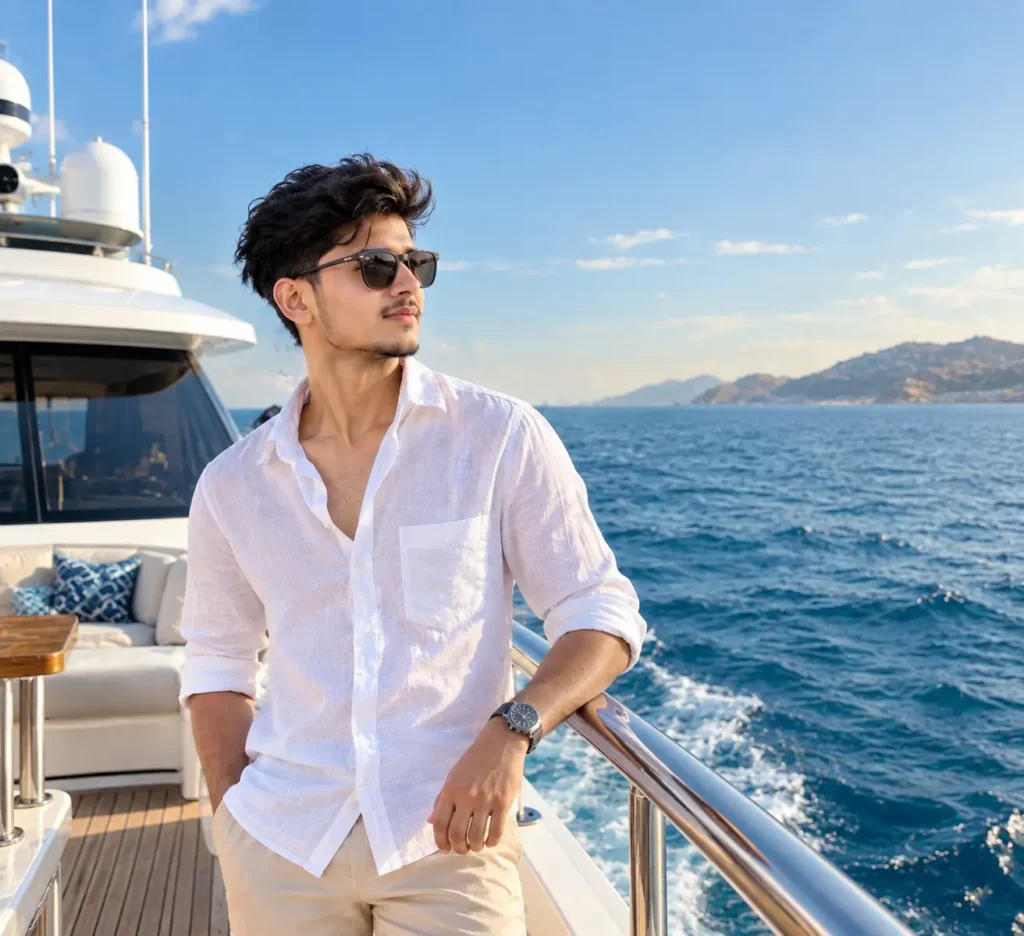
2. Luxury Yacht Sea Trip Prompt
Transform my uploaded photo into a realistic luxury sea-trip photograph. Preserve my exact facial identity and natural facial features. Place me standing on a modern luxury yacht in the middle of a beautiful blue ocean. Show clear water, a bright sky, elegant yacht details, realistic sunlight, and a premium vacation atmosphere. Use natural body proportions and realistic clothing textures. Make the photograph look professionally captured by a travel photographer with a full-frame camera. Photorealistic, cinematic composition, natural lighting, realistic reflections, detailed background, high resolution, 4K travel photography.
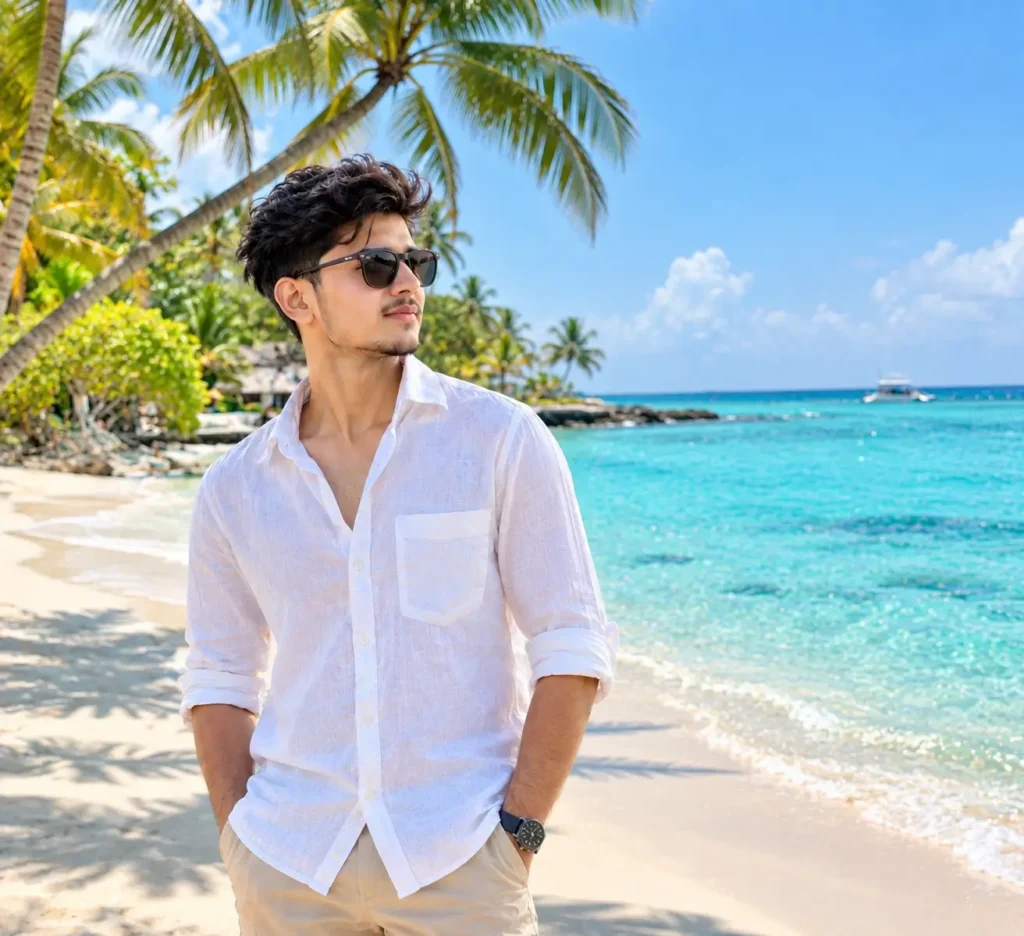
3. Tropical Beach Vacation Prompt
Create a realistic tropical beach vacation photo using my uploaded image. Keep my face, identity, hairstyle, and facial features unchanged. Place me on a beautiful tropical beach with turquoise ocean water, soft white sand, palm trees, and a clear blue sky. Make the scene feel like a real holiday photograph. Add natural sunlight, realistic shadows, detailed water reflections, authentic skin texture, and subtle depth of field. Use a professional travel photography style with realistic colors and cinematic composition. Ultra-realistic, high detail, natural lighting, 4K quality.
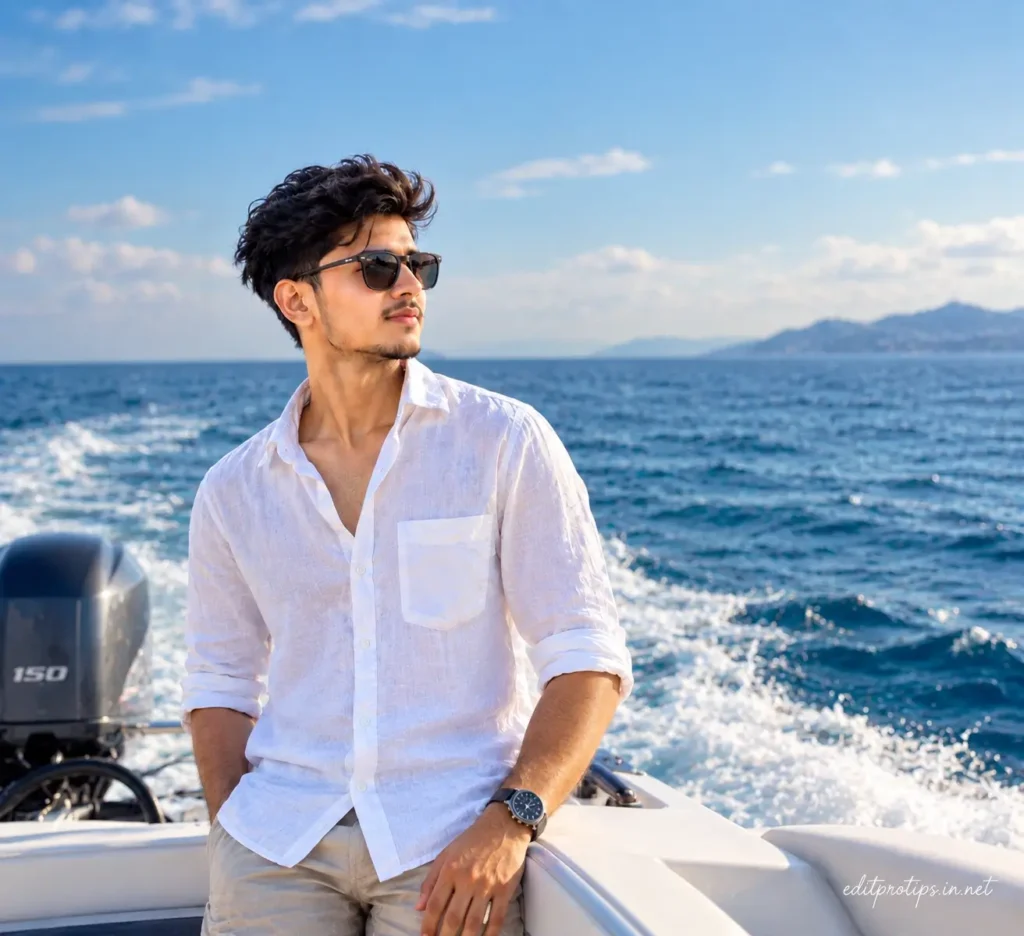
4. Sea Boat Adventure Prompt
Edit my uploaded photo into a realistic sea adventure travel photograph. Preserve my original facial identity and facial features. Place me on a small modern boat traveling across a deep blue ocean. Show gentle waves surrounding the boat, a beautiful horizon, bright natural daylight, and a realistic sky. Create a sense of movement while keeping the subject sharp and natural. Use realistic proportions, natural skin texture, authentic lighting, cinematic framing, professional travel photography, realistic ocean reflections, and high-resolution 4K detail.
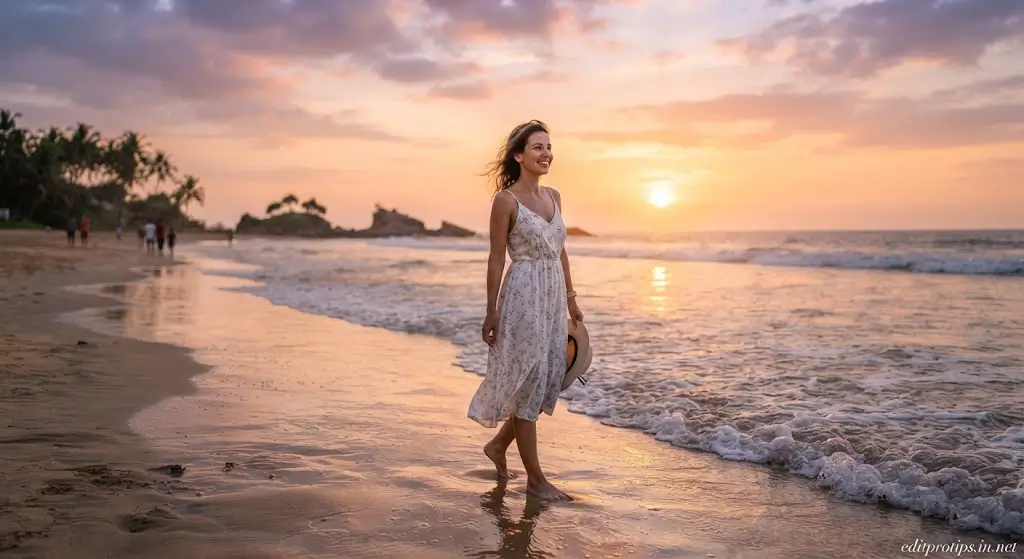
5. Romantic Beach Sunset Prompt
Create a beautiful realistic sunset beach travel photograph using my uploaded photo. Keep the person's facial identity and natural features unchanged. Place the subject near the ocean during a dramatic golden-hour sunset. Show warm sunlight, gentle waves, a colorful sky, wet sand reflecting the sunset, and a peaceful coastal atmosphere. The image should look like a professionally photographed vacation memory rather than an AI-generated image. Use realistic skin texture, natural shadows, cinematic depth of field, detailed environment, and 4K photorealistic quality.
6. Ocean View Travel Portrait
Turn my uploaded photo into a realistic professional travel portrait beside a beautiful ocean. Preserve the exact identity, face, facial features, hairstyle, and natural appearance of the subject. Place the subject on a scenic coastal viewpoint overlooking a vast blue sea. Add realistic cliffs, ocean waves, distant horizon, soft sunlight, and natural atmospheric details. Use a premium travel photography composition with realistic colors, natural skin texture, soft shadows, and cinematic depth of field. Make it look like an authentic vacation photograph taken with a professional camera.
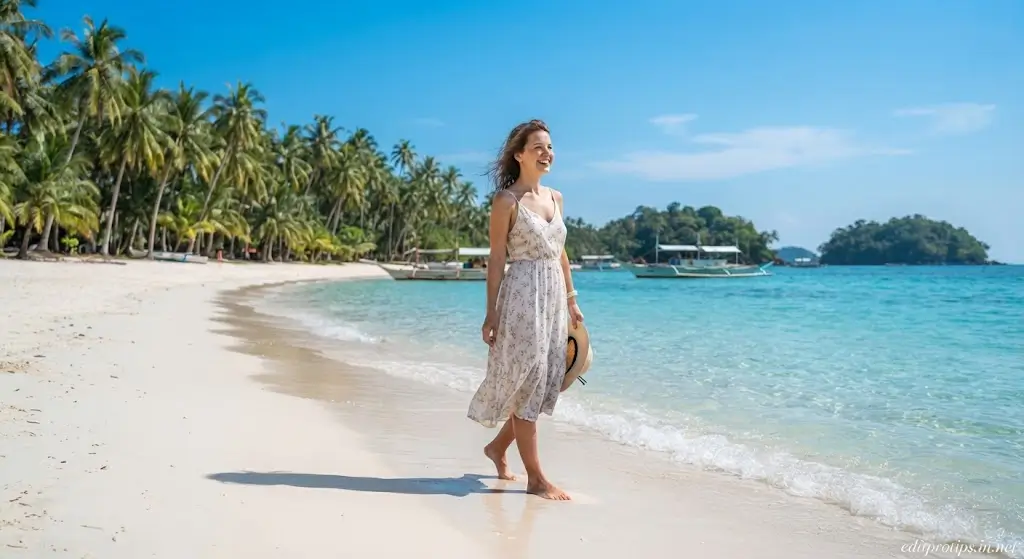
7. Tropical Island Sea Trip Prompt
Create a highly realistic tropical island vacation photo using my uploaded image. Keep the same person and preserve their facial identity, facial features, hairstyle, and natural appearance. Place the subject on a stunning tropical island surrounded by crystal-clear turquoise ocean water. Add palm trees, white sandy beach, small waves, distant boats, and bright natural sunlight. Make the scene realistic and naturally photographed. Include authentic shadows, detailed textures, realistic reflections, cinematic composition, and professional travel photography quality. Ultra-realistic 4K image.

8. Evening Sea Trip Prompt
Transform my uploaded photo into a realistic evening sea-trip photograph. Preserve my exact face and identity. Place me near the ocean during blue hour, shortly after sunset. The sky should have beautiful deep-blue and purple tones while the remaining sunlight softly illuminates the horizon. Add gentle waves, realistic reflections on the water, subtle atmospheric lighting, and a peaceful vacation mood. Keep the subject naturally integrated into the environment with realistic skin texture, shadows, proportions, and clothing details. Professional travel photography, cinematic lighting, photorealistic 4K quality.
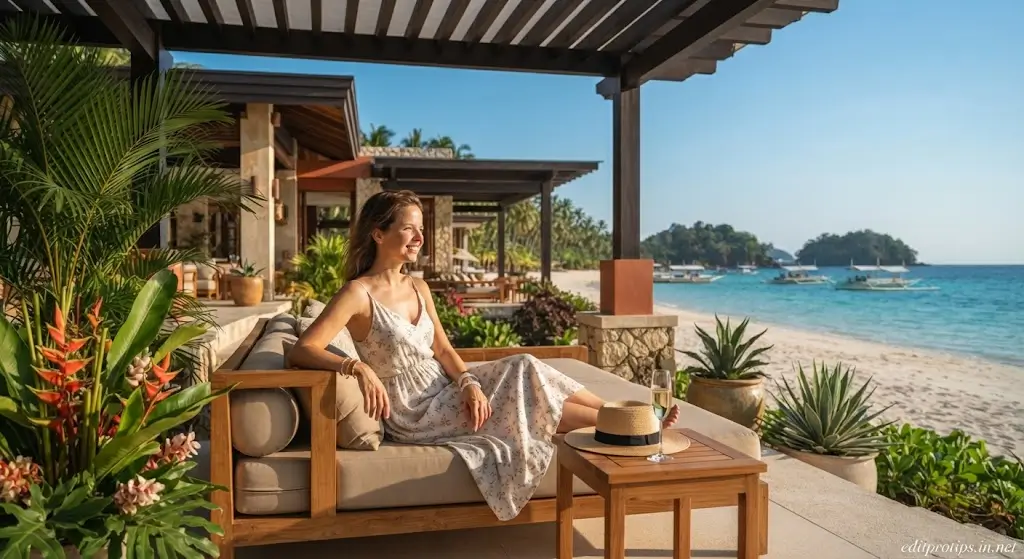
9. Luxury Beach Resort Prompt
Create a photorealistic luxury beach-resort vacation photograph using my uploaded photo. Keep my original facial identity, facial features, hairstyle, and natural appearance unchanged. Place me at a beautiful beachfront resort overlooking a crystal-clear blue ocean. Include elegant resort architecture, tropical plants, palm trees, comfortable outdoor seating, and a stunning ocean view. Use warm natural sunlight, realistic shadows, detailed textures, cinematic composition, and premium travel photography aesthetics. Make the final image look like a genuine luxury vacation photograph captured with a professional camera.
10. Cinematic Ocean Travel Portrait
Create an ultra-realistic cinematic ocean travel portrait using my uploaded photo as the reference. Preserve the exact person, facial identity, facial structure, skin tone, hairstyle, and natural appearance. Place the subject beside a vast ocean with beautiful waves and a dramatic travel destination in the background. Use soft golden-hour lighting, realistic reflections, natural shadows, detailed environmental textures, and professional cinematic framing. The image should look like a real photograph taken during an unforgettable sea vacation. Photorealistic skin texture, realistic colors, natural depth of field, DSLR photography, sharp details, 4K quality.
Tips for Better Google Gemini Sea Trip Photos
To get more realistic results from Gemini, try adding specific details to your prompts.
1. Mention the Location
You can specify a beach, island, yacht, coastal city, resort, or ocean viewpoint.
2. Describe the Lighting
Try phrases such as:
- Golden-hour sunlight
- Sunrise lighting
- Sunset lighting
- Soft daylight
- Blue-hour lighting
- Cinematic natural light
3. Specify the Camera Style
Adding photography details can help define the desired look:
- Professional travel photography
- DSLR photograph
- 35mm photography
- Cinematic photography
- Shallow depth of field
- Natural bokeh
- High-resolution photography
4. Preserve Your Identity
If you are editing your own photograph, clearly tell Gemini to preserve your facial identity and facial features.
For example:
“Keep the same person and preserve the original facial identity and natural facial features.”
5. Keep the Image Natural
Avoid adding too many unrealistic effects. Natural lighting, realistic shadows, authentic skin texture, and accurate proportions can make the final result look more like a genuine travel photograph.
Why Are Sea Trip AI Photos Trending?
AI image editing has made it easier for creators to experiment with travel photography concepts without physically visiting every location.
A simple portrait can be transformed into a beach vacation scene, yacht photograph, tropical island image, or cinematic sunset portrait. These types of images can be useful for creative projects, social media posts, profile pictures, travel-themed content, and visual experiments.
The important part is using a clear prompt that explains exactly what you want Gemini to create.
Best Keywords for Sea Trip AI Photo Editing
If you are searching for more AI travel-photo ideas, these related keywords may be useful:
- Google Gemini AI Sea Trip Prompts
- Gemini AI travel photo prompts
- Gemini AI beach prompts
- Gemini AI sea photo editing
- Gemini AI travel prompts
- Google Gemini photo editing prompts
- AI sea trip photo
- AI beach photo editing
- AI travel photography prompts
- Gemini AI vacation photo prompts
- AI ocean photo prompts
- Gemini realistic photo prompts

Frequently Asked Questions
What are Google Gemini AI Sea Trip Prompts?
Google Gemini AI Sea Trip Prompts are detailed text instructions designed to help create or edit realistic travel images featuring oceans, beaches, boats, yachts, islands, and sea-trip environments.
Can I use these prompts with my own photo?
Yes. You can upload your photo to Gemini and use an appropriate prompt to create a sea-trip themed image while asking Gemini to preserve your identity and facial features.
How can I make Gemini images look more realistic?
Use detailed descriptions of lighting, location, clothing, camera style, shadows, environment, and composition. You can also include terms such as “photorealistic,” “natural skin texture,” and “professional travel photography.”
Can I create a yacht photo with Gemini?
Yes. A prompt can describe a luxury yacht, ocean environment, lighting, clothing, camera angle, and overall travel atmosphere to create a yacht-themed image.
Can I create sunset beach photos with these prompts?
Yes. Several prompts above are specifically designed around sunset and golden-hour beach scenes.
Are these Google Gemini AI Sea Trip Prompts free to use?
The prompts provided in this article are text instructions that you can copy and experiment with. Availability and features of AI image generation or editing may depend on the Gemini service and your account.
Can I change the outfit in a sea-trip photo?
Yes. You can add your preferred clothing style to the prompt, such as casual vacation wear, beachwear, formal clothing, or a specific color and style.
How do I preserve my face in an AI-generated travel photo?
Upload a clear reference photo and explicitly instruct the AI to preserve the person’s facial identity, facial features, hairstyle, and natural appearance. Results can vary depending on the image and AI model.
Conclusion
These Google Gemini AI Sea Trip Prompts give you several creative ways to experiment with realistic ocean, beach, yacht, tropical island, and sunset travel photography.
Whether you want a cinematic sunset portrait, luxury yacht scene, tropical vacation image, or peaceful ocean photograph, you can copy these prompts into Gemini and customize them according to your preferred location, outfit, pose, and lighting.
For more AI editing ideas, Google Gemini prompts, CapCut templates, VN codes, and creative photo-editing resources, keep visiting Edit Pro Tips.