
Are you looking for the latest TikTok CapCut Video Template to create trending videos in 2026? CapCut templates make video editing easier by allowing creators to add photos, clips, transitions, effects, and music with minimal effort. Whether you want to create stylish slow-motion videos, cinematic edits, romantic videos, or beat-sync transitions, the right template can help you make your content more engaging.
In this guide, EditProTips explores popular TikTok CapCut video editing styles, explains how to use templates, and shares practical tips for creating eye-catching videos for TikTok and other social media platforms.
Table of Contents
What Is a TikTok CapCut Video Template?
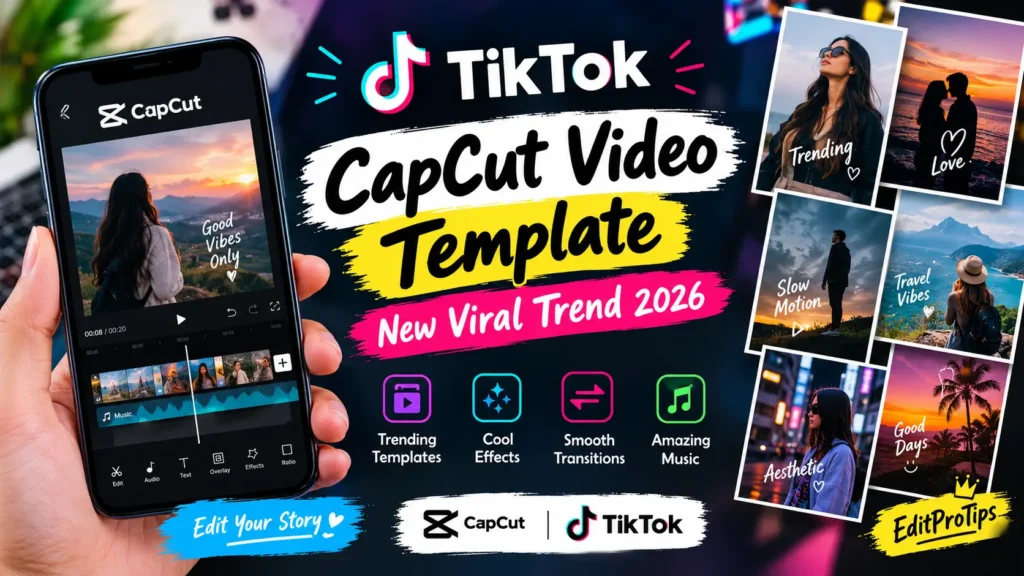
A TikTok CapCut Video Template is a ready-made video editing design that helps users create videos without editing every detail from scratch. Templates may include transitions, visual effects, text animations, timing, filters, and music synchronization.
Instead of manually arranging every clip, you can select a suitable template, add your photos or video clips, and customize the result. The available features depend on the specific template and your version of CapCut.
These templates are useful for beginners, content creators, influencers, and anyone who wants to produce creative short-form videos.
Why Are CapCut Templates Popular on TikTok?
CapCut templates are popular because they simplify the video creation process and offer a variety of creative editing styles.
Key benefits include:
- Easy editing: Create videos without advanced editing skills.
- Trending effects: Explore transitions, filters, and visual effects.
- Quick results: Save time with pre-designed editing sequences.
- Creative styles: Make cinematic, aesthetic, romantic, or slow-motion videos.
- Social media content: Prepare videos for TikTok, Instagram Reels, and YouTube Shorts.
- Customization: Personalize your video with your own photos and clips when the template supports them.
Using a template does not guarantee that a video will go viral. Original content, good timing, and audience engagement also matter.
Best TikTok CapCut Video Editing Trends in 2026
Here are some creative video styles to explore when choosing a CapCut template.
1. Beat-Sync CapCut Video Template
Beat-sync templates match visual transitions to the rhythm of the music. They work well for dance clips, fashion videos, travel highlights, and photo montages.
Editing tip: Choose clear photos or short clips that fit the rhythm of your selected audio.
2. Slow-Motion Video Template
Slow-motion editing creates a cinematic look by emphasizing movement and important moments. It is suitable for walking shots, outfit transitions, sports clips, and dramatic scenes.
Editing tip: Use slow motion selectively to keep the video engaging rather than slowing down every scene.
3. Photo Dump Video Template
Photo dump templates combine several pictures into a fast-paced slideshow. They are useful for sharing memories, daily activities, travel experiences, and personal style.
Editing tip: Mix close-up photos, full-body shots, and different camera angles to create visual variety.
4. Cinematic Aesthetic Template
Cinematic templates use color grading, smooth transitions, and carefully timed clips to create a polished visual appearance.
Editing tip: Keep your color tones consistent and avoid adding too many effects to the same clip.
5. Flash Transition Template
Flash transitions use brief flashes or quick visual changes to move between clips. This style works well for outfit changes, dance edits, and energetic short videos.
Editing tip: Match transitions to the beat and avoid excessive flashing effects.
6. Romantic Video Template
Romantic templates combine soft filters, smooth transitions, and meaningful music to create emotional videos for couples or special occasions.
Editing tip: Use high-quality images and choose a style that matches the mood of your content.
7. 3D Zoom Photo Template
A 3D zoom effect adds a sense of depth and movement to still photos. It can make portrait images and travel photographs feel more dynamic.
Editing tip: Start with a sharp image and check that the effect does not distort faces or important details.
8. Trending Lyrics Video Template
Lyrics-style templates combine text animations with music to create expressive short videos. They are useful for song edits, mood videos, and music-related content.
Editing tip: Keep text readable, use appropriate contrast, and make sure you have permission to use any copyrighted audio or lyrics where required.
How to Use a TikTok CapCut Video Template
Follow these steps to create your own video using a template.
Step 1: Open CapCut
Open the CapCut app on your phone. Sign in if required and check whether the templates feature is available in your region and version.
Step 2: Find a Suitable Template
Browse the available templates or open a legitimate template link shared by a creator. Look for a design that matches your video style and the number of photos or clips you want to use.
Step 3: Tap Use Template
If the template is available, select the option to use it. Some templates may require additional permissions, downloads, or app features.
Step 4: Add Photos or Videos
Choose the photos or video clips requested by the template. Follow the displayed instructions and arrange your media in the required order.
Step 5: Preview Your Video
Watch the complete video before exporting it. Check the transitions, text, audio synchronization, image quality, and final frame.
Step 6: Export Your Video
Select an appropriate resolution and frame rate based on your footage and intended platform. Higher settings may increase the file size.
Step 7: Upload to TikTok
Open TikTok, upload your edited video, add a relevant caption, and choose a few hashtags that accurately describe your content.
Remember that template availability can vary by region, device, account, and app version.
How to Make Your TikTok CapCut Video More Engaging
A template provides the editing structure, but your creative choices make the final video distinctive.
- Start with a strong opening: Make the first few seconds visually interesting.
- Choose quality footage: Clear photos and stable video clips generally produce better results.
- Keep the edit focused: Remove unnecessary clips and repetitive transitions.
- Use suitable audio: Select music that matches your video’s mood and follow the platform’s music licensing rules.
- Add a relevant caption: Tell viewers what the video is about.
- Use relevant hashtags: Avoid filling the caption with unrelated keywords.
- Maintain consistency: Use colors, fonts, and effects that complement one another.
- Review before publishing: Check the finished video on a mobile screen to ensure that text is readable.
Common Problems With CapCut Templates
Sometimes a template may not open or work as expected. Here are a few common issues and possible solutions.
Template Link Not Working
The link may be expired, unavailable, or region-restricted. Try opening the original creator’s link or searching for the template within the app.
Template Not Available in Your Region
Some templates and features are not available everywhere. Update the app if an update is available and check the official app for supported features.
Photos Do Not Fit Properly
Choose images with suitable framing and review the crop before exporting. Portrait photos generally work well with vertical video layouts, although the best format depends on the template.
Export Quality Is Poor
Check the original footage, export settings, and available device storage. Exporting at a higher resolution cannot restore details missing from a low-quality source.
Best Hashtags for TikTok CapCut Videos
Use hashtags that genuinely match your video. Possible options include:
- #CapCut
- #CapCutTemplate
- #TikTokVideo
- #VideoEditing
- #TrendingEdit
- #CapCutEdit
- #SlowMotionEdit
- #AestheticEdit
- #ViralVideo
Hashtag popularity changes over time, and using a hashtag does not guarantee additional views.
Frequently Asked Questions
What is a TikTok CapCut Video Template?
It is a ready-made video editing format that lets users add their own media to a pre-designed sequence of effects, transitions, and timing.
Are CapCut templates free to use?
Some templates are free, while others may require specific features or paid access. Availability can vary by region and account.
Can I use CapCut templates for TikTok videos?
Yes. You can export a suitable video from CapCut and upload it to TikTok, provided the content complies with the applicable platform rules.
Why is my CapCut template not working?
Possible reasons include an expired link, regional restrictions, an outdated app, unsupported features, or connectivity issues.
How can I make my CapCut video more attractive?
Use clear footage, appropriate music, smooth transitions, readable text, and a strong opening. Choose effects that complement the content instead of distracting from it.
Can beginners use CapCut templates?
Yes. Templates are designed to simplify many editing tasks, making them useful for people who are new to video editing.
Conclusion
The TikTok CapCut Video Template trend offers creators a convenient way to experiment with creative video styles in 2026. From beat-sync edits and slow-motion effects to cinematic transitions and photo slideshows, there are many ways to make engaging short-form content.


