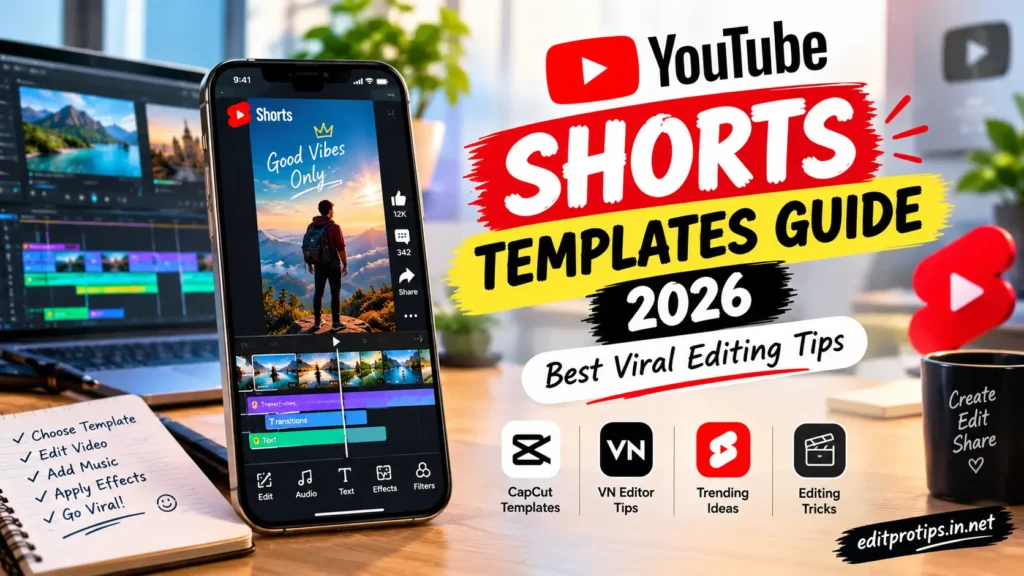
Are you looking for the best YouTube Shorts templates to create engaging, professional, and trending videos in 2026? YouTube Shorts has become a popular format for sharing short videos, creative edits, tutorials, entertainment, and trending content. With the right templates, you can create eye-catching Shorts without spending hours editing every video from scratch.
In this YouTube Shorts Templates Guide 2026, you will learn how to use video templates, choose the best editing styles, add music and effects, and create engaging short-form videos for your channel. Whether you are a beginner or an experienced content creator, these editing tips can help you improve your videos and develop a consistent style.
Table of Contents
What Are YouTube Shorts Templates?
YouTube Shorts templates are ready-made video editing layouts that help creators produce short videos more quickly. Depending on the editing app, templates may include transitions, effects, text animations, music synchronization, filters, and placeholders for your photos or video clips. Instead of building an entire edit from the beginning, you can use a suitable template and customize it with your own content.
Popular template styles include:
- Trending music and beat-sync edits
- Cinematic slow-motion videos
- Photo slideshow templates
- Before-and-after transitions
- Travel and lifestyle edits
- Motivational text videos
- Gaming highlight templates
- AI photo transformation videos
- Birthday and celebration edits
- Aesthetic video templates
Choosing the right template depends on your niche, audience, and the type of content you want to publish.

Best YouTube Shorts Template Ideas for 2026
Here are some popular editing styles to consider for your next YouTube Shorts video.
1. Trending Music Beat-Sync Templates
Beat-sync templates automatically coordinate transitions with the rhythm of a music track. They work particularly well for dance clips, fashion edits, travel videos, and photo transformations.
Editing tip: Choose clear clips with noticeable movements and synchronize your transitions with the strongest beats.
2. Cinematic Slow-Motion Templates
Slow-motion templates create a dramatic and cinematic appearance. They are suitable for sports highlights, walking shots, lifestyle videos, and artistic clips.
Use smooth transitions, balanced colors, and carefully selected background music to make your video look polished.
3. Photo Slideshow Templates
Photo slideshow templates transform multiple pictures into an engaging video. You can use them for personal highlights, travel memories, photography portfolios, or themed photo collections.
Try combining animated text, zoom effects, and transitions that match the mood of your pictures.
4. Before-and-After Editing Templates
Before-and-after videos show a transformation in a simple, visually interesting format. They are useful for photo editing tutorials, room makeovers, fashion transformations, fitness progress, and creative projects.
Start with a clear view of the original result, then reveal the final version with a smooth transition.
5. AI Photo Editing Templates
AI photo editing videos can showcase how an ordinary picture changes into a creative portrait or cinematic scene.
You can create a sequence showing the original image, the AI-generated result, and a brief explanation of the editing process. Make sure you have permission to use the images you include.
6. Motivational Text Templates
Motivational templates combine short messages with background footage, animated typography, and music.
Keep the main message easy to read. Use a strong opening line and avoid filling the screen with too much text.
7. Gaming Shorts Templates
Gaming templates are designed for highlights, impressive plays, funny moments, and gameplay reactions.
Use quick cuts when appropriate, emphasize important moments, and ensure that any added sound effects do not overpower the original audio.
How to Use YouTube Shorts Templates
Follow these steps to create your next video using a template.
Step 1: Choose Your Video Idea
First, decide what type of YouTube Short you want to create. You might choose a photo edit, a gaming highlight, a tutorial, a travel montage, or a trending transition.
Having a clear idea will help you select a template that suits your content.
Step 2: Find a Suitable Template
Look for templates in your preferred video editing application. Depending on availability, you may find ready-made layouts, reusable projects, or editing presets.
Choose a template that matches your video length, number of clips, and desired visual style.
Step 3: Import Your Photos or Video Clips
Select high-quality images and video clips that fit the template. Use vertical footage whenever possible to reduce unnecessary cropping.
Arrange your clips in a logical sequence so viewers can understand the video quickly.
Step 4: Customize the Template
Replace the sample media with your own content. Adjust the text, colors, filters, transitions, and timing where the editing application allows it.
Avoid adding too many effects. A clean, well-paced edit often looks more professional than a video overloaded with transitions.
Step 5: Add Music and Sound Effects
Music can help establish the mood of your Short. Choose audio that fits your content and that you are permitted to use.
When appropriate, use the music and sounds available through YouTube’s built-in creation tools. Be careful when importing copyrighted audio from other sources.
Step 6: Export Your Video
Review the complete video before exporting it. Check for blurry clips, incorrect cropping, spelling mistakes, abrupt transitions, and audio problems.
A vertical video with a 9:16 aspect ratio is a common choice for YouTube Shorts. Export at a resolution and frame rate supported by your editing app and suitable for your source footage.
Step 7: Upload and Optimize Your Short
Write a clear title that describes your video. Include relevant keywords naturally and choose a thumbnail or frame that represents the content when the available publishing options allow it.
Use an accurate description and relevant hashtags rather than filling your title or description with unrelated keywords.
Best Apps for Creating YouTube Shorts Templates
Several video editing tools can help you create Shorts. Their features, pricing, and availability may vary by device and region.
CapCut
CapCut offers a range of video editing features, including transitions, effects, text animations, and template-based editing where available. It can be useful for creators who want to produce fast-paced social media videos.
VN Video Editor
VN Video Editor provides a timeline-based editing workflow for arranging clips, adjusting timing, adding text, and applying transitions. It is worth considering if you prefer more control over your edits.
Canva
Canva offers video layouts and design tools that can help you create text-based Shorts, promotional clips, educational videos, and simple animated content.
YouTube’s Built-In Creation Tools
YouTube provides tools for creating and editing Shorts within its platform. Available features can vary by device, account, and region.
Important: Template availability and application features may change. Check your preferred app’s current options before choosing a workflow.
Best Editing Tips for Viral-Style YouTube Shorts
No template can guarantee that a video will go viral. However, good editing can make your content easier to watch and understand.
1. Start With a Strong Hook
The opening moments should give viewers a reason to keep watching. Begin with an interesting result, a surprising visual, a useful question, or a clear promise.
Avoid long introductions that delay the main point.
2. Use Vertical Video
Create your video with mobile viewing in mind. A 9:16 vertical format generally works well for Shorts.
Keep important text and subjects away from the screen edges and areas that may be covered by interface elements.
3. Keep Your Editing Focused
Use transitions and effects that support your content. If every clip contains a different effect, viewers may find the video distracting.
Select a consistent editing style that suits your channel.
4. Make Text Easy to Read
Use clear fonts, suitable text sizes, and strong contrast between text and the background.
Keep captions concise and check their spelling before publishing.
5. Match Music to the Mood
Choose audio that complements the visuals. Fast music may suit energetic edits, while softer audio may work better for travel montages or cinematic scenes.
Always consider copyright and licensing requirements.
6. Avoid Unnecessary Waiting Time
Remove pauses that do not contribute to the video. Keep the pacing appropriate for your subject rather than cutting every clip as quickly as possible.
7. Create Original Content
Templates should support your ideas rather than replace them. Add your own footage, commentary, storytelling, editing decisions, or useful information.
Original and valuable content gives viewers a reason to watch your channel again.
8. Review Your Analytics
After publishing several Shorts, review the available YouTube Analytics data. Look at metrics such as views, audience retention, and how viewers respond to different videos.
Use these observations to improve your future edits instead of assuming that one template will work for every audience.
Common Mistakes to Avoid When Using Shorts Templates
Avoid these mistakes when creating YouTube Shorts:
- Using low-quality or blurry video clips.
- Adding too many transitions and visual effects.
- Using music without checking usage permissions.
- Copying other creators without adding original value.
- Placing text where it becomes difficult to read.
- Using misleading titles or unrelated hashtags.
- Leaving unnecessary pauses in the video.
- Ignoring audience retention and performance data.
- Assuming that every trending template will produce the same results.
- Reusing content without checking the relevant platform policies.
A simple, well-planned video can be more effective than an edit with excessive effects.
How to Make YouTube Shorts More Engaging
If you want viewers to watch your Shorts, focus on the complete viewing experience.
- Tell a clear story: Even a short video benefits from a beginning, middle, and ending.
- Show the main idea early: Give viewers a quick understanding of what they are watching.
- Use relevant visuals: Every clip should contribute to the topic or message.
- Experiment with different formats: Test tutorials, transformations, mini-stories, reactions, and behind-the-scenes videos.
- Build a consistent identity: Use recognizable fonts, colors, captions, or editing styles across your channel.
- Study your results: Compare videos to identify which topics and editing approaches your audience responds to most positively.
Remember that audience interest, originality, topic selection, and viewer satisfaction all matter. There is no guaranteed formula for viral success.
Frequently Asked Questions
What is a YouTube Shorts template?
A YouTube Shorts template is a reusable video layout or editing project that helps creators produce short-form videos using existing effects, transitions, text styles, or timing arrangements.
Which app is best for YouTube Shorts templates?
The best app depends on your needs. CapCut, VN Video Editor, Canva, and YouTube’s built-in creation tools are options to consider. Compare their available features and choose the one that fits your workflow.
Can beginners use YouTube Shorts templates?
Yes. Templates can simplify editing for beginners by providing a starting layout. You can gradually learn more about transitions, timing, captions, color adjustments, and sound design as you create videos.
What is the best aspect ratio for YouTube Shorts?
A 9:16 vertical aspect ratio is a common choice for Shorts because it fits mobile screens naturally. Keep your subject and important text visible within the frame.
Are YouTube Shorts templates free?
Some templates and editing tools are available for free, while others may require a paid subscription, premium features, or in-app purchases. Check the terms of the application or template provider before using them.
Can I use CapCut templates for YouTube Shorts?
You can use CapCut templates for Shorts when the relevant templates and features are available to you. Review the template’s audio, media, and licensing conditions before publishing your finished video.
How long should a YouTube Short be?
YouTube supports Shorts up to three minutes long for eligible videos that meet its Shorts requirements. The best length depends on the content: make the video as long as necessary to deliver its message without unnecessary filler.
Conclusion
This YouTube Shorts Templates Guide 2026 covers the essential steps for choosing templates, editing vertical videos, adding music, and improving your content.
Whether you create cinematic edits, gaming highlights, photo slideshows, motivational videos, or AI transformations, the right template can help you work more efficiently and maintain a consistent style.
Start with a simple template, customize it with your own creative ideas, and review your results after publishing. With regular practice and thoughtful editing, you can develop better videos and build a stronger YouTube Shorts channel.
Keep creating, keep experimenting, and make every edit your own!
Welcome back to EditProTips, your destination for creative editing ideas and digital content inspiration.