Are you looking for How to Download Capcut in India on Android and iPhone? CapCut is a popular video editing app used to create trending Instagram Reels, YouTube Shorts, TikTok-style videos, slow-motion edits, and cinematic transitions.
However, CapCut’s availability in India may differ from other countries. Before downloading it, check whether the official app is available in your device’s app store. This guide explains how to check availability, install the app through official sources, and explore alternative video editors if installation is unavailable.
Table of Contents
Is CapCut Available in India in 2026?
CapCut is not consistently available through Indian app stores. Its availability can depend on your region, app-store account, device, and platform. A listing on the global internet does not guarantee that you can install the app in India.
For the safest option, check the official CapCut website and your device’s app store before downloading any installation file.
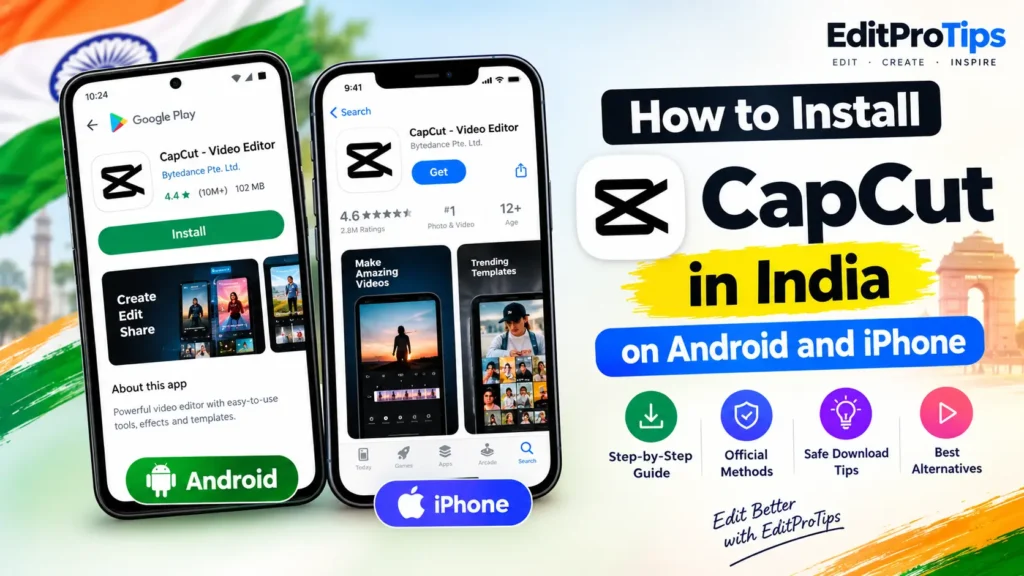
How to Download Capcut in India on Android
Follow these steps to check whether CapCut is available on your Android phone.
Step 1: Open Google Play Store
Open the Google Play Store on your Android smartphone and search for CapCut – Video Editor.
Step 2: Check the Official App Listing
If the official CapCut app appears, verify the publisher and review the listing carefully. Make sure it is the genuine application rather than an imitation.

Step 3: Install the App if Available
If Google Play offers an official installation option for your account and region, tap Install and wait for the download to finish.
Step 4: Open CapCut
Once installation is complete, open the app and follow the on-screen instructions. You can then check whether the editing tools, templates, effects, and export features work on your device.
How to Download Capcut in India on iPhone
iPhone users can follow these steps to check official availability.
Step 1: Open the Apple App Store
Open the App Store on your iPhone and search for CapCut.
Step 2: Verify the App
Check the app name, publisher, and official listing details. App availability can vary by country or region.
Step 3: Download CapCut if Available
If the official listing offers the Get button for your region, tap it and authenticate with Face ID, Touch ID, or your Apple Account password if required.
Step 4: Launch the App
After installation, open CapCut and test the features you need for your video-editing projects.
If CapCut does not appear in the Indian App Store, use a legitimate alternative instead of installing an unofficial or modified iPhone app.

How to Use CapCut Without Installing It
CapCut also provides web-based editing tools. You can check its official online editor to see whether it is accessible and supported for your location.
- Open the official CapCut website.
- Find the online video editor.
- Check whether the editor loads in your browser.
- Sign in only if required and if the service is available to you.
- Import a sample video and test the editing and export options.
Web access is not guaranteed in every region, so this method may not work for everyone in India.
Best CapCut Alternatives in India
If you cannot install CapCut, consider these video editors.
1. VN Video Editor
VN is a useful option for creating Reels, cinematic edits, beat-sync videos, and short-form content. Check its official app-store listing for availability and current features.
2. Canva
Canva offers video editing, text animations, social media layouts, and ready-made designs. It is useful for creators who want to produce videos and promotional content.
3. InShot
InShot provides tools for trimming clips, adding music, applying filters, resizing videos, and creating social media content. Check your app store for the current official listing.
4. DaVinci Resolve
For users who edit on a compatible computer, DaVinci Resolve offers advanced editing, color correction, audio tools, and visual effects. Check the official website for supported devices and system requirements.

Tips for Safe Video Editor Downloads
Before installing any video editing app, follow these precautions:
- Download applications from official websites or trusted app stores.
- Avoid modified APKs advertised as CapCut Pro or CapCut Premium unlocked.
- Check the developer name before installing an app.
- Review the permissions requested by the application.
- Keep your device and installed apps updated.
- Back up important video projects before updating or reinstalling an editor.
Frequently Asked Questions
Can I download CapCut in India in 2026?
Availability is restricted or inconsistent across Indian app stores. Check the official listing for your device and region before attempting installation.
How do I install CapCut on Android in India?
Search for CapCut in Google Play Store. If the official app is available to your account and region, verify the publisher and install it through the store.
Can I install CapCut on an iPhone in India?
Check the Indian Apple App Store. If the official listing is unavailable, do not install unofficial app packages or rely on region changes as a guaranteed solution.
Is CapCut available for free?
CapCut offers free editing features in supported regions, although some tools and services may require payment. Availability and pricing can vary.
What is the best alternative to CapCut in India?
VN Video Editor is worth considering for short-form video editing. Canva and InShot are also useful options, depending on your editing needs.
Is it safe to download CapCut APK files from third-party websites?
Third-party APK files can be modified, outdated, or unsafe. Use official sources and avoid files advertised as cracked or unlocked versions.
Conclusion
Learning How to Download Capcut in India on Android and iPhone starts with checking official app availability. If the genuine app is available for your device and region, use the official installation method. If it is unavailable, consider VN Video Editor, Canva, or InShot for creating trending Reels, YouTube Shorts, and cinematic videos.