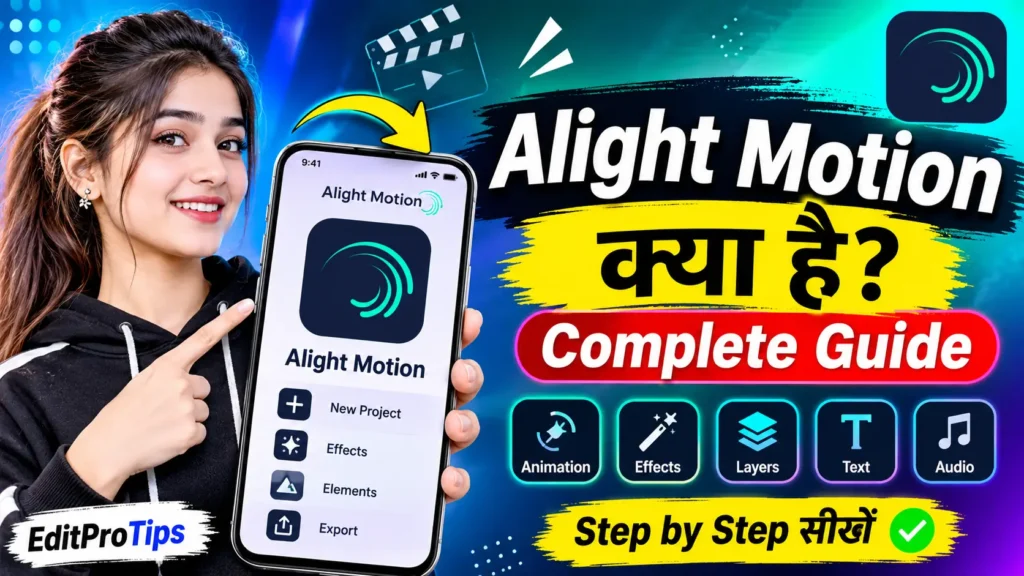
Alight Motion kya hai complete guide is a popular topic for beginners who want to learn professional video editing using a smartphone. Alight Motion is a powerful mobile video editing and animation application that helps users create attractive videos, motion graphics, visual effects, and smooth transitions.
Welcome to EditProTips! In this complete guide, we will explain what Alight Motion is, its best features, how to use it, how to create professional edits, and whether it is worth using in 2026.
Table of Contents
What Is Alight Motion?
Alight Motion is a mobile application designed for video editing, motion graphics, animation, and visual effects. It allows users to create professional-looking videos directly from their Android or iOS devices.
Unlike basic video editing applications, Alight Motion offers advanced editing tools such as keyframe animation, multiple layers, visual effects, blending modes, and vector graphics. It is especially popular among Instagram Reels creators, YouTubers, TikTok creators, and people who enjoy making stylish status videos.
Alight Motion Features in 2026
Alight Motion provides several useful features for beginners and experienced video editors.
1. Keyframe Animation
Keyframe animation is one of the most important features of Alight Motion. It allows users to control the movement, size, rotation, and position of different elements throughout a video.
You can use keyframes to create smooth zoom effects, moving text, animated images, and professional transitions.
2. Multiple Layers Editing
Alight Motion supports multiple editing layers, allowing you to combine videos, images, text, shapes, and audio in one project.
This feature makes it easier to create complex video edits.
3. Professional Visual Effects
You can add different visual effects to make your videos more attractive. Depending on the available version and effects, you can experiment with:
- Blur effects
- Glow effects
- Shadow effects
- Color correction
- Motion effects
- Chroma key
- Masking and blending
4. Text Animation
Alight Motion allows users to add stylish text and animate it using different settings. You can create lyric videos, motivational videos, birthday edits, and Instagram Reels with attractive animated text.

5. Vector Graphics
Another useful feature is vector graphics support. It helps users create and edit shapes, designs, and other graphic elements without relying entirely on ready-made images.
6. Audio Editing
You can import music, sound effects, and voice recordings into your projects. Adjusting audio timing and combining sound with video can help you create more engaging content.
7. Export Options
After completing your project, you can export your video using the available resolution, frame rate, and format options. Available export settings may depend on your device and application version.
How to Use Alight Motion for Beginners
If you are new to Alight Motion, follow these simple steps to create your first video.
Step 1: Install Alight Motion
Download Alight Motion from the official Google Play Store or Apple App Store. Install the application on your smartphone.
Step 2: Open the Application
Launch Alight Motion and explore its home screen. You can create a new project and select your preferred video dimensions.
Step 3: Create a New Project
Choose your project settings, including:
- Project name
- Aspect ratio
- Resolution
- Frame rate
- Background color
For Instagram Reels and YouTube Shorts, a vertical 9:16 aspect ratio is generally suitable.
Step 4: Import Photos and Videos
Tap the add button and import the images, videos, or audio files you want to use in your project. Arrange the media on the timeline according to your editing requirements.
Step 5: Add Effects and Transitions
Use available effects, keyframes, and transitions to improve your video. Experiment with zoom, blur, rotation, and color adjustments.
Step 6: Add Music and Text
Import background music and add attractive text to your video. Adjust the timing so that the text and visual effects match the music.
Step 7: Export Your Video
Preview your complete project. If everything looks good, use the export option to save your finished video to your device.
Is Alight Motion Free or Paid?
Alight Motion offers free access with certain limitations, along with paid subscription options. The free version allows users to explore many editing and animation features. However, some premium features and content may require a subscription.
Depending on the current plan, region, and application version, free exports may include a watermark. Check the latest subscription details inside the official application before purchasing.
Best Uses of Alight Motion
Alight Motion can be used for different types of creative projects.
- Instagram Reels: Create stylish and engaging short videos.
- YouTube Shorts: Make animated videos and attractive transitions.
- Birthday Videos: Create memorable birthday photo and video edits.
- Love Status Videos: Combine romantic music, images, and text effects.
- Lyrics Videos: Create animated lyrics synchronized with music.
- Slow Motion Edits: Combine slow-motion clips with visual effects.
- Motion Graphics: Design animated elements and professional-looking graphics.
Alight Motion vs Other Video Editing Apps
Alight Motion is particularly useful for animation and detailed timeline editing. Other applications may be more convenient for quick video editing.
| Feature | Alight Motion | Basic Video Editors |
|---|---|---|
| Keyframe Animation | Advanced | Varies |
| Multiple Layers | Yes | Varies |
| Motion Graphics | Strong | Varies |
| Text Animation | Yes | Yes |
| Visual Effects | Yes | Yes |
| Beginner Friendly | Requires Practice | Often Easier |
Your choice should depend on your editing requirements and experience.
Tips to Create Professional Videos in Alight Motion
Follow these tips to improve your editing skills:
- Use smooth keyframe animations instead of sudden movements.
- Avoid adding too many unnecessary effects.
- Choose music that matches your video.
- Maintain consistent colors and brightness.
- Use suitable transitions between clips.
- Preview your video before exporting.
- Practice regularly to improve your editing skills.
Frequently Asked Questions
Alight Motion Kya Hai?
Alight Motion is a mobile video editing and animation application used to create motion graphics, animated text, visual effects, and professional-style videos.
Is Alight Motion Free?
Yes, Alight Motion offers a free version with certain limitations. Premium features and subscription options are also available.
Is Alight Motion Available for Android?
Yes, Alight Motion is available for compatible Android devices through the Google Play Store.
Can I Use Alight Motion for Instagram Reels?
Yes, you can create vertical videos, transitions, animated text, and stylish edits for Instagram Reels.
Is Alight Motion Good for Beginners?
Yes, beginners can use Alight Motion. However, learning keyframes, layers, and advanced effects requires some practice.
Can I Create 4K Videos in Alight Motion?
Export resolution options depend on the application version, device capabilities, and project settings. Check the available export options on your device.
Conclusion
Alight Motion is a powerful mobile editing application for anyone interested in video editing, animation, and motion graphics. Its keyframe animation, multiple layers, visual effects, and text animation tools make it a useful choice for creating attractive social media content.
If you are a beginner, start with simple projects and gradually learn advanced editing techniques. With regular practice, you can create impressive videos using your smartphone. For more AI tools, video editing tutorials, creative prompts, and editing tips, keep visiting EditProTips.
Thank you for visiting EditProTips! Keep Learning, Keep Creating.