Welcome to EditProTips! If you love creating attractive videos for Instagram Reels, YouTube Shorts, TikTok, and other social media platforms, Vikas Editing can inspire you to explore new creative editing styles.
Video editing has become an important part of social media content creation. From cinematic slow-motion videos to beat-sync transitions, trending effects, and professional color grading, the right editing techniques can make ordinary clips look amazing.
In this article, we will explore Vikas Editing ideas, popular editing styles, useful techniques, and creative tips to help you improve your video editing skills in 2026.
Editprotips
What Is Vikas Editing?
Vikas Editing refers to a creative video editing style and editing identity associated with making attractive, stylish, and engaging videos for social media.
It can include different editing techniques such as:
- Slow-motion video editing.
- Beat-sync transitions.
- Cinematic color grading.
- Trending CapCut effects.
- VN video editing.
- AI-powered video effects.
- Smooth transitions and motion effects.
Whether you are a beginner or an experienced creator, exploring different editing styles can help you create more engaging content.
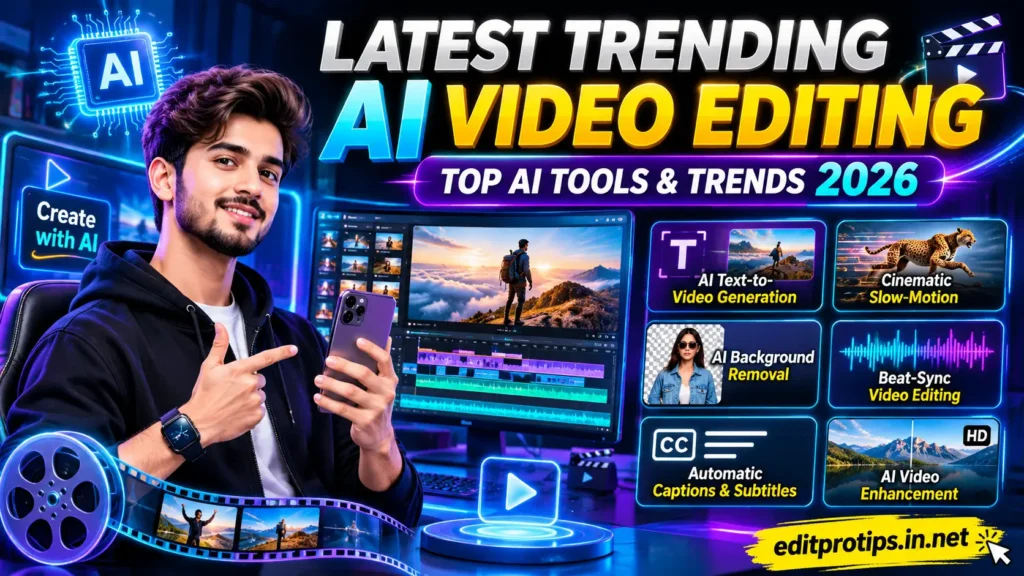
Best Vikas Editing Styles in 2026
Here are some popular editing styles you can try for your next video.
1. Cinematic Video Editing
Cinematic editing gives your videos a professional movie-like appearance. Use dramatic lighting, smooth camera movements, beautiful color grading, and background effects.
2. Slow Motion Editing
Slow-motion editing is perfect for emotional videos, stylish portraits, travel clips, and attitude videos. Combine speed ramps with smooth transitions for better results.
3. Beat Sync Editing
Beat-sync editing matches video transitions and effects with the rhythm of the music. It is especially popular for Instagram Reels and YouTube Shorts.
4. Trending VN Editing
VN Video Editor offers creative tools for making stylish videos. You can experiment with transitions, filters, keyframes, speed controls, and color adjustments.
5. CapCut Template Editing
CapCut templates make video editing easier for beginners. Select a suitable template, add your photos or clips, and customize the result.
Best Apps for Vikas Editing
Choosing the right editing application can make your creative process easier.
1. CapCut: Useful for trending templates, transitions, effects, and short-form videos.
2. VN Video Editor: Great for timeline editing, keyframes, music synchronization, and cinematic effects.
3. Alight Motion: Suitable for motion graphics, animations, and advanced visual effects.
4. Lightroom: Helpful for improving photo colors, lighting, contrast, and overall appearance.
5. AI Editing Tools: AI-powered editing tools can help generate creative effects, enhance images, and experiment with new video styles.
How to Create Videos Like Vikas Editing
Follow these simple steps to create attractive videos:
- Choose high-quality photos or video clips.
- Open your preferred video editing application.
- Import your selected media.
- Add suitable background music.
- Apply smooth transitions and visual effects.
- Adjust brightness, contrast, saturation, and colors.
- Synchronize transitions with the music beats.
- Export your finished video in high quality.
For Instagram Reels and TikTok, a vertical 9:16 video format is a popular choice.
Tips to Improve Your Video Editing Skills
- Always use clear, high-quality footage.
- Avoid adding too many unnecessary effects.
- Choose music that matches your video theme.
- Learn basic keyframe animation.
- Experiment with different transitions.
- Maintain consistent color grading.
- Watch trending editing styles for inspiration.
- Practice regularly to improve your creativity.
Why Is Vikas Editing Popular?
Creative video editing attracts attention because it helps people express their ideas through visuals, music, and effects.
Many social media creators experiment with new editing styles to make their content more interesting. Cinematic effects, slow-motion clips, beat-sync transitions, and creative photo animations are popular ways to improve short videos.
The most important thing is to develop your own editing style instead of simply copying others.
Frequently Asked Questions
What is Vikas Editing?
Vikas Editing is a creative editing style and identity associated with stylish videos, transitions, effects, and social media content creation.
Which app is best for Vikas Editing?
CapCut and VN Video Editor are useful choices for creating stylish videos with transitions, effects, music synchronization, and color adjustments.
Can beginners learn Vikas Editing?
Yes! Beginners can start with basic editing techniques, practice transitions, and gradually learn advanced effects.
How can I create trending Reels?
Use high-quality clips, suitable music, smooth transitions, beat synchronization, and an attractive vertical video format.
Is Vikas Editing useful for Instagram Reels?
Yes. Creative editing techniques can help make Instagram Reels more attractive and engaging.
Conclusion
Vikas Editing is a creative way to explore video editing techniques and develop attractive content for social media. From cinematic slow-motion videos to beat-sync transitions and trending effects, there are many possibilities to improve your editing skills.
Keep learning and creating with EditProTips