Welcome to EditProTips! Are you looking for the Hosh Baaton Ka Aksar Nahi Tha VN Template to create a beautiful and emotional video edit? This trending VN editing style is perfect for music lovers and creators who enjoy making aesthetic, cinematic, and emotional Instagram Reels and TikTok videos.
With the help of the VN Video Editor, you can turn your favourite photos and video clips into an attractive short video using stylish transitions, smooth effects, and music synchronization.
vn template code trending reels
What Is Hosh Baaton Ka Aksar Nahi Tha VN Template?
The Hosh Baaton Ka Aksar Nahi Tha VN Template is an emotional video editing style designed for the VN Video Editor. It is suitable for creating romantic, memories, aesthetic, and cinematic videos.
This editing style can help you make your ordinary pictures look more attractive with creative transitions, slow-motion effects, colour adjustments, and music-based editing.
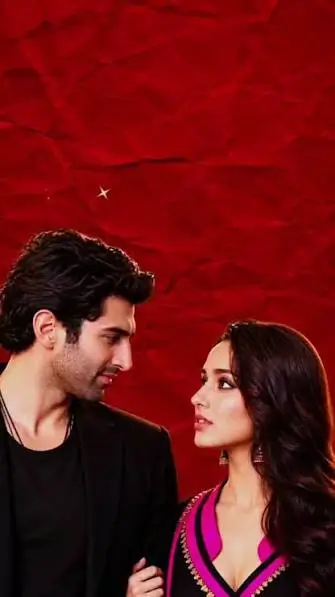

Hosh Baaton Ka Aksar Nahi Tha VN Template Features
Here are some features you may enjoy when using this VN template:
- Trending Music Style: Create videos around the popular audio.
- Smooth Transitions: Give your video a professional appearance.
- Cinematic Effects: Make your photos and clips look beautiful.
- Easy Editing: Replace sample media with your own photos.
- Social Media Ready: Create vertical videos for Reels and Shorts.
- Creative Effects: Add filters, overlays, and motion effects.
How to Use Hosh Baaton Ka Aksar Nahi Tha VN Template?
Follow these simple steps to create your video:
- Open the VN Video Editor app on your smartphone.
- Find the Hosh Baaton Ka Aksar Nahi Tha VN Template project or QR code if one is available.
- Open the template using the supported VN import option.
- Select your favourite photos and video clips.
- Replace the sample media with your own content.
- Adjust the timing and transitions if needed.
- Preview your completed video.
- Export your video in high quality and share it on social media.
How to Create This VN Video Without a Template?
You can also create a similar edit manually in VN Video Editor.
- Start a new project.
- Import your favourite photos and video clips.
- Add the song or audio you want to use.
- Arrange your clips according to the music.
- Apply slow-motion effects and smooth transitions.
- Adjust brightness, contrast, saturation, and colour tones.
- Export your final video in 1080p resolution.
Best Settings for VN Video Editing
For an attractive social media video, try these settings:
- Aspect Ratio: 9:16
- Resolution: 1080p
- Frame Rate: 30 FPS or 60 FPS
- Format: MP4
- Quality: High
The best settings may vary depending on your original footage and editing style.
Why Is This VN Template Popular?
Music-based VN editing styles are popular because they make it easy to create attractive videos without spending hours editing manually.
The Hosh Baaton Ka Aksar Nahi Tha VN Template is a useful search for creators looking for an emotional and aesthetic editing style. You can personalize the video with your own pictures, memories, and creative effects.
Frequently Asked Questions
What is Hosh Baaton Ka Aksar Nahi Tha VN Template?
It is a music-inspired VN video editing style that can be used to create emotional, aesthetic, and cinematic short videos.
Is Hosh Baaton Ka Aksar Nahi Tha VN Template free?
The VN editing app offers free editing features. Template availability and any additional effects may depend on the project source.
How can I scan a VN QR code?
Open a supported VN QR code or project import option and follow the instructions to load the editing project.
Can I use this VN template on Android?
Yes, VN Video Editor is available for compatible Android devices.
Can I share my VN video on Instagram?
Yes, you can export your completed video and upload it to Instagram Reels, YouTube Shorts, and other supported platforms.
Conclusion
The Hosh Baaton Ka Aksar Nahi Tha VN Template is a great editing idea for anyone who loves emotional music videos and creative photo edits. With VN Video Editor, you can add your favourite pictures, apply beautiful transitions, and create an impressive video for social media.
Thank you for visiting EditProTips