Welcome to EditProTips! If you are looking for a Happy Birthday VN Template to create a beautiful, stylish, and memorable birthday video, you are in the right place. Birthday videos are a wonderful way to celebrate special moments, share memories, and surprise your friends, family, or loved ones on their special day.
With VN Video Editor, you can easily create professional-looking birthday edits using photos, video clips, transitions, slow-motion effects, beat-sync editing, and beautiful music. Whether you want a simple birthday status, an Instagram Reel, a WhatsApp status, or a TikTok birthday video, VN templates make editing easier and faster.
Table of Contents
What Is Happy Birthday VN Template?
A Happy Birthday VN Template is a ready-made video editing style that allows you to create birthday videos using your own photos and clips. Instead of editing everything manually, you can use a pre-designed editing style with transitions, effects, animations, and music.
These birthday templates are perfect for creating:
- Happy birthday videos for friends
- Birthday videos for your girlfriend or boyfriend
- Birthday wishes for your sister or brother
- Birthday videos for parents
- Instagram birthday Reels
- WhatsApp birthday status videos
- Photo slideshow birthday edits
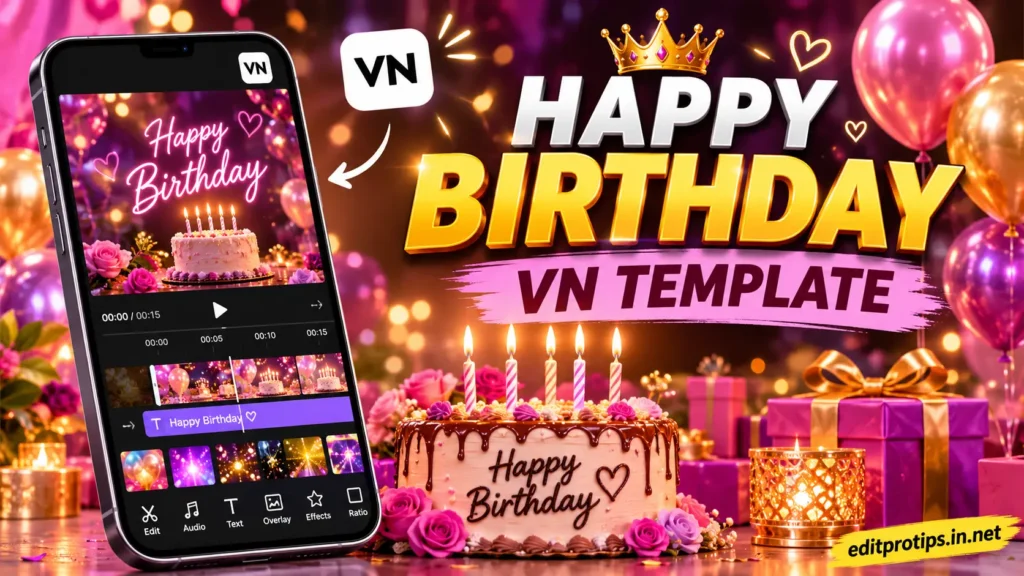
Happy Birthday VN Template Features
The latest birthday VN editing styles can include beautiful visual effects to make your video more attractive.
- Smooth transitions between photos
- Slow-motion video effects
- Birthday-themed animations
- Beat-sync music editing
- Cinematic color filters
- Flash and glow effects
- Stylish text animations
- HD video export
How to Use Happy Birthday VN Template
Follow these simple steps to create your own birthday video using VN Video Editor.
- Step 1: Open VN Video Editor on your smartphone.
- Step 2: Find and open the birthday template or project you want to use.
- Step 3: Add your favorite birthday photos and video clips.
- Step 4: Adjust the photos, clips, timing, and transitions if needed.
- Step 5: Add a birthday song, music, or special message.
- Step 6: Preview your video and export it in HD quality.
Your birthday video is now ready to share with friends and loved ones on Instagram, WhatsApp, Facebook, or TikTok.
Why Use Birthday VN Templates?
VN templates are a great choice for beginners and experienced editors. They help you save time and make your videos look creative without requiring advanced editing skills.
You can transform ordinary pictures into a beautiful birthday memory with stylish transitions, music, and visual effects. These templates are especially useful when you want to create a birthday video quickly using your mobile phone.
Best Ideas for Happy Birthday Video Editing
Try these creative ideas to make your birthday video more special:
- Birthday Memories Edit – Combine old and new photos with emotional music.
- Cinematic Birthday Edit – Use slow motion, smooth transitions, and cinematic colors.
- Best Friend Birthday Edit – Add funny moments, selfies, and friendship memories.
- Couple Birthday Video – Create a romantic video with your favorite pictures together.
- Birthday Photo Slideshow – Make a simple slideshow with birthday wishes and music.
Conclusion
The Happy Birthday VN Template is a simple and creative way to turn your favorite photos and videos into memorable birthday edits. Whether you are celebrating your best friend, partner, sibling, or someone special, VN Video Editor gives you the tools to create beautiful birthday videos in just a few minutes.
Stay connected with EditProTips for more VN templates, CapCut templates, AI editing prompts, photo editing ideas, and creative video editing tutorials.