Welcome to EditProTips! Are you looking for the latest Happy Birthday Reels VN QR Code Templates to create beautiful, stylish, and trending birthday videos? You are in the right place! Birthday videos are a wonderful way to celebrate special moments with friends, loved ones, and family members.
With VN Video Editor, you can create professional-looking birthday reels using amazing transitions, beat-sync effects, slow-motion clips, cinematic filters, and beautiful text animations.
vn code by editprotips
In this article, we will explore the best Happy Birthday VN templates, QR code editing ideas, and easy steps to create attractive birthday reels for Instagram, Facebook, and YouTube Shorts.
What Are Happy Birthday Reels VN QR Code Templates?
Happy Birthday Reels VN QR Code Templates are ready-made video editing projects that help you create birthday videos quickly using the VN Video Editor app.
These templates can include:
- Beautiful birthday photo transitions.
- Trending music and beat-sync effects.
- Cinematic slow-motion effects.
- Birthday wishes and animated text.
- Colorful overlays and light effects.
- Stylish photo and video combinations.
Instead of editing everything manually, you can use a compatible VN project or QR code to recreate a beautiful birthday video.
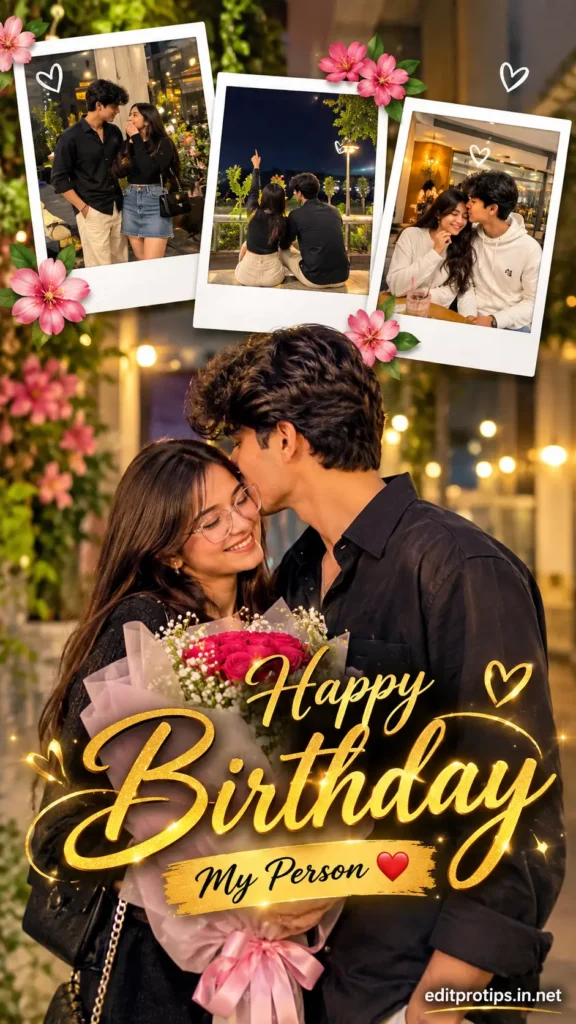
Best Happy Birthday VN Template Ideas 2026
Here are some creative birthday editing styles you can try:
1. Happy Birthday Cinematic VN Template
Create a cinematic birthday video with smooth transitions, glowing effects, and stylish birthday wishes.
2. Birthday Beat Sync VN Template
Add your favorite photos and match every transition with the music beat for an attractive Instagram reel.
3. Birthday Slow Motion VN Template
Use slow-motion effects, smooth zoom transitions, and cinematic filters to highlight your favorite birthday memories.
4. Birthday Photo Slideshow VN Template
Combine multiple photos into a beautiful slideshow with music, animated text, and creative transitions.
5. Best Friend Birthday VN Template
Make a special birthday video for your best friend using memorable pictures, friendship moments, and emotional music.
6. Birthday Girl VN QR Code Template
Create an elegant birthday reel with aesthetic backgrounds, beautiful transitions, and stylish text effects.
7. Birthday Boy VN Template
Make a stylish birthday video with modern transitions, dark cinematic filters, and trending beat-sync effects.
How to Use VN QR Code Templates
Follow these simple steps to create your birthday video:
- Open the VN Video Editor app on your smartphone.
- Find a compatible VN template or project.
- Open the provided QR code or template-sharing option.
- Import the compatible template into VN.
- Select your favorite birthday photos and video clips.
- Replace the sample media with your own pictures.
- Customize the text, music, filters, and transitions.
- Preview your completed birthday video.
- Export your video in high quality.
- Share your birthday reel on Instagram, Facebook, or WhatsApp.
Note: QR code compatibility depends on the VN version and the original project-sharing method. Some QR codes may open a project link rather than automatically import a complete template.
Best Music Ideas for Birthday Reels
Choosing the right music makes your birthday video more attractive. Try these music styles:
- Trending birthday songs.
- Romantic birthday music.
- Emotional friendship songs.
- Punjabi birthday beats.
- Hindi celebration songs.
- Cinematic background music.
- Viral Instagram reel audio.
Always choose audio that is available for your intended social media platform.
Best Export Settings for Birthday Reels
For a professional-looking birthday video, use these recommended settings:
| Setting | Recommended |
|---|---|
| Video Ratio | 9:16 |
| Resolution | 1080p |
| Frame Rate | 30 or 60 FPS |
| Format | MP4 |
| Quality | High |
| Platform | Instagram Reels |
Why Choose VN Video Editor for Birthday Editing?
VN Video Editor is a popular mobile editing application that offers useful tools for creating creative videos.
Some of its editing features include:
- Multi-layer video editing.
- Smooth transitions.
- Music and sound effects.
- Speed adjustment.
- Text and subtitle animations.
- Filters and color adjustments.
- High-resolution video export.
These features make VN a useful option for beginners and content creators who want to make attractive birthday reels.
Tips for Creating Viral Birthday Reels
Follow these tips to improve your birthday video:
- Choose your best-quality photos.
- Start your video with an attractive opening clip.
- Use smooth transitions instead of too many effects.
- Match photo changes with music beats.
- Add a personalized birthday message.
- Keep your video in vertical 9:16 format.
- Use clear and high-quality images.
- Select suitable trending audio.
Frequently Asked Questions
What are Happy Birthday Reels VN QR Code Templates?
They are birthday video editing templates or project-sharing options that help users create attractive birthday videos in VN Video Editor.
Are VN birthday templates free?
Many VN templates and shared projects are available for free, although availability and usage conditions depend on the creator.
How do I scan a VN QR code?
Use the compatible QR code or project-sharing feature provided with the template. Follow the instructions to open or import the project.
Can I use VN templates for Instagram Reels?
Yes. You can create vertical 9:16 birthday videos in VN and export them for Instagram Reels.
Can I add my own photos to a birthday VN template?
Yes. Compatible VN projects allow you to replace sample photos and video clips with your own media.
Conclusion
Happy Birthday Reels VN QR Code Templates are a creative way to turn your favorite pictures into beautiful birthday videos. With VN Video Editor, you can add stylish transitions, cinematic effects, beat-sync editing, and personalized birthday wishes.
Try different birthday editing styles, use your favorite music, and create memorable reels for your friends and loved ones.
Thanks for visiting EditProTips! Keep creating and keep editing.