Welcome to EditProTips! Are you looking for a creative way to say goodbye to 2025? The New Goodbye 2025 CapCut Template is a great choice for creating beautiful year-end videos using your favorite photos and memorable clips.
As 2025 comes to an end, many people want to collect their best memories and share them with friends and followers on Instagram Reels, TikTok, Facebook Reels, and YouTube Shorts. With this trending video editing idea, you can turn your favorite moments into an emotional and cinematic video.
In this article, we will explain how to use the Goodbye 2025 CapCut Template, its features, editing steps, and tips for creating an attractive year-end video.
template by editprotips tips
What Is the New Goodbye 2025 CapCut Template?
The New Goodbye 2025 CapCut Template is a creative video editing format designed for year-end memory videos. It helps creators combine pictures, short video clips, transitions, music, and visual effects to create a memorable farewell to 2025.
You can use your favorite memories from the year, including travel moments, friendships, celebrations, achievements, and special occasions. Whether you want an emotional farewell video or a stylish year recap, this editing idea can make your content look more professional.
Features of Goodbye 2025 CapCut Template
Here are some popular editing features you can include in your year-end video:
- Cinematic Transitions: Create smooth transitions between your favorite pictures and video clips.
- Emotional Music: Add suitable background music to make your memories more meaningful.
- Slow Motion Effects: Use slow-motion scenes for emotional and cinematic moments.
- Photo Memories: Include your best pictures and unforgettable moments from 2025.
- Beat Sync Effects: Match transitions and clips with the rhythm of the music.
- Beautiful Filters: Apply color grading and stylish filters to improve your video.
- Social Media Format: Create vertical videos for Instagram Reels, TikTok, and YouTube Shorts.
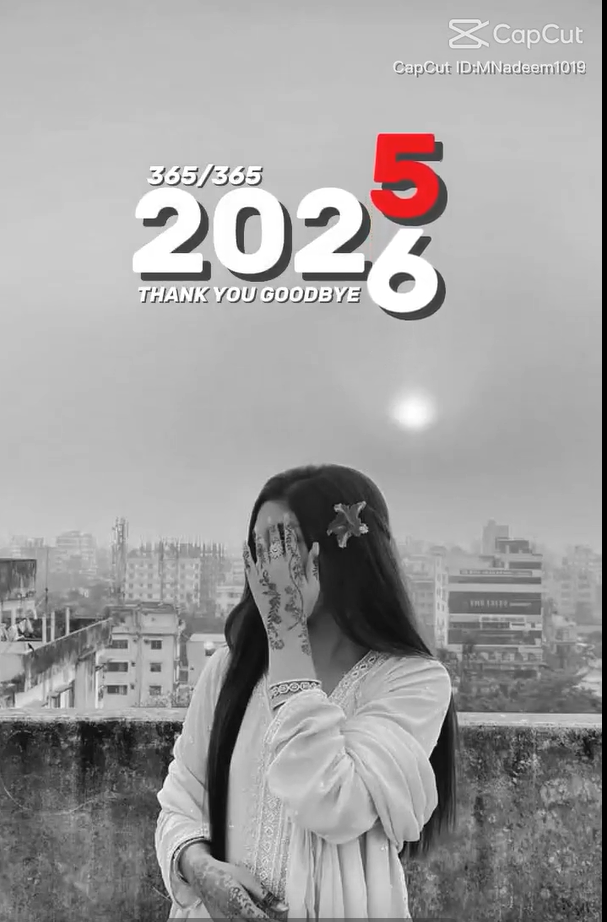
How to Use New Goodbye 2025 CapCut Template
Follow these simple steps to create your year-end video:
- Open the CapCut application on your smartphone.
- Find the New Goodbye 2025 CapCut Template using the template discovery option, if available in your region.
- Open the template you want to use.
- Tap the Use Template option.
- Select your favorite photos and video clips from 2025.
- Adjust the clips according to the template requirements.
- Preview your video and make any necessary changes.
- Export your finished video in high quality.
- Share your creation on your favorite social media platforms.
Note: Template availability and CapCut features may vary by country and app version.
Best Ideas for Goodbye 2025 Year-End Video
Want to make your video more creative? Try these ideas:
- 2025 Memories Recap: Show your best moments from January to December.
- Friends Memories: Create a beautiful video featuring your favorite memories with friends.
- Travel Memories: Add pictures and clips from your favorite trips.
- Emotional Goodbye: Use cinematic effects and emotional music for a memorable farewell.
- Achievement Recap: Highlight your biggest achievements and special moments.
- Couple Memories: Combine your favorite pictures and memorable moments with your partner.
Best Video Settings for Instagram Reels and TikTok
For a professional-looking year-end video, consider these settings:
| Setting | Recommended Format |
|---|---|
| Video Ratio | 9:16 |
| Resolution | 1080p |
| Frame Rate | 30 FPS or 60 FPS |
| Video Format | MP4 |
| Quality | High |
| Platform | Instagram, TikTok, YouTube Shorts |
Why Choose the Goodbye 2025 CapCut Template?
Year-end videos are a popular way to celebrate memories and reflect on the past year. Instead of sharing individual photos, you can combine your favorite moments into one creative video.
The Goodbye 2025 editing style is suitable for beginners and experienced creators. You can personalize your video with your own pictures, music, transitions, and effects.
It is also a great opportunity to create engaging content for your social media audience before welcoming 2027.
Tips to Make Your Goodbye 2025 Video More Attractive
- Choose your best photos and video clips.
- Use high-quality images for a clear result.
- Select music that matches the mood of your memories.
- Avoid adding too many unnecessary effects.
- Use smooth transitions between scenes.
- Keep your video short and engaging.
- Export your final video in 1080p quality.
Frequently Asked Questions
What is the New Goodbye 2026 CapCut Template?
It is a year-end video editing style that helps users create memorable farewell videos using photos, clips, music, and cinematic effects.
Is the Goodbye 2026 CapCut Template free?
Some CapCut templates are available for free, while other features or effects may require a subscription. Availability depends on the template and region.
Can I use my own photos in this template?
Yes, if the selected template supports photo replacement, you can add your favorite pictures and personal memories.
Can I upload my Goodbye 2026 video to Instagram Reels?
Yes. You can export your video in a vertical 9:16 format and share it on Instagram Reels, TikTok, and YouTube Shorts.
Can beginners use the Goodbye 2026 CapCut Template?
Yes. Ready-made templates make video editing easier, even for beginners.
Conclusion
The New Goodbye 2025 CapCut Template is a creative way to celebrate your memories, special moments, friendships, and achievements from the year. Whether you want an emotional farewell or a stylish year-end recap, you can create an attractive video using your favorite photos and clips.
Start collecting your best memories from 2025 and create a beautiful video to welcome a new beginning in 2027.
Thanks for visiting EditProTips. Keep creating, keep editing, and stay connected for more trending CapCut templates, VN codes, AI editing prompts, and video editing ideas.