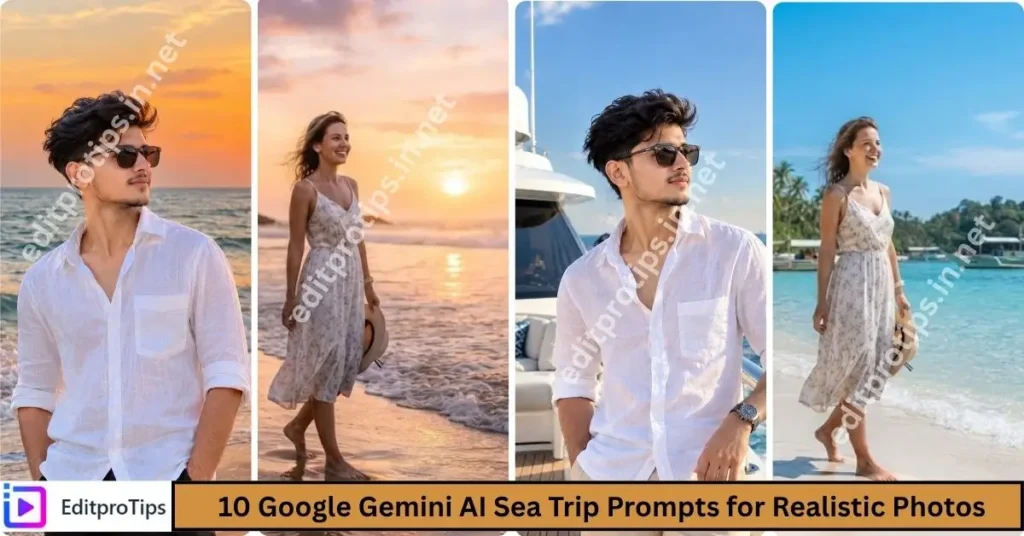
Hello friends! Welcome back to EditProTips. AI video editing is becoming one of the most popular ways to create eye-catching content for Instagram Reels, YouTube Shorts, TikTok, and other social media platforms. In 2026, creators are using AI-powered tools to transform ordinary photos and clips into creative videos with cinematic effects, smooth transitions, realistic motion, and attractive visual styles.
One of the popular trends is Trending AI Girl Video Editing, which can be used to create stylish AI videos from photos, portraits, and short clips. With the right prompt and editing technique, you can experiment with different outfits, locations, camera movements, lighting effects, and cinematic looks.
In this guide, we will explain how to create an AI girl video edit, what type of prompts you can use, and how to make your final video more attractive for social media.
Table of Contents
What Is Trending AI Girl Video Editing?
Trending AI Girl Video Editing refers to creating or transforming girl-themed photos and videos using artificial intelligence and modern editing effects. Instead of manually creating every visual effect, AI tools can help generate backgrounds, movements, transitions, cinematic scenes, and other creative elements.
Creators can start with an existing photo and use an AI image or video tool to create a new visual concept. The resulting image or video can then be edited using a mobile video editor.
Popular styles include:
- Cinematic AI girl videos
- AI fashion edits
- AI travel videos
- AI portrait videos
- Slow-motion AI edits
- Trending Instagram Reel edits
- AI transformation videos
- 3D-style AI videos
- Luxury lifestyle edits
- Aesthetic AI videos
The exact result depends on the AI tool, source image, prompt, and editing settings.
Why AI Girl Videos Are Trending in 2026
AI editing has made creative video production easier for beginners. You don’t necessarily need advanced editing knowledge to experiment with different visual concepts.
Some of the reasons creators are interested in this trend include:
1. Easy Photo-to-Video Creation
AI video tools can animate a still image and create movement such as camera zooms, head movement, hair movement, or environmental motion.
2. Creative Visual Concepts
AI allows creators to experiment with locations and styles that may be difficult or expensive to photograph in real life.
3. Social Media Content
Short AI-generated clips can be combined with music, transitions, captions, and effects to create content suitable for Reels and Shorts.
4. Cinematic Effects
AI can help create cinematic lighting, depth, realistic backgrounds, and different camera perspectives.
5. Beginner-Friendly Editing
Many modern AI tools use simple interfaces, making experimentation easier for people who are new to video editing.
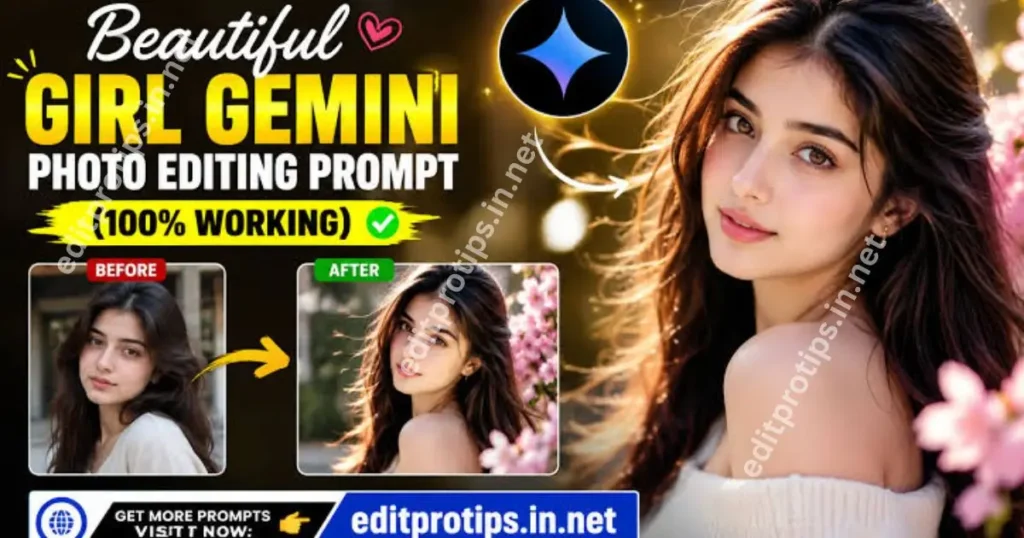
How to Create a Trending AI Girl Video Edit
Creating your own AI video doesn’t have to be complicated. Follow these general steps.
Step 1: Choose a Good Photo
Start with a clear, high-quality portrait or full-body photo. A well-lit image usually provides a better starting point for AI editing.
For best results, choose an image where:
- The face is clearly visible
- The subject is not heavily blurred
- The image has good lighting
- The body is reasonably visible if you want full-body animation
- The original image has enough detail
Avoid extremely low-resolution or heavily compressed images.
Step 2: Write an AI Video Prompt
The prompt tells the AI what type of video you want to create.
For example, you can describe the location, camera movement, lighting, atmosphere, and overall visual style.
Example AI Girl Video Prompt:
Create a cinematic realistic video from the uploaded photo. Preserve the person's facial identity and natural facial features. Add subtle natural movement, realistic hair movement, gentle camera motion, cinematic lighting, detailed surroundings, natural skin texture, realistic proportions, smooth motion, shallow depth of field, and professional photography quality. Keep the subject natural and realistic while creating a stylish modern social media video.
You can customize the scene according to your idea.
Step 3: Generate the Video
Upload your photo to an AI video-generation tool that supports image-to-video creation. Enter your prompt and generate the clip.
Depending on the platform, you may be able to control:
- Camera movement
- Motion intensity
- Video duration
- Aspect ratio
- Visual style
- Resolution
- Motion direction
If the first result doesn’t look right, modify the prompt and try again.
Step 4: Edit the Generated Clip
After generating the AI clip, import it into your preferred video editing application.
You can add:
- Trending music
- Beat synchronization
- Smooth transitions
- Slow motion
- Zoom effects
- Text overlays
- Light effects
- Motion blur
- Color adjustments
- Cinematic filters
Don’t overload the video with effects. A clean edit can often make the AI-generated footage look more polished.
Best AI Girl Video Editing Styles
There are many ways to experiment with this trend.
Cinematic Girl Video
Create a cinematic scene with dramatic lighting, soft background blur, and smooth camera movement.
This style works particularly well with slow music and cinematic audio.
Travel AI Girl Edit
Place the subject in a beautiful travel environment such as a beach, mountain, city street, or scenic destination.
You can combine several generated clips to create a short travel montage.
Fashion AI Video
Fashion-themed AI edits can focus on clothing, lighting, poses, backgrounds, and camera movement.
Keep the styling realistic and consistent between shots.
Aesthetic AI Video
Use soft lighting, minimal backgrounds, subtle camera movements, and smooth transitions for an aesthetic social media edit.
Luxury Lifestyle AI Edit
AI can be used to create concepts involving modern interiors, premium vehicles, city locations, hotels, and other lifestyle settings.
When creating realistic scenes, pay attention to consistency between the subject and environment.
Trending AI Girl Video Editing Prompt Ideas
Here are some prompt ideas you can customize.
1. Cinematic Street Prompt
Transform the uploaded photo into a realistic cinematic street video. Preserve the person's facial identity and natural features. Add subtle walking movement, realistic hair movement, soft evening lighting, detailed city surroundings, gentle camera tracking, natural shadows, realistic skin texture, cinematic depth of field, and smooth professional video motion.
2. Beach Prompt
Create a realistic cinematic beach video using the uploaded photo. Preserve the person's facial identity and natural appearance. Place the subject near a beautiful ocean with gentle waves, natural sunlight, realistic wind movement, detailed surroundings, smooth camera motion, cinematic composition, natural skin texture, and high-resolution realistic details.
3. Night City Prompt
Create a realistic night-city cinematic video from the uploaded photo. Keep the person's facial identity unchanged. Add realistic city lights, subtle movement, reflections, soft neon illumination, cinematic depth of field, smooth camera movement, natural skin texture, realistic shadows, and professional video quality.
4. Fashion Prompt
Create a stylish realistic fashion video from the uploaded photo. Preserve the person's facial identity and natural features. Add elegant camera movement, realistic clothing details, studio-quality lighting, natural body proportions, subtle motion, cinematic depth of field, clean background, and premium fashion photography aesthetics.
Tips for Better AI Video Results
The quality of your final video depends heavily on the input image and prompt.
Use High-Quality Images
A sharp source image gives the AI more visual information to work with.
Keep Prompts Clear
Instead of adding dozens of unrelated instructions, describe the scene, movement, lighting, and camera style clearly.
Request Natural Motion
Overly strong movement can sometimes create unnatural results. Use phrases such as “subtle natural movement” or “smooth realistic motion.”
Preserve Identity
If your tool supports image identity preservation, use appropriate instructions such as:
“Preserve the person’s facial identity and natural facial features.”
This can help maintain consistency, although results vary between AI tools.
Create Short Clips
Short clips are often easier to combine into an engaging Reel. You can generate multiple scenes and join them during the editing stage.
How to Make Your AI Video More Viral-Looking
AI generation is only one part of the process. Editing can make a major difference.
Start by selecting suitable music. Then cut your clips according to the beat. Use smooth transitions rather than adding an effect to every cut.
You can also add a short opening text such as:
“AI Edit 2026”
or
“Trending AI Video”
Use vertical 9:16 framing when your primary goal is Instagram Reels, TikTok, or YouTube Shorts.
Keep important text away from the extreme edges of the screen so that social media interface elements don’t cover it.
Common Mistakes to Avoid
Using a Low-Quality Photo
A blurry source image can make the final result less detailed.
Overusing Effects
Too many transitions, filters, and overlays can make your video look cluttered.
Writing an Unclear Prompt
AI tools work better when the desired scene and movement are described clearly.
Ignoring Aspect Ratio
For short-form platforms, vertical video is generally the most suitable format.
Expecting Every Generation to Be Perfect
AI-generated videos can sometimes contain inconsistencies. Generate multiple versions and select the result that best matches your intended concept.
Is Trending AI Girl Video Editing Free?
Some AI image and video editing tools offer free features, while others use credits, subscriptions, or paid plans. Features and pricing can change over time.
Before using any tool, check its current terms, licensing conditions, watermark rules, and commercial-use policy.
Frequently Asked Questions
What is trending AI girl video editing?
Trending AI girl video editing is a style of AI-assisted content creation where photos or videos are transformed into creative clips using AI animation, visual effects, cinematic scenes, and modern editing techniques.
How can I create an AI girl video from a photo?
Upload a suitable photo to an image-to-video AI tool, provide a detailed prompt describing the desired movement and scene, generate the clip, and then edit it with music, transitions, and effects.
Can I use my own photo for AI video editing?
Yes, many AI tools support image-to-video workflows. Use photos that you have permission to edit and follow the platform’s terms.
Which format is best for Instagram Reels?
A vertical 9:16 format is commonly used for Instagram Reels and other short-form video platforms.
Can beginners create AI girl videos?
Yes. Many AI editing tools are designed with simple interfaces, so beginners can experiment with photo animation and video generation without advanced editing skills.
How do I make AI videos look realistic?
Use a high-quality source image, clear prompts, natural movement, realistic lighting, consistent scenes, and subtle editing effects. Avoid excessive motion or unnecessary filters.
Conclusion
Trending AI Girl Video Editing 2026 is an interesting way to experiment with AI-powered creativity and short-form video production. By combining a good source photo, a clear AI prompt, realistic motion, and simple video editing, you can create visually engaging content for social media.
The key is to focus on realistic movement, clean editing, good-quality images, and creative ideas instead of simply adding as many effects as possible.
Keep experimenting with different prompts, locations, camera movements, and editing styles to discover your own approach.
For more AI editing ideas, prompts, CapCut templates, VN codes, and creative editing resources, keep visiting editpro tips.