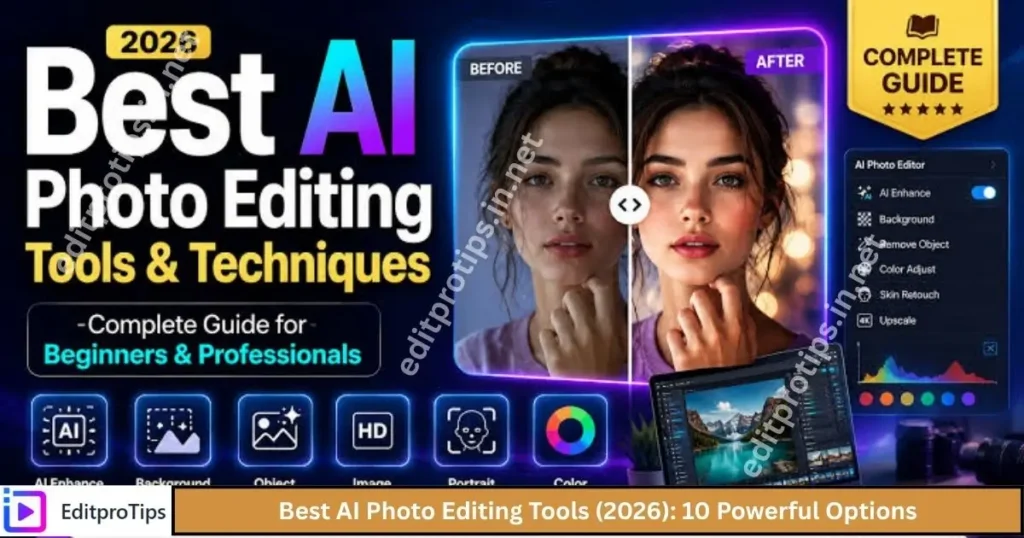
Best AI Photo Editing Tools (2026) can help you enhance images, remove backgrounds, erase unwanted objects, improve photo quality, and create professional-looking pictures in less time. Whether you are a beginner, content creator, photographer, or social media editor, AI-powered editing tools can make your workflow easier.
In this guide, EditProTips explores 10 popular AI photo editing tools, their main features, and how to choose the right option for your editing needs.
Table of Contents
What Are AI Photo Editing Tools?
AI photo editing tools are applications and online platforms that use artificial intelligence to simplify image editing. Instead of manually adjusting every detail, you can use AI features to improve lighting, remove distractions, replace backgrounds, enhance portraits, and generate new visual elements.
Many tools offer automatic editing features, while others provide advanced controls for professional users. Some are free to use with limitations, and others require a paid subscription for premium features.
10 Best AI Photo Editing Tools in 2026
1. Adobe Photoshop
Adobe Photoshop is a powerful choice for users who want advanced photo editing capabilities combined with AI-powered features. It is useful for photographers, graphic designers, and content creators who need precise control over their images.
Key features:
- AI-powered Generative Fill and image editing.
- Object removal and background replacement.
- Advanced layers, selections, and retouching.
- Detailed color correction and image manipulation.
Best for: Professional photo editing and creative image manipulation.
Pricing: Paid plans; features and availability depend on the subscription.
2. Canva AI Photo Editor
Canva is a convenient option for beginners, bloggers, and social media creators. Its design-focused platform combines photo editing with templates, graphics, and AI-assisted tools.
Key features:
- AI-assisted image editing.
- Background removal with supported plans.
- Image resizing and design templates.
- Social media graphics and promotional designs.
Best for: Instagram posts, blog graphics, thumbnails, and marketing designs.
Pricing: Free plan available, with additional features in paid plans.
3. Adobe Lightroom
Adobe Lightroom is designed for photographers and creators who want to improve the quality and appearance of their photographs. It combines traditional photo adjustments with intelligent editing features.
Key features:
- Exposure, contrast, and color adjustments.
- AI-powered masking for selected editing workflows.
- Portrait and landscape enhancement.
- Presets for consistent photo styles.
Best for: Portrait photography, travel pictures, and professional color grading.
Pricing: Paid plans, with availability depending on the version and subscription.
4. Pixlr AI Photo Editor
Pixlr is a browser-based editing platform that offers accessible tools for quick image improvements. It is suitable for users who prefer editing online without installing a large desktop application.
Key features:
- AI-assisted image editing.
- Background removal and image cleanup.
- Filters, effects, and adjustment tools.
- Browser-based editing options.
Best for: Quick edits, simple graphic designs, and everyday image improvements.
Pricing: Free access with limitations; paid options may be available.
5. Fotor AI Photo Editor
Fotor combines photo enhancement, portrait retouching, and creative AI tools in an approachable interface. It is useful when you want to improve images without spending too much time learning complex editing software.
Key features:
- One-click photo enhancement.
- AI portrait retouching.
- Background removal and replacement.
- Creative image generation features.
Best for: Beginners, profile pictures, and quick social media edits.
Pricing: Free features with limitations and optional paid plans.
6. Remini
Remini is known for AI-powered photo enhancement, particularly when working with blurry, low-resolution, or older photographs. Results vary depending on the original image quality.
Key features:
- Photo sharpening and enhancement.
- Portrait detail improvement.
- Restoration-style effects for older pictures.
- Mobile-friendly editing workflows.
Best for: Improving portraits and enhancing certain low-quality photographs.
Pricing: Free access may be limited; premium features may require payment.
7. Luminar Neo
Luminar Neo is a photo-editing application built for photographers who want AI-assisted adjustments and creative control. It offers tools for enhancing landscapes, portraits, and other photography styles.
Key features:
- AI-assisted sky and scene enhancement.
- Portrait and skin adjustments.
- Lighting and color improvements.
- Creative effects and image adjustments.
Best for: Photographers seeking creative AI-assisted editing.
Pricing: Paid software; check current plans and licensing options.
8. Photoroom
Photoroom focuses on product photography, background removal, and image preparation. It is particularly useful for online sellers, small businesses, and creators who need clean product images.
Key features:
- Automatic background removal.
- AI-generated backgrounds.
- Product photo enhancement.
- Images for online stores and promotional content.
Best for: E-commerce product photos and online business graphics.
Pricing: Free options with limitations and paid plans.
9. Picsart AI Photo Editor
Picsart combines photo editing, creative effects, graphic design, and AI-assisted features in one platform. It is useful for people who enjoy experimenting with different styles and effects.
Key features:
- AI-powered creative editing features.
- Background and object editing tools.
- Filters, stickers, and artistic effects.
- Social media content creation.
Best for: Creative photo edits, posters, and social media content.
Pricing: Free access with limitations and optional subscriptions.
10. Google Photos
Google Photos is a convenient option for users who want to organize, improve, and edit everyday photographs. Depending on your device, region, and account, it may provide AI-powered editing features.
Key features:
- Photo organization and basic adjustments.
- Supported AI editing features on eligible devices.
- Photo sharing and backup options.
- Easy access to images across supported devices.
Best for: Everyday photo enhancement and managing a personal photo collection.
Pricing: Basic access is available; storage limits and certain features may vary.
Comparison of the Best AI Photo Editing Tools
| Tool | Best Use | Free Access |
|---|---|---|
| Adobe Photoshop | Advanced editing | Limited or trial options may apply |
| Canva | Social media designs | Yes, with limitations |
| Adobe Lightroom | Color correction | Depends on version and plan |
| Pixlr | Online editing | Yes, with limitations |
| Fotor | Quick enhancement | Yes, with limitations |
| Remini | Portrait enhancement | Limited access may be available |
| Luminar Neo | Photography workflows | Check current offers |
| Photoroom | Product images | Yes, with limitations |
| Picsart | Creative effects | Yes, with limitations |
| Google Photos | Everyday editing | Yes, with feature and storage limits |
Availability, prices, AI credits, and free-plan restrictions can change. Check each tool’s official website for current details.
How to Choose the Best AI Photo Editing Tool
Choosing the right AI photo editor depends on your goals, experience, budget, and the type of images you create.
1. Identify Your Editing Needs
If you want professional image manipulation, Photoshop may be a suitable choice. For product photography, consider Photoroom. For quick online edits, Pixlr or Canva may be more convenient.
2. Check the Free Features
If you are just starting, try a free version before purchasing a subscription. Review export limits, watermarks, AI credits, and restrictions on high-resolution downloads.
3. Look for Easy-to-Use Controls
Beginners should consider tools with automatic enhancement, simple sliders, and clear editing controls. Advanced users may prefer software with layers, masks, and detailed adjustments.
4. Consider Image Quality
Not every AI tool produces the same results. Test your own photographs and check whether the final image preserves natural skin texture, fine details, and realistic colors.
5. Review Privacy and Upload Policies
Before uploading personal or sensitive images, read the service’s privacy policy and understand how uploaded images are stored, processed, or used.
Benefits of Using AI Photo Editing Tools
AI-powered editors can make many editing tasks faster and more accessible.
- Save time: Automate repetitive editing tasks.
- Improve image quality: Enhance selected details, lighting, and sharpness.
- Remove distractions: Clean up backgrounds or unwanted objects where supported.
- Create attractive content: Prepare images for websites and social media.
- Support beginners: Simplify tasks that might otherwise require advanced skills.
- Explore creative styles: Experiment with different looks and visual effects.
However, AI editing is not perfect. Some tools may create unnatural textures, alter facial details, or introduce visual errors. Always review the final image before publishing it.

How to Edit Photos With AI: Step-by-Step Guide
Follow these simple steps to get started with an AI photo editor.
- Choose a tool: Select a platform based on your editing requirements.
- Upload your image: Open a photo you have permission to edit.
- Select an AI feature: Choose enhancement, background removal, object cleanup, or another supported option.
- Adjust the result: Fine-tune brightness, contrast, saturation, sharpness, and colors.
- Review the details: Check faces, edges, backgrounds, and image quality.
- Export your photo: Save the image in a suitable resolution and format.
- Publish or share: Use the finished image for your blog, social media, or other creative projects.
For additional editing tutorials and AI creativity ideas, explore more guides on EditPro Tips ai.
Frequently Asked Questions
What are the best AI photo editing tools in 2026?
Popular options include Adobe Photoshop, Canva, Adobe Lightroom, Pixlr, Fotor, Remini, Luminar Neo, Photoroom, Picsart, and Google Photos. The best choice depends on your editing goals and budget.
Which AI photo editor is best for beginners?
Canva, Fotor, and Pixlr are useful starting points because they offer accessible editing workflows. Available features differ by platform and plan.
Are there free AI photo editing tools?
Yes. Several platforms provide free access or limited free features. Some advanced functions, high-resolution exports, or AI credits may require payment.
Which AI tool is best for removing photo backgrounds?
Adobe Photoshop, Canva, Pixlr, and Photoroom offer background-removal capabilities in supported versions or plans. Photoroom is particularly useful for product photography.
Can AI improve blurry photos?
Some tools, including Remini and other AI enhancement applications, can improve apparent sharpness and detail. Results depend on the image, and AI may generate details that were not present in the original photograph.
Can I use AI-edited photos on my blog?
Generally, you can use AI-edited images if you comply with the tool’s terms, copyright rules, and any applicable licensing requirements. Make sure you have the necessary rights to the original image.
Conclusion
The Best AI Photo Editing Tools (2026) can help you create better-looking images, simplify your workflow, and experiment with new creative ideas. Photoshop and Lightroom are strong options for advanced editing, Canva is convenient for designs, Photoroom works well for product photos, and Remini can help enhance certain portraits.
Before choosing a tool, compare its features, image quality, privacy practices, and pricing. Start with a free option if available, test it with your own images, and upgrade only if you need additional features.