Welcome to EditPro Tips! In today’s digital world, businesses are constantly looking for smarter ways to manage data, improve productivity, reduce costs, and stay competitive. One technology helping organizations achieve these goals is cloud computing.
Cloud technology allows businesses to store data, run applications, and access computing resources over the internet instead of depending entirely on physical computers and on-site servers. From small startups to large enterprises, organizations are adopting cloud solutions to improve flexibility, support remote work, and simplify their IT operations.
In this article, we will explore the major cloud technology benefits, why businesses are adopting it in 2026, and how organizations can use cloud computing to support long-term growth.
Table of Contents
What Is Cloud Technology?
Cloud technology refers to computing services delivered over the internet. These services can include data storage, databases, software applications, networking, analytics, and computing power.
Instead of purchasing and maintaining all their own hardware, businesses can use services provided by cloud platforms. They can access the resources they need and adjust usage as their requirements change.
Common cloud service providers include Amazon Web Services (AWS), Microsoft Azure, and Google Cloud.
Cloud technology generally includes three main service models:
- Infrastructure as a Service (IaaS): Provides virtual servers, storage, and networking resources.
- Platform as a Service (PaaS): Offers tools and environments for developing and deploying applications.
- Software as a Service (SaaS): Allows users to access software through the internet, often using a web browser.
These models help businesses select services according to their budgets, technical requirements, and operational goals.
1. Reduced IT Costs
One of the biggest cloud technology benefits is the potential to reduce IT infrastructure costs. Traditional computing environments often require businesses to purchase servers, networking equipment, storage devices, and software licenses.
These expenses can be particularly challenging for small businesses and startups.
Cloud computing allows organizations to use resources without purchasing all the underlying hardware. Many cloud services use usage-based pricing, so companies can pay according to their consumption rather than maintaining a large infrastructure at all times.
Businesses may also reduce expenses related to hardware maintenance, physical server rooms, electricity, and equipment upgrades.
However, cloud computing does not automatically guarantee lower costs. Organizations should monitor usage, select suitable service plans, and avoid paying for unused resources.

2. Easy Scalability and Flexibility
Business requirements can change quickly. An online store may receive thousands of additional visitors during a seasonal sale, while a growing company may need more storage or processing power.
Cloud technology makes it easier to increase or decrease computing resources as needed.
Businesses can scale their infrastructure without necessarily purchasing new physical servers. This flexibility helps organizations respond to changing demand and avoid investing in equipment they may not need later.
For example, an e-commerce company can increase its cloud capacity during a major shopping event and reduce it when traffic returns to normal.
Scalability is especially valuable for startups, growing businesses, and organizations with unpredictable workloads.
3. Improved Data Accessibility
Cloud technology enables authorized users to access files, applications, and business information from different locations using an internet-connected device.
This makes it easier for employees to work from home, travel for business, or collaborate with colleagues in other offices.
Cloud-based productivity tools also allow multiple team members to work on shared documents and projects. Depending on the application, changes may synchronize automatically, reducing the need to exchange multiple file versions through email.
Businesses should still establish appropriate access permissions and security policies to ensure that sensitive information is available only to authorized people.
4. Better Collaboration and Productivity
Effective collaboration is essential for modern businesses. Cloud technology helps teams share information, coordinate tasks, and communicate without being in the same physical location.
Employees can use cloud-based project management platforms, video conferencing applications, shared calendars, and document editing tools to complete work more efficiently.
For example, a marketing team can collaborate on a campaign using shared documents while colleagues in different locations review designs, update schedules, and provide feedback.
These tools can reduce delays and make it easier for managers to track project progress.
When businesses combine cloud collaboration with clear workflows and employee training, they can improve productivity and support more flexible working arrangements.
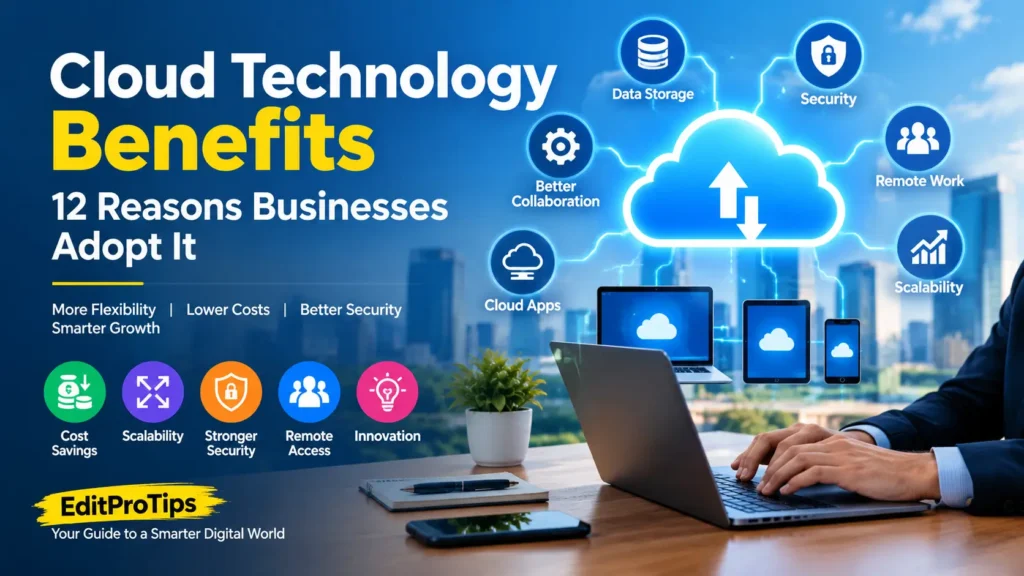
5. Enhanced Data Backup and Disaster Recovery
Data loss can disrupt business operations and lead to financial losses. Hardware failures, accidental deletion, cyberattacks, and natural disasters are some of the risks organizations must consider.
Cloud technology can help businesses create backups and maintain copies of important information in separate locations.
Depending on the provider and configuration, organizations may use automated backups, version history, replication, and recovery tools to restore data after an incident.
Cloud-based disaster recovery can also help businesses resume critical operations when their primary systems become unavailable.
However, storing data in the cloud does not guarantee complete protection. Companies should test their recovery procedures, maintain appropriate backup retention policies, and protect backup accounts against unauthorized access.
6. Stronger Security Management
Security is a major consideration when businesses move their operations to the cloud.
Established cloud providers often offer security features such as encryption, identity management, access controls, monitoring, and security alerts. These tools can help organizations protect their systems and information.
Cloud services may also make it easier to apply security updates and manage user permissions centrally.
Nevertheless, cloud security is a shared responsibility. Providers generally secure aspects of the underlying infrastructure, while customers remain responsible for many settings, accounts, applications, and data-protection decisions.
Businesses should enable multifactor authentication, use strong access controls, review permissions regularly, and train employees to recognize phishing attacks.
The right configuration is just as important as the technology itself.
7. Faster Business Innovation
Cloud platforms provide access to modern technologies that may otherwise require significant investment in infrastructure.
Businesses can experiment with artificial intelligence, machine learning, big data analytics, and application development tools using cloud services.
For example, a company might analyze customer behavior to understand purchasing patterns or use AI tools to automate repetitive tasks.
Developers can also create and test applications in cloud environments without waiting for physical servers to be purchased and installed.
This can shorten development cycles and help businesses test new ideas more quickly. Companies can experiment with new products, evaluate results, and expand successful projects when needed.
8. Support for Remote and Hybrid Work
Remote and hybrid working arrangements have increased the need for secure access to business systems outside traditional offices.
Cloud technology supports these arrangements by making applications, documents, and communication tools accessible from approved devices and locations.
Employees can work with shared resources while managers maintain centralized control over access and business data.
Organizations can also use cloud-based identity management and security policies to help protect remote connections.
Successful remote work still requires reliable internet access, appropriate devices, clear communication, and policies governing the use of company information.
9. Automatic Updates and Easier Maintenance
Maintaining traditional IT infrastructure can require considerable time and technical expertise. Businesses may need to install software updates, replace aging hardware, and manage server maintenance.
Many cloud services simplify these responsibilities by offering managed infrastructure and automatic software updates.
This can reduce routine maintenance work and allow internal IT teams to focus on strategic projects.
The level of maintenance handled by the provider depends on the service model. SaaS customers typically have fewer infrastructure responsibilities than organizations managing their own applications on virtual servers.
Businesses should review update schedules, compatibility requirements, and service agreements before choosing a cloud solution.

10. Access to Advanced Analytics
Businesses generate information through sales, customer interactions, websites, applications, and internal operations. Cloud analytics tools can help organizations organize and analyze this information.
With suitable data and analytical systems, companies can identify trends, measure performance, forecast demand, and make more informed decisions.
For example, a retailer can analyze historical sales data to estimate inventory requirements, while a digital marketing team can compare campaign performance across different channels.
Cloud-based analytics can also support large datasets without requiring every organization to build a substantial on-site computing environment.
The quality of the results depends on data accuracy, appropriate analysis, and responsible data management.
11. Greater Business Continuity
Unexpected outages can interrupt customer service, sales, communication, and internal operations.
Cloud services can support business continuity through features such as redundant infrastructure, geographically separated resources, backup systems, and automated recovery options.
These capabilities vary by provider, service tier, and configuration.
Businesses should identify their most important systems and establish recovery time objectives and recovery point objectives. These define how quickly services should be restored and how much recent data the organization can afford to lose.
A well-designed cloud strategy can help reduce disruption, but organizations should plan for provider outages, network failures, cyber incidents, and other unexpected events.
12. Support for Business Growth and Digital Transformation
Cloud technology can help organizations modernize their operations without requiring every IT investment to be made upfront.
A small business might begin with cloud email and file storage, then introduce customer relationship management software, analytics, and cloud-hosted applications as it grows.
Larger organizations may use cloud services to modernize legacy systems, connect different departments, and develop new digital products.
This flexibility helps businesses adopt new tools at a pace that matches their needs and available resources.
Digital transformation still requires planning, staff training, and clear objectives. Technology delivers the greatest value when it addresses real business problems.
Why Are Businesses Adopting Cloud Technology in 2026?
Businesses are adopting cloud technology because it can help them respond to changing customer expectations and increasingly digital operations.
Several factors are contributing to this adoption:
1. Growing use of artificial intelligence: Cloud platforms provide computing resources and managed services that can support AI applications and data analysis.
2. Flexible working environments: Cloud-based tools make it easier for distributed teams to access shared applications and information.
3. Faster application development: Developers can access computing resources and development environments without building all the required infrastructure themselves.
4. Changing business demands: Companies can adjust resources as their workloads increase or decrease.
5. Data-driven decisions: Cloud analytics services help organizations process information and identify useful business insights.
6. Infrastructure modernization: Companies can replace or supplement aging systems with newer services and architectures.
Cloud adoption is not simply about moving every file or application online. Many organizations use a combination of public cloud, private cloud, and on-premises systems to balance cost, security, performance, and regulatory requirements.
Challenges of Cloud Technology
Although cloud computing offers important benefits, businesses should understand its limitations before adopting it.
Internet Dependency
Many cloud services require a reliable internet connection. Network outages or poor connectivity can affect access to applications and data.
Unexpected Costs
Poorly managed usage, data transfer charges, premium services, and unused resources can increase cloud spending.
Security and Privacy Risks
Misconfigured permissions, stolen credentials, and insecure applications can expose sensitive information.
Vendor Lock-In
Moving applications and data between cloud providers can be difficult when systems rely on provider-specific tools or technologies.
Compliance Requirements
Organizations handling personal, financial, or other regulated information may need to consider data residency, retention, access, and industry-specific rules.
Businesses can address these challenges through cost monitoring, security reviews, backup planning, staff training, and careful provider selection.

How to Choose the Right Cloud Solution
Before adopting cloud technology, businesses should evaluate their requirements and compare available providers.
Consider these important factors:
- Business needs: Identify which applications, workloads, and processes would benefit from cloud services.
- Budget: Compare subscription fees, usage charges, migration costs, and ongoing support expenses.
- Security: Review encryption, access management, monitoring, and backup options.
- Compliance: Confirm that the service supports applicable legal and industry requirements.
- Performance: Evaluate reliability, latency, storage, and computing capacity.
- Support: Check service-level agreements, documentation, and technical assistance.
- Scalability: Make sure the solution can accommodate future growth.
- Migration planning: Test critical workloads and establish a recovery plan before making major changes.
Starting with a limited project can help an organization evaluate the benefits and identify potential problems before expanding its cloud usage.
Conclusion
Cloud technology has become an important part of modern business operations. Its benefits include flexible computing resources, improved collaboration, easier access to data, scalable infrastructure, and support for innovation.
Cloud services can also help businesses improve backup strategies, simplify maintenance, and explore technologies such as artificial intelligence and advanced analytics.
However, successful adoption requires more than choosing a provider. Organizations must consider security, cost management, compliance, performance, and disaster recovery.
For businesses planning their next stage of digital growth, cloud computing can provide a flexible foundation when it is implemented with clear goals and appropriate safeguards.
Keep following EditPro Tips for more guides on cloud technology, artificial intelligence, digital tools, and emerging technology trends.
Frequently Asked Questions
What are the main benefits of cloud technology?
The main benefits include cost flexibility, scalability, remote access, collaboration, data backup, managed maintenance, and access to advanced computing and analytics services.
Why are businesses adopting cloud computing?
Businesses adopt cloud computing to improve flexibility, support remote work, modernize infrastructure, access advanced technologies, and respond more quickly to changing demands.
Is cloud technology suitable for small businesses?
Yes. Small businesses can use cloud email, file storage, accounting software, customer management tools, and other services without building a large IT infrastructure.
Is cloud computing secure?
Cloud computing can provide strong security capabilities, but protection depends on correct configuration, access management, monitoring, and the responsibilities shared between the provider and customer.
Can cloud technology reduce business costs?
It can reduce upfront hardware and maintenance expenses. However, total savings depend on usage, service selection, migration costs, and ongoing cost management.
What are the common types of cloud computing?
The main deployment models are public cloud, private cloud, hybrid cloud, and multicloud environments. Common service models include IaaS, PaaS, and SaaS.