Welcome to EditProTips! Video editing is becoming easier and faster with artificial intelligence. Whether you are a beginner, content creator, YouTuber, or Instagram influencer, AI-powered editing tools can help you create professional-looking videos without spending hours editing manually.
The CapCut AI Video Editor is a popular choice for creators who want to edit videos, add creative effects, generate captions, and improve their content using AI-powered features.
In this guide, we will explore CapCut AI video editing features, useful tools, benefits, and how to create attractive videos for social media in 2026.
Table of Contents
What Is CapCut AI Video Editor?
CapCut AI Video Editor is a video editing solution that combines traditional editing tools with artificial intelligence features. It helps users create, edit, and enhance videos with less manual effort.
You can use its available AI-powered tools to generate captions, remove backgrounds, enhance video quality, create visual effects, and improve your editing workflow.
It is useful for people who create content for TikTok, Instagram Reels, Facebook, and YouTube Shorts.
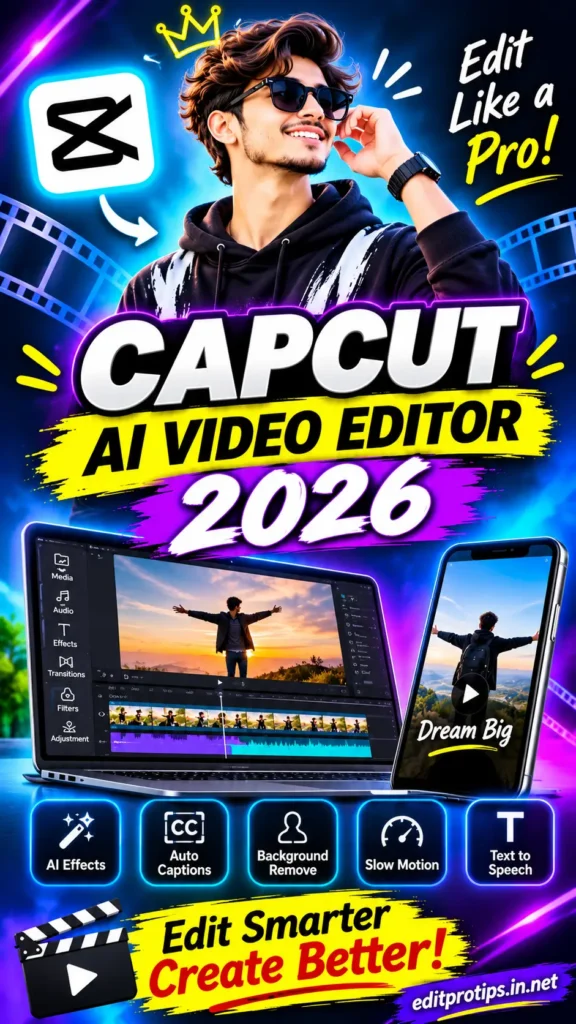
Best Features of CapCut AI Video Editor 2026
Here are some useful features that can make video editing easier.
1. AI Video Editing
AI-assisted editing tools can help simplify your workflow. Depending on the available feature and version, you can use automated editing options to organize clips and create engaging videos.
2. Automatic Captions
The auto-caption feature can recognize spoken words and generate subtitles. This is especially helpful for short-form videos because viewers can understand your content even when their sound is turned off.
3. AI Background Remover
Want to change the background of your video? CapCut offers background removal tools that can help separate a person or object from the original background without requiring a green screen.
4. AI Effects and Filters
Make your videos more attractive with creative effects, filters, transitions, and visual enhancements. These tools can help give ordinary clips a more professional appearance.
5. Text-to-Speech
Text-to-speech tools can convert written content into voice narration. This is useful for tutorials, educational videos, storytelling, and faceless content.
6. AI Video Enhancement
Video enhancement options can help improve the appearance of your footage. Depending on the available tools, you may be able to adjust sharpness, colors, brightness, and other visual details.
7. Slow Motion and Speed Effects
Create cinematic videos using slow-motion effects, speed adjustments, and smooth transitions. These editing techniques are especially popular for Instagram Reels and TikTok videos.
How to Use CapCut AI Video Editor
Follow these simple steps to start editing your videos:
- Open the official CapCut application or website where available.
- Create a new video editing project.
- Upload your photos and video clips.
- Arrange your clips on the editing timeline.
- Explore available AI-powered editing tools.
- Add captions, effects, transitions, and background music.
- Preview your video and make final adjustments.
- Export your finished video using your preferred settings.
Your video is now ready to share on your favorite social media platform.
Best CapCut AI Video Editor Uses
You can use AI-assisted CapCut editing tools for different types of content:
- Instagram Reels: Create attractive short videos with effects and transitions.
- TikTok Videos: Make engaging videos with captions and trending editing styles.
- YouTube Shorts: Create vertical videos with subtitles and creative effects.
- Travel Videos: Add cinematic transitions and beautiful visual effects.
- Birthday Videos: Create memorable birthday edits using photos and music.
- Professional Videos: Improve your content with creative editing techniques.
- Educational Videos: Add subtitles, voiceovers, and informative text.
Benefits of Using CapCut AI Video Editor
There are several reasons why content creators use AI-powered video editing tools.
- Saves time during the editing process.
- Makes video editing easier for beginners.
- Helps create attractive social media content.
- Offers useful automated editing features.
- Provides creative effects and transitions.
- Helps generate subtitles for videos.
- Supports different types of video projects.
Is CapCut AI Video Editor Free?
CapCut offers free editing features, but some advanced tools, AI features, effects, and resources may require a paid subscription or may have usage limitations.
Availability can also vary depending on your country, device, application version, and account. Check the options displayed in your CapCut application before using a particular feature.
Tips to Create Viral Videos with CapCut AI
If you want to make engaging videos, follow these editing tips:
- Choose high-quality photos and video clips.
- Start your video with an interesting hook.
- Use smooth transitions instead of excessive effects.
- Add readable captions and subtitles.
- Choose music that matches your video.
- Use slow-motion effects at suitable moments.
- Export your video in the correct aspect ratio.
- Keep your content original and engaging.
Best Export Settings for Social Media
For vertical short-form content, these settings are a useful starting point:
| Setting | Recommended |
|---|---|
| Aspect Ratio | 9:16 |
| Resolution | 1080 × 1920 |
| Frame Rate | 30 FPS |
| Format | MP4 |
| Video Quality | High |
Your ideal export settings may vary depending on the original footage and the platform where you plan to upload your video.

Frequently Asked Questions
What is CapCut AI Video Editor?
CapCut AI Video Editor is a video editing solution that combines traditional editing tools with AI-powered features to help users create and enhance videos.
Can beginners use CapCut AI Video Editor?
Yes. Its editing interface and available automated tools can help beginners create videos without advanced editing experience.
Does CapCut have an AI background remover?
Yes. CapCut provides background removal options for supported editing workflows. Feature availability may vary by device and version.
Can I create YouTube Shorts with CapCut?
Yes. You can create vertical videos, add captions, apply transitions, and export content for YouTube Shorts.
Is CapCut AI Video Editor free?
CapCut offers free features, while certain advanced tools and resources may require payment.
Conclusion
The CapCut AI Video Editor is a useful option for creators who want to make attractive videos with modern editing features. From automatic captions and background removal to creative effects and video enhancement, AI-assisted tools can make the editing process more convenient.
Whether you create Instagram Reels, TikTok videos, or YouTube Shorts, learning how to use these features can help improve your video editing skills.
Keep visiting EditProTips for the latest AI editing guides, CapCut templates, VN codes, photo editing prompts, and creative video editing ideas.