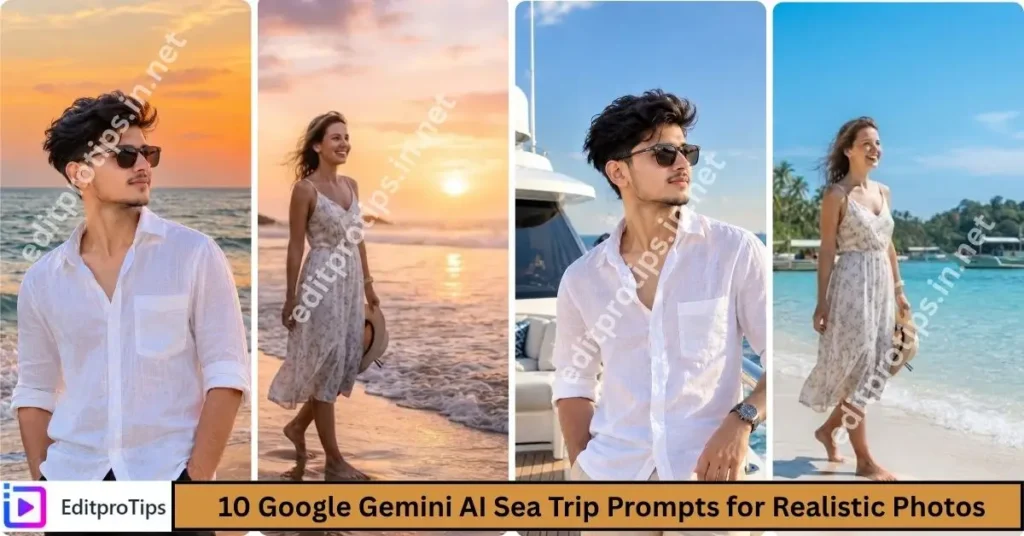
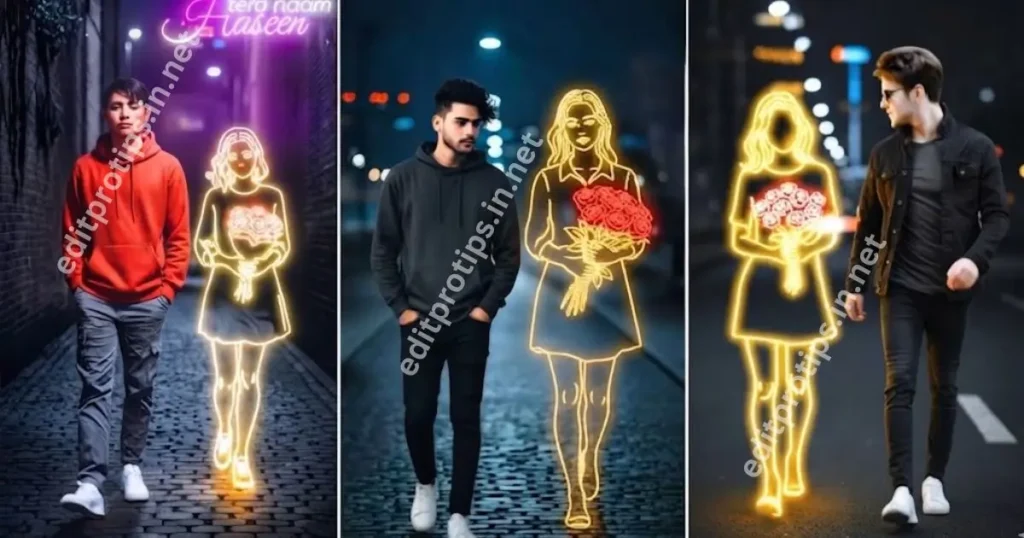
Welcome back to EditProTips! AI photo editing has become one of the easiest ways to transform ordinary pictures into creative, stylish, and eye-catching images. With the right prompt, you can change the background, lighting, outfit, colors, atmosphere, and overall style of a photo while keeping the main subject natural.
In this guide, we are sharing the 5 best free AI photo editing prompts 2026 that you can try with compatible AI image editing tools such as Google Gemini and other AI-powered editors.
Whether you want a cinematic portrait, an aesthetic social media photo, a travel-style image, a studio portrait, or a trendy street-style edit, these prompts can help you create impressive results.
Table of Contents
What Are AI Photo Editing Prompts?
AI photo editing prompts are written instructions that tell an AI image editor how you want your uploaded photo to look.
Instead of manually adjusting every setting, you can describe the desired result using natural language. For example, you can ask an AI editor to create cinematic lighting, replace the background, improve colors, or give your image a professional photography style.
A detailed prompt usually produces more predictable results because it clearly explains the subject, environment, lighting, composition, colors, and desired editing style.
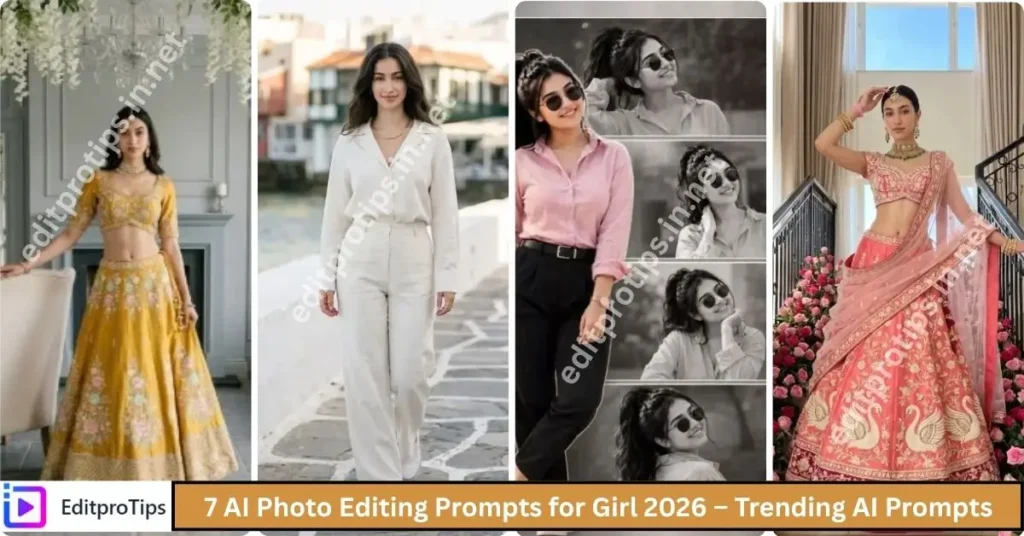
5 Best Free AI Photo Editing Prompts 2026
Here are five best free AI photo editing prompts you can copy and customize for your own photos.
1. Dramatic Red Silhouette Portrait with Double Exposure
If you want to transform a normal portrait into a professional cinematic photograph, try this prompt:
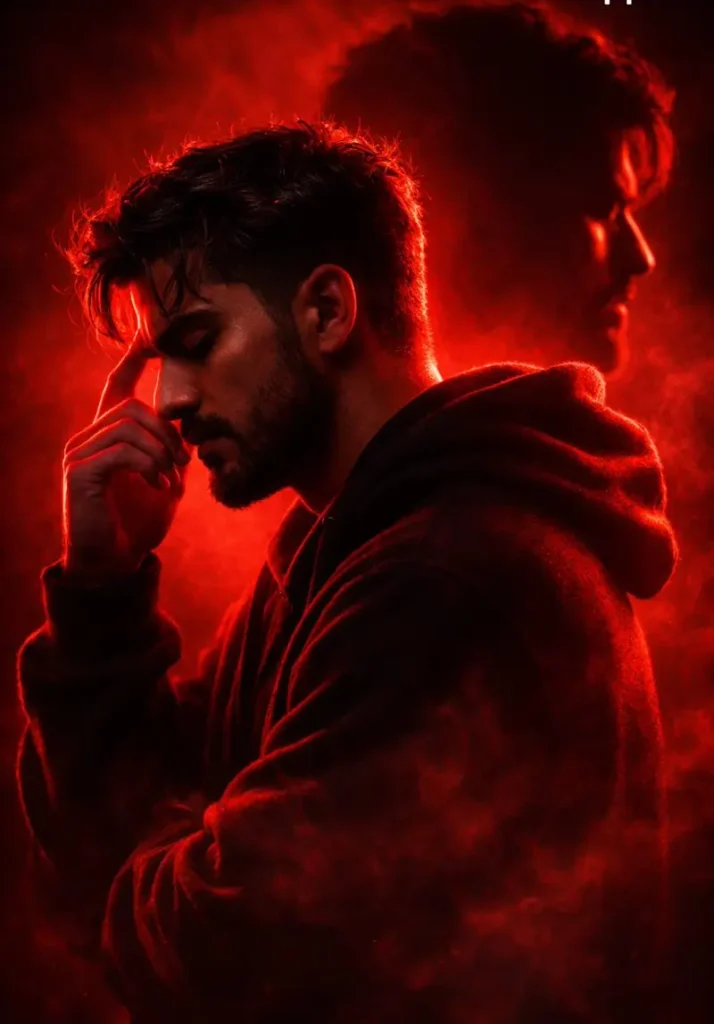
Generate an Ultra-cinematic dramatic red silhouette portrait of a young man in side profile, captured from the shoulders up, standing in a contemplative pose. The man has messy textured hair and a short rugged beard, ( keep face and hair style 100% same as in uploaded image) wearing a casual dark hoodie with soft fabric folds and realistic cloth texture. His eyes are closed and his fingers gently touch his temple, suggesting deep thought, emotional tension, or inner conflict.

The lighting is extremely dramatic monochromatic red cinematic lighting, creating a powerful high-contrast visual style. A bright red backlight outlines the man’s silhouette, producing glowing rim light along his hair, face profile, beard, and hoodie edges. The front of the figure remains mostly in shadow, creating a deep black silhouette with subtle red highlights.

Behind him appears a large ghostly double-exposure shadow of the same person, facing the opposite direction. This secondary silhouette is slightly blurred and darker, creating a psychological duality effect, symbolizing inner thoughts or conflict. The layered composition creates depth and visual storytelling.

The background is minimalistic and atmospheric, consisting of a smooth red-to-dark gradient with soft volumetric haze and drifting smoke particles surrounding the figure. The smoke catches the red lighting, creating glowing mist around the silhouette.

Hair strands, beard texture, hoodie fabric fibers, and skin contours are subtly visible through the dramatic lighting, adding hyper-realistic detail. The lighting creates strong chiaroscuro contrast, emphasizing the emotional and cinematic mood.

Composition follows professional cinematic portrait framing, with strong negative space and balanced silhouette placement. The scene feels like a movie poster or psychological thriller artwork.

Shot as if using a cinematic 85mm portrait lens, f/1.8 aperture, extremely shallow depth of field, with soft atmospheric diffusion and volumetric lighting.

Style keywords:
ultra-realistic cinematic lighting, dramatic red color grading, double exposure portrait, psychological mood, moody atmosphere, volumetric fog, glowing rim light, high contrast shadows, digital art realism, film still aesthetic, hyper-detailed textures, HDR lighting, depth and atmosphere, cinematic composition.

Quality tags:
8K resolution, ultra-high detail, photorealistic rendering, cinematic masterpiece, studio lighting quality, Unreal Engine / Octane render quality, ultra sharp focus, professional color grading.
This prompt is useful for profile pictures, social media posts, Instagram-style portraits, and creative photography.
2. Fashionable Traveler in Swiss Alpine Village
Aesthetic edits remain popular for social media because they can give a simple photograph a clean and stylish appearance.
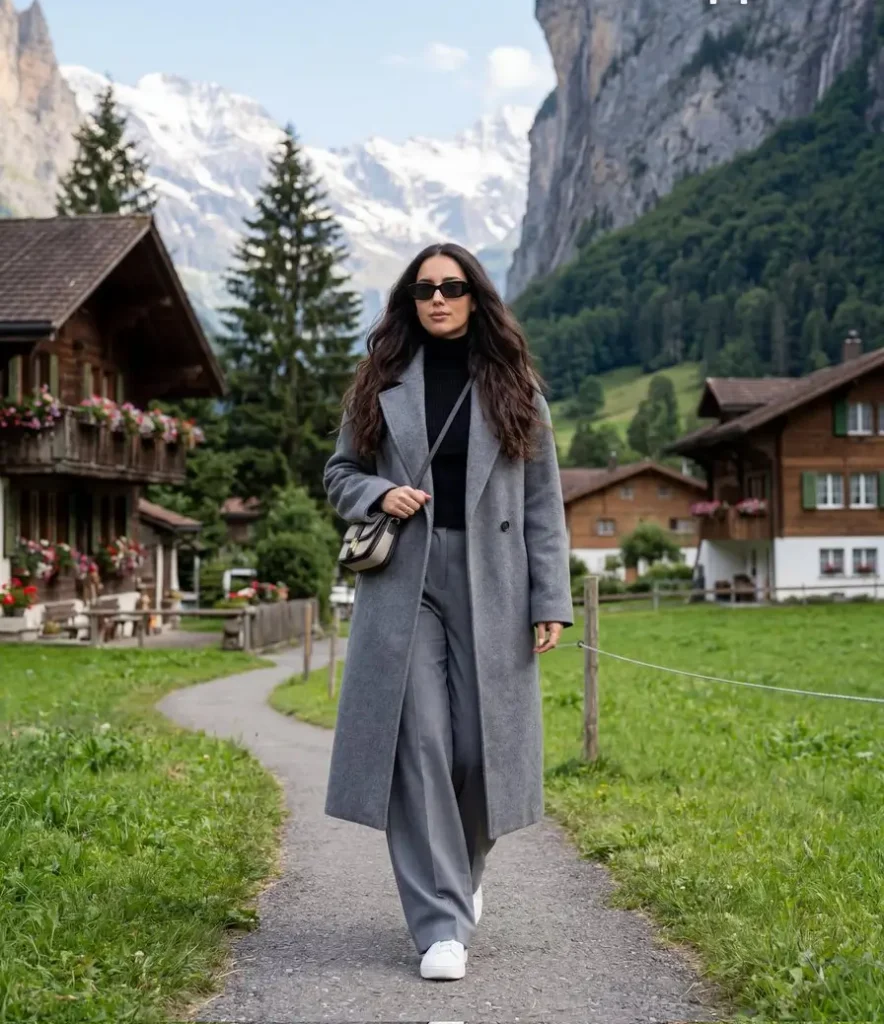
Ultra-realistic travel lifestyle photography, cinematic editorial (aspect ratio 4:5, 8K). A full-body portrait of a stylish woman with long dark wavy hair and black rectangular sunglasses walking confidently toward the camera on a small countryside path. She wears a black turtleneck sweater, an oversized long gray coat, wide-leg gray trousers, and white sneakers. The scene is set in a Swiss-style alpine countryside village featuring traditional wooden chalet houses, lush green grass, tall pine trees, and dramatic rocky mountain cliffs with snow-capped peaks in the distance under a bright blue sky with soft clouds. Natural daylight with soft sunlight highlights the greenery and mountains. Captured with a professional DSLR using a 35mm–50mm natural perspective lens, achieving a clean cinematic travel photograph with sharp focus on the subject and high texture detail.
You can customize this prompt by adding a specific environment such as a café, garden, city street, bedroom, beach, or studio.
3. Ultra-Realistic Portrait of a Woman Adjusting Earrings
Want to turn an ordinary picture into a beautiful travel photograph? This prompt can help create that style.
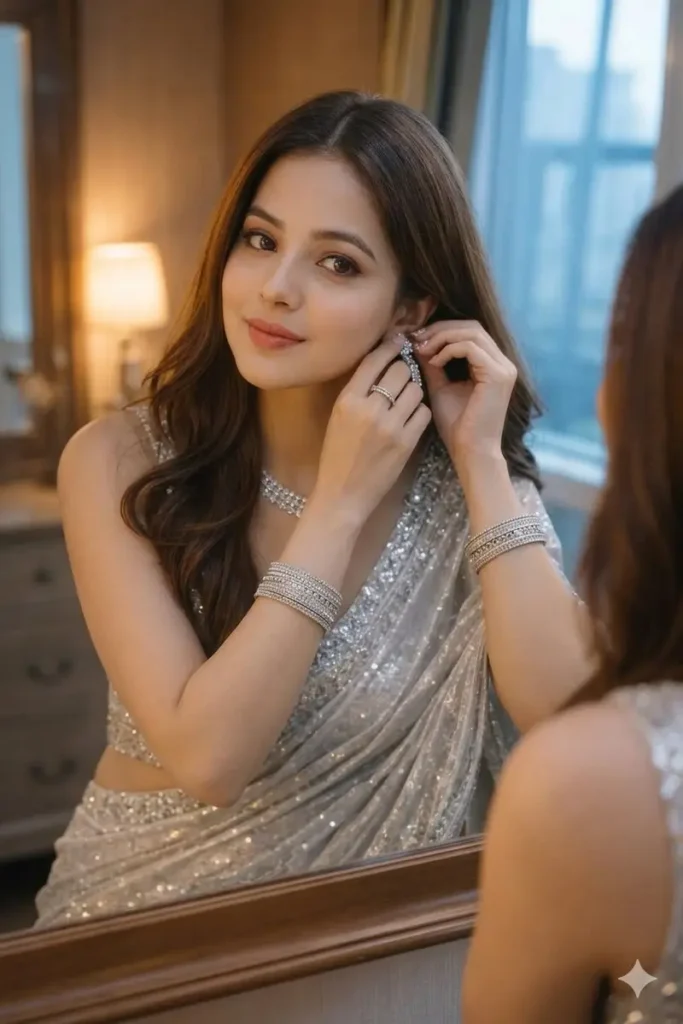
create Ultra-realistic portrait of the same woman (face100%same as uploaded photo)leaning slightly forward as she adjusts her earrings in front of a mirror. wears a vibrant silver half-draped saree with a silver sequin strap blouse. Brown eyes, subtle makeup, soft lipstick. Layered long straight hair with brown-gold highlights, shiny and voluminous. Warm lamp key light with cool window fill light for a balanced cinematic look:matching my face 100%, two hands silver kacher churi. Dimond jewellery
This type of prompt works well for beach, mountain, city, road-trip, resort, and vacation-themed edits.
4. Fashion Editorial Portrait with Cats
A studio-style edit is useful when you want a clean and professional profile image.
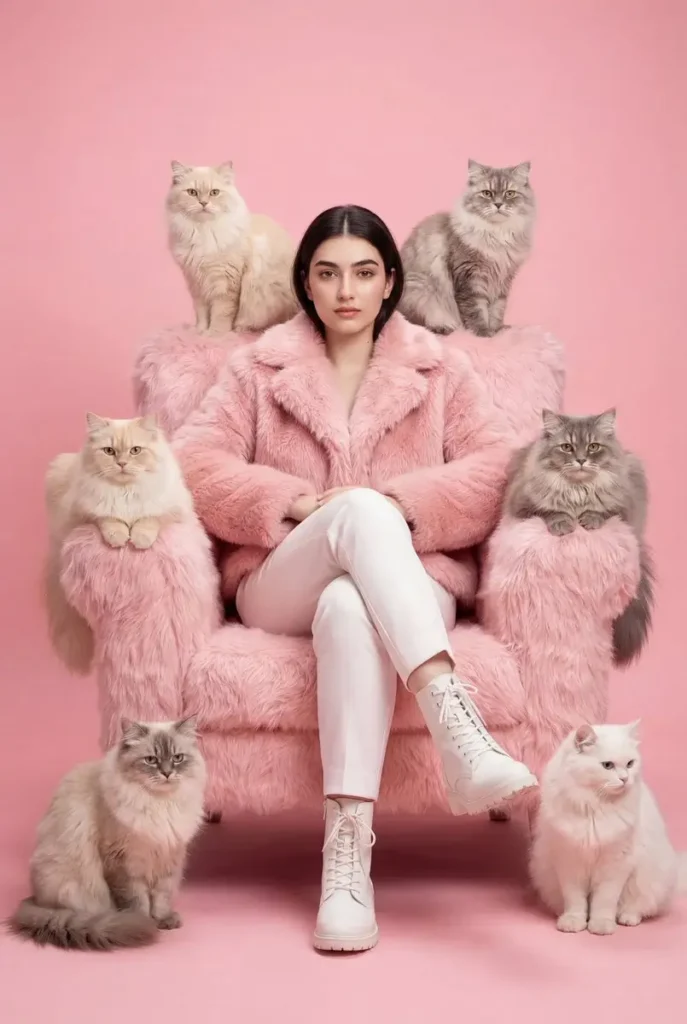
Using the uploaded picture as the only reference and without changing the face, create a fashion editorial portrait of a woman sitting confidently in a plush oversized pink faux-fur armchair against a soft pastel pink background; she wears a fluffy pink jacket, white trousers and white lace-up boots, seated with legs crossed and a calm confident expression; surrounded symmetrically by multiple fluffy long-haired cats in cream, gray and white tones perched on the chair arms, backrest and floor around her; highly stylized monochromatic pink aesthetic, soft studio lighting, clean background, luxurious textures in fur fabric and cat fur, centered composition, fashion magazine style, high detail, shallow depth of field, ultra-sharp textures, high dynamic range, 8k ultra-photorealism, masterpiece quality.
You can also specify a preferred background color or studio atmosphere.
5. Young Woman Selfie at Piazza del Duomo, Pisa
Street-style photography is another popular concept for AI photo editing.
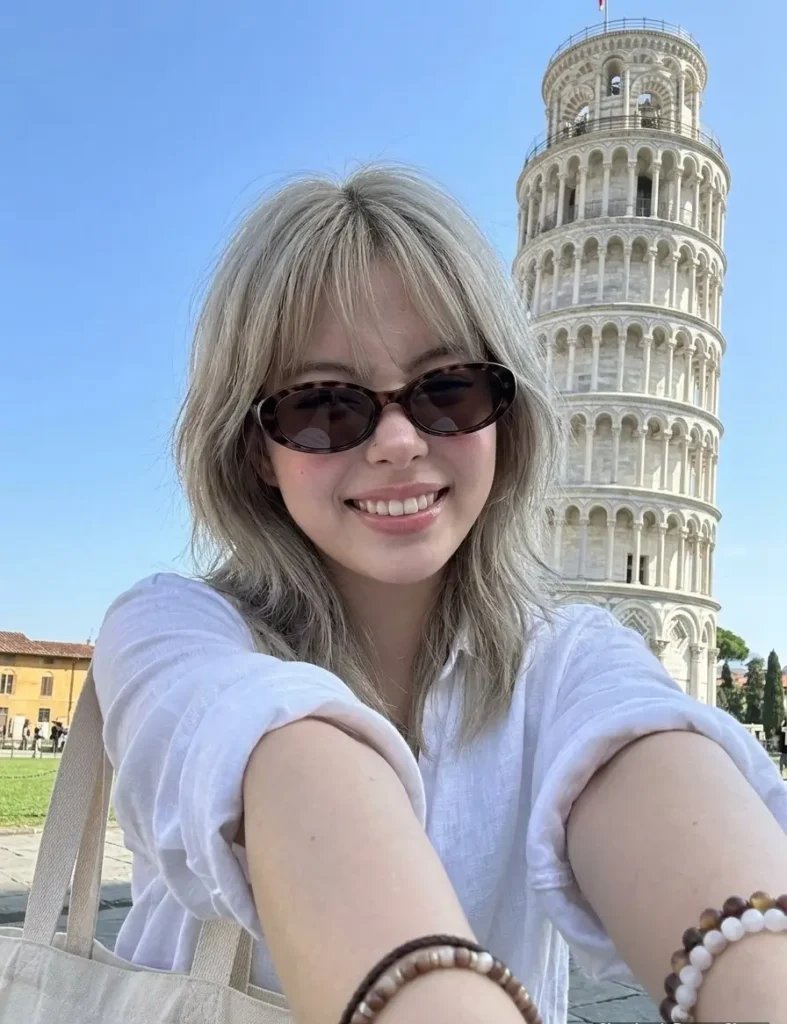
Create image: 8k UHD, slightly desaturated color palette. Use the attached reference image as a visual guide for the character’s appearance. Preserve key visual traits such as facial structure and overall proportions, while allowing small natural variations typical of real photography. The generated subject should clearly resemble the reference while remaining a natural photographic interpretation.
Aspect Ratio: 3:4.
A hyper-realistic, ultra-sharp photograph taken on a modern smartphone, specifically an iPhone 15 Pro, characterized by its digital clarity. Shot on a modern high-end smartphone camera, wide-angle lens, ISO 50, f/1.8. The subject is a young woman in her early 20s, captured in a spontaneous, wide-angle selfie pose at the Piazza del Duomo in Pisa. Her right arm is extended forward toward the lens, creating a prominent foreshortened perspective, while her torso is angled 20 degrees to the left with her right shoulder naturally elevated. She has ash-blonde hair styled in shaggy layers with soft curtain bangs that appear slightly wind-tossed. Her expression is radiant and beaming, layered with a subtle nose scrunch from the bright sun; her eyes are partially visible behind dark brown tortoiseshell oval sunglasses, showing a joyful squint. Her skin exhibits a healthy radiance and a rosy warmth, featuring visible pores and a clear, dewy texture with soft highlights on the bridge and tip of the nose. She wears glossy, natural pinkish-mauve lips with a subtle shimmer and a subtle blush applied with high placement on the cheekbones. She is dressed in a crisp, white linen button-down shirt with a visible breast pocket and slightly wrinkled fabric texture, paired with a stack of various cream-colored beaded and pearl bracelets on her extended wrist. A large white canvas tote bag with thick straps is slung over her left shoulder. The background features the Leaning Tower of Pisa in microscopic detail, showing the intricate marble arches and weathered stone textures against a vibrant blue sky with scattered wispy clouds. The entire scene is rendered in incredibly sharp focus, from the foreground bracelets to the distant green hedges and white information kiosks, without any background blur or bokeh. The lighting is characterized by soft daylight that enhances the rosy skin tones and preserves a natural, low-contrast digital texture devoid of film grain.
Try adding locations such as a modern city street, rooftop, shopping area, neon street, or downtown environment.
How to Use AI Photo Editing Prompts
Using these prompts is simple.
Step 1: Choose Your Photo
Select a clear, high-quality image that you want to edit. A well-lit photograph generally gives an AI editor more visual information to work with.
Step 2: Open Your AI Image Editor
Open your preferred AI-powered image editing tool and upload your photo.
Step 3: Copy a Prompt
Choose one of the prompts from this article and copy it into the AI editor.
Step 4: Customize the Prompt
You can change details such as:
- Background
- Lighting
- Clothing
- Location
- Color tone
- Photography style
- Weather
- Time of day
- Camera effect
- Image composition
For example, instead of saying “urban environment,” you can specify “a modern city street at sunset.”
Step 5: Generate the Edit
Ask the AI tool to generate the edited image. If the result is not what you expected, modify the prompt with more specific instructions.
Tips for Better AI Photo Editing Results
A good prompt should be clear and descriptive. Instead of using only a few words, explain the important details of the desired image.
Preserve the Original Face
If you want the person to remain recognizable, include instructions such as:
“Keep the person’s original face and facial identity unchanged.”
This can help communicate that the facial appearance should not be unnecessarily altered.
Describe the Lighting
Lighting can dramatically change the appearance of an image. You can mention:
- Soft daylight
- Golden-hour lighting
- Studio lighting
- Cinematic lighting
- Neon lighting
- Dramatic shadows
Mention the Desired Style
You can request styles such as:
- Cinematic photography
- Editorial photography
- Street photography
- Luxury photography
- Travel photography
- Studio portrait
- Aesthetic photography
Avoid Over-Editing
If you want a realistic result, mention that the image should remain natural and photorealistic. Excessive instructions can sometimes create an unnatural appearance.
AI Photo Editing Prompts for Social Media
AI prompts can also be useful for creating social-media-ready images. You can ask the AI editor to create a clean composition, attractive lighting, subtle background blur, and high-resolution details.
For Instagram, Facebook, TikTok, and other platforms, you can customize the prompt according to the type of content you want to create.
For example:
Create a bold, cinematic portrait 8k ultra HD high details resulation of a confident young man a well groomed beard, looking upward with purpose. He wears vibrant pink sunglasses reflecting neon lights, He wears a black t-shirts. Dramatic lighting in teal and magenta casts bold shadows and highlights across his face. Style: edgy, modern, cyberpunk-inspired studio photography.
Why Detailed Prompts Matter
A detailed prompt gives the AI more information about the result you want.
Compare:
Simple prompt:
“Make my photo cinematic.”
Detailed prompt:
“Transform my uploaded photo into a realistic cinematic portrait with soft directional lighting, natural skin texture, subtle background blur, balanced contrast, realistic shadows, and professional photography composition while preserving the original face.”
The second prompt provides more specific instructions, which can make it easier for an AI editor to understand the intended style.
Free AI Photo Editing Ideas for 2026
You can experiment with many different concepts using the prompts above.
Some popular ideas include:
- Cinematic portrait edits
- Aesthetic profile pictures
- Travel photography edits
- Luxury lifestyle photos
- Street-style portraits
- Studio photography
- Sunset photography
- Beach photo edits
- Neon city portraits
- Vintage photography
- Black-and-white portraits
- Magazine-style portraits
The same basic prompt can be customized for different subjects and environments.
Frequently Asked Questions
What are the best free AI photo editing prompts?
The best prompts depend on the type of image you want to create. Cinematic, aesthetic, travel, studio, and street-style prompts are useful starting points for many photo editing projects.
Can I use these AI photo editing prompts for free?
The prompts themselves are free to copy and customize. However, individual AI editing platforms may have their own free usage limits, features, or paid plans.
Can I use these prompts with Gemini AI?
Yes, you can adapt these prompts for compatible Google Gemini image-generation or editing features. Results can vary depending on the tool, model, image, and prompt.
How can I keep my original face in an AI edit?
Include clear instructions such as “preserve the original facial identity and facial features.” Using a clear, high-quality source image can also help.
How do I make an AI photo look realistic?
Use specific instructions for realistic skin texture, natural lighting, realistic shadows, accurate proportions, detailed textures, and photorealistic photography.
Conclusion
These 5 best free AI photo editing prompts 2026 give you a simple starting point for creating creative and professional-looking AI photo edits. You can copy the prompts directly or customize them with your preferred background, lighting, location, and photography style.
The key to better results is experimentation. Try different descriptions and adjust the prompt when the generated image does not match your idea.
For more AI editing prompts, CapCut templates, VN codes, photo editing ideas, and creative editing resources, keep visiting EditProTips.
-
(1) AI photo editing prompts
(2) free AI photo editing prompts
(3) AI photo prompts 2026
(4) trending AI photo editing ideas
(5) Gemini AI photo editing prompts
(6) AI photo editing ideas
(7) best AI prompts for photos
(8) viral AI photo prompts
(9) AI image editing prompts
(10)trending photo editing prompts 2026