Welcome to EditProTips! Are you a YouTube creator looking for an easier way to edit videos and create professional content? AI technology is changing the world of video editing. Today, you don’t need advanced editing skills or expensive equipment to produce attractive YouTube videos.
With the help of AI video editing tools for YouTubers, you can automatically remove unwanted sections, generate subtitles, improve audio quality, create short clips, and make engaging videos in less time. Whether you create gaming videos, educational content, vlogs, tutorials, reaction videos, or YouTube Shorts, AI-powered editing software can help improve your workflow.
In this article, we will explore the 7 best AI video editing tools for YouTubers in 2026 and explain their features, benefits, and uses.
Table of Contents
What Are AI Video Editing Tools?
AI video editing tools are software applications that use artificial intelligence to simplify and improve the video editing process. These tools can automatically perform different editing tasks, such as removing background noise, generating captions, detecting important scenes, adjusting video quality, and creating clips from longer videos. AI editing software is especially useful for YouTubers who want to save time while producing high-quality content.
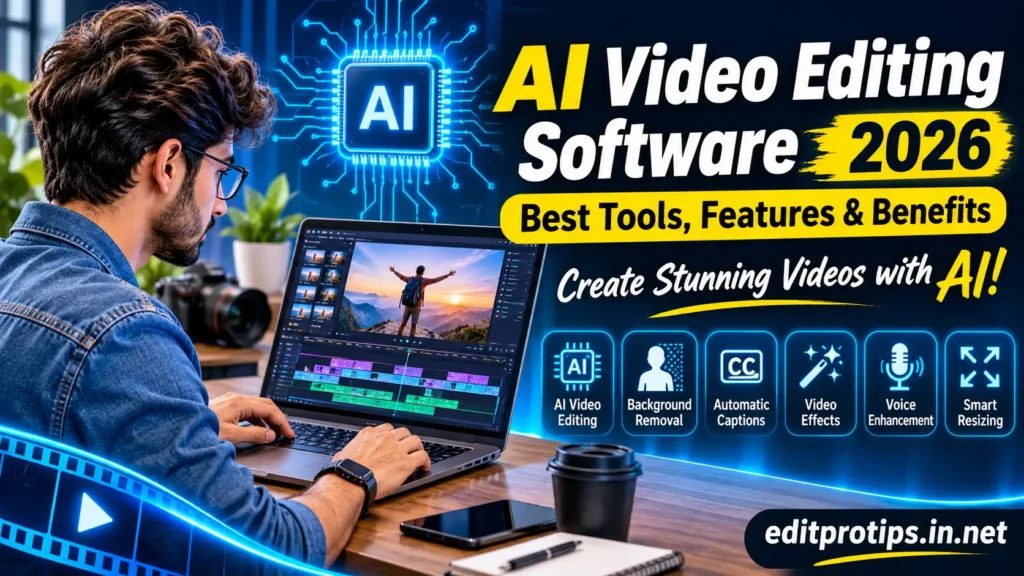
7 Best AI Video Editing Tools for YouTubers in 2026
Here are some popular AI-powered video editing tools that can help YouTube creators create better videos.
1. CapCut – Best for Beginners and YouTube Shorts
CapCut is a popular video editing application for beginners, content creators, and social media users. It provides several AI-powered features that make video editing easier.
Key Features:
- Automatic captions and subtitles
- AI-powered background removal
- Video effects and transitions
- Text-to-speech features
- Templates for short videos
- Audio and video editing tools
CapCut is a good choice for creators who want to make attractive YouTube Shorts, Instagram Reels, and TikTok videos without complicated editing.
2. Adobe Premiere Pro – Best for Professional YouTube Editing
Adobe Premiere Pro is a professional video editing application used by many content creators and video editors. Its AI-powered features help users improve their editing workflow and complete complex projects more efficiently.
Key Features:
- AI-powered speech enhancement
- Automatic transcription
- Text-based video editing
- Advanced color correction
- Professional audio editing
- Generative AI features
Premiere Pro is suitable for YouTubers who want advanced editing controls and professional-quality videos.
3. Descript – Best for Talking-Head Videos
Descript is an AI-powered video and audio editing tool that makes editing videos as simple as editing a text document. It is particularly useful for podcast creators, educational YouTubers, interview channels, and tutorial creators.
Key Features:
- Text-based video editing
- Automatic transcription
- Filler word removal
- AI voice features
- Studio Sound enhancement
- Screen recording
If you regularly create talking-head videos or educational content, Descript can help simplify your editing process.
4. Runway – Best for Creative AI Video Editing
Runway is an AI-powered creative platform that helps users generate and edit video content using advanced AI tools. It can be useful for creators who want to experiment with creative visuals and AI-generated video effects.
Key Features:
- AI video generation
- Image-to-video creation
- Video transformation tools
- Background and object editing
- Creative visual effects
- AI-powered video workflows
Runway is a useful option for YouTubers who want to create unique visuals, cinematic scenes, and creative video content.

5. VEED.IO – Best for Online Video Editing
VEED.IO is an online video editing platform that allows creators to edit videos directly through a web browser. It offers AI-powered features that help users create videos without installing complicated editing software.
Key Features:
- Automatic subtitles
- AI video editing features
- Background noise removal
- Screen recording
- Video resizing
- Text-to-speech tools
VEED.IO is suitable for creators who prefer browser-based editing and want to create videos quickly.
6. OpusClip – Best for Turning Long Videos into Shorts
OpusClip is an AI-powered video repurposing tool designed to transform long videos into shorter clips. It can help YouTubers create short-form content from podcasts, interviews, livestreams, and long-form videos.
Key Features:
- AI-powered clip generation
- Automatic captions
- Smart reframing
- Highlight detection
- Short-form video creation
- Social media video formatting
If you publish long YouTube videos and want to create multiple Shorts from the same content, OpusClip can be a helpful tool.
7. Filmora – Best for Easy AI Video Editing
Filmora is a video editing application designed for beginners and intermediate creators. It combines traditional editing features with AI-powered tools.
Key Features:
- AI background removal
- AI audio enhancement
- Automatic subtitles
- AI text-to-video features
- Creative effects and transitions
- Video color correction
Filmora is a good option for YouTubers who want an easy-to-use editing application with a range of creative features.
Comparison of the Best AI Video Editing Tools
| AI Editing Tool | Best For |
|---|---|
| CapCut | YouTube Shorts |
| Adobe Premiere Pro | Professional editing |
| Descript | Talking-head videos |
| Runway | Creative AI videos |
| VEED.IO | Online editing |
| OpusClip | Short video clips |
| Filmora | Beginner-friendly editing |
Benefits of Using AI Video Editing Tools for YouTubers
AI editing software offers several benefits for content creators.
1. Save Editing Time
AI tools can automate repetitive editing tasks, such as transcription, caption generation, and background removal. This allows YouTubers to spend more time creating content.
2. Create Professional Videos
Many AI editing applications include features that help improve video quality, audio clarity, subtitles, and visual effects.
3. Generate Automatic Captions
Captions make videos easier to understand and can help viewers follow your content, especially when watching without sound.
4. Create YouTube Shorts Faster
AI clip-generation tools can identify interesting moments in longer videos and help turn them into short-form content.
5. Improve Audio Quality
Some AI tools can reduce background noise, enhance speech, and make voice recordings clearer.
How to Choose the Best AI Video Editing Tool for YouTube
Choosing the right AI video editor depends on your content type, editing experience, and budget. Consider these important factors before selecting an editing application:
- Easy to Use: Choose software with a simple and beginner-friendly interface.
- AI Features: Look for automatic captions, audio enhancement, background removal, and smart editing.
- Export Quality: Make sure the software supports the video resolution and formats you need.
- Pricing: Compare free and paid plans before purchasing a subscription.
- Editing Requirements: Select a tool based on whether you create Shorts, tutorials, gaming videos, or professional content.
Free vs Paid AI Video Editing Tools
Many AI video editing applications offer free plans with limited features. Paid plans may provide additional tools, higher usage limits, advanced editing options, or watermark-free exports.
| Feature | Free Plans | Paid Plans |
|---|---|---|
| Basic editing | Often available | Available |
| Automatic captions | May be limited | Usually more options |
| AI features | Limited usage | Higher limits |
| Export options | May be restricted | More options |
| Advanced effects | Limited | More features |
Always check the current pricing and feature limitations before choosing a plan.
Tips for Creating Better YouTube Videos with AI
Follow these simple tips to improve your YouTube video editing workflow:
- Start with a clear video idea and script.
- Record your video with good lighting and clear audio.
- Use AI tools to remove unnecessary pauses.
- Add accurate subtitles and captions.
- Use suitable transitions and effects.
- Create an attractive thumbnail.
- Export your video in the appropriate resolution.
- Review the final video before uploading it to YouTube.
Remember that AI can make editing easier, but creativity and original content are still important.
Frequently Asked Questions
What are the best AI video editing tools for YouTubers in 2026?
Some popular options include CapCut, Adobe Premiere Pro, Descript, Runway, VEED.IO, OpusClip, and Filmora. The best option depends on your editing requirements.
Which AI video editor is best for beginners?
CapCut and Filmora are useful choices for beginners because they offer accessible editing interfaces and a variety of creative tools.
Can AI edit YouTube videos automatically?
Yes. Some AI editing tools can automatically generate captions, remove filler words, improve audio, detect highlights, and create short clips. However, reviewing the final video is recommended.
Are there free AI video editing tools for YouTubers?
Yes. Some applications, including CapCut and VEED.IO, offer free editing options. However, certain AI features may require a paid subscription or have usage restrictions.
Which AI tool is best for creating YouTube Shorts?
CapCut and OpusClip are useful options for creating short-form videos. CapCut offers creative editing features, while OpusClip focuses on turning longer videos into shorter clips.
Conclusion
AI technology has made video editing easier and more accessible for YouTube creators. From creating YouTube Shorts with CapCut to professional editing with Adobe Premiere Pro, there are many tools available for different content creation needs.
The best AI video editing tools for YouTubers depend on your experience, budget, and video style. Beginners can start with simple editing applications, while experienced creators can explore advanced AI-powered software. Choose the right tool, experiment with different editing techniques, and keep creating engaging videos for your audience.
Keep Learning, Keep Creating, and Keep Editing with EditProTips!