Welcome to EditProTips! Are you looking for a simple way to transform your ordinary photos into stunning, professional-looking portraits? With Gemini AI, you can explore creative photo editing styles and create beautiful cinematic images using detailed AI prompts.
A dreamy cinematic portrait with Gemini AI combines soft lighting, realistic facial details, beautiful backgrounds, and movie-inspired colors to create an eye-catching photograph. Whether you prefer a romantic aesthetic, a dark cinematic look, golden-hour photography, or a magical fantasy style, the right prompt can help you achieve your desired result.
In this article, we will explore seven dreamy cinematic portrait prompts, learn how to use them, and discover useful tips for creating realistic AI-generated portraits in 2026.
Table of Contents
What Is a Dreamy Cinematic Portrait with Gemini AI?
A dreamy cinematic portrait is a photograph that combines realistic details with artistic lighting, soft backgrounds, atmospheric colors, and a film-inspired appearance.
Gemini AI can help you create or transform portraits by following text instructions and, where supported, using a reference photograph. You can customize the lighting, background, outfit, camera angle, colors, and overall mood to suit your preferences.
Some popular cinematic portrait styles include:
- Dreamy golden-hour portraits
- Romantic aesthetic photography
- Dark and moody cinematic portraits
- Rainy-night portraits
- Luxury fashion photography
- Vintage film-style portraits
- Fantasy-inspired portraits
The key to achieving an attractive result is to describe your desired image clearly and include specific instructions about lighting, composition, and facial details.
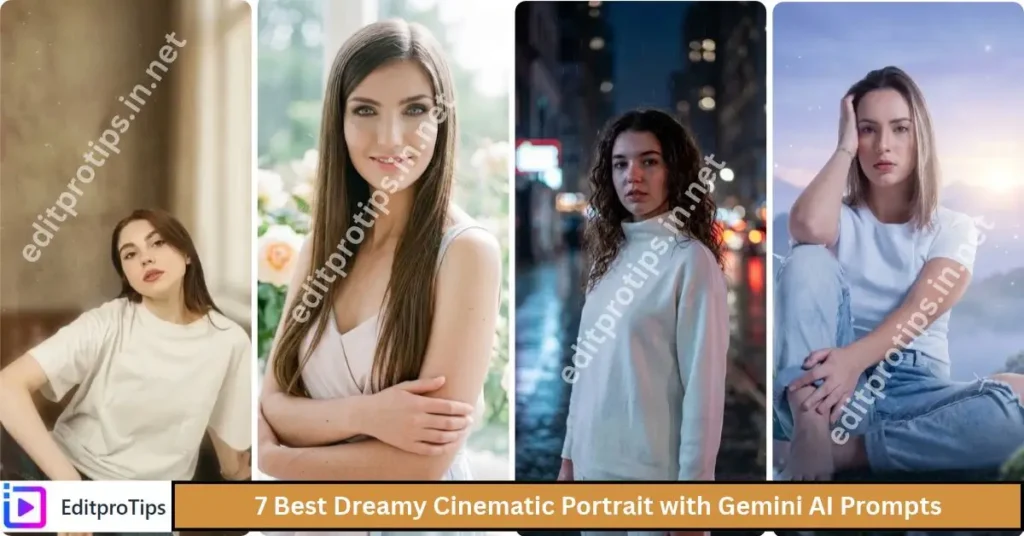
7 Best Dreamy Cinematic Portrait with Gemini AI Prompts
Try these creative prompts to give your photographs a beautiful cinematic appearance. If you want to preserve your identity, upload a suitable reference photo and include instructions to maintain your original facial features.
1. Dreamy Golden-Hour Cinematic Portrait
The golden-hour style is perfect for creating warm, soft, and naturally beautiful portraits. Golden sunlight adds depth to the image and creates a peaceful cinematic atmosphere.
Create an ultra-realistic dreamy cinematic portrait using my uploaded photo as the reference. Preserve the same face, facial features, skin tone, hairstyle, and natural identity. Add warm golden-hour sunlight falling softly across the face, a beautiful blurred background, subtle lens flare, natural skin texture, cinematic color grading, and professional portrait photography. Use shallow depth of field, soft shadows, realistic eyes, and a peaceful, dreamy mood. Make the image look like a high-end movie still with exceptional detail and natural proportions. Avoid artificial facial changes.
2. Dark and Moody Cinematic Portrait
If you prefer dramatic photographs, a dark cinematic portrait is an excellent choice. Deep shadows, subtle highlights, and atmospheric backgrounds can create a mysterious and stylish appearance.
Transform my uploaded photo into a dark, moody cinematic portrait. Preserve the same face, identity, hairstyle, and facial proportions. Use dramatic side lighting, deep but detailed shadows, a dark blurred background, subtle film grain, realistic skin texture, and sophisticated cinematic color grading. Add gentle rim lighting around the subject to separate the person from the background. Create a mysterious, confident atmosphere inspired by professional movie cinematography. Keep the face sharp, the background atmospheric, and the result photorealistic.

3. Soft Romantic Dreamy Portrait
A romantic portrait style combines gentle lighting, soft colors, and an elegant background. This look works well for personal photographs, aesthetic social media posts, and creative photo collections.
Create a soft, romantic, dreamy cinematic portrait from my uploaded reference photo. Keep the same face, identity, hairstyle, and natural skin tone. Use diffused natural light, delicate pastel colors, a softly blurred floral background, subtle highlights, and a gentle glow around the subject. Add realistic skin details, expressive eyes, elegant composition, and shallow depth of field. The image should feel emotional, peaceful, and cinematic, like a beautifully shot romantic film scene. Avoid excessive smoothing, unrealistic facial changes, and artificial-looking effects.
4. Cinematic Rainy-Night Portrait
Rainy-night photography creates a modern cinematic atmosphere with reflections, city lights, and dramatic colors. This style is especially suitable for people who enjoy urban photography and moody aesthetic portraits.
Edit my uploaded photograph into an ultra-realistic cinematic rainy-night portrait. Preserve the same face and identity. Place the subject on a beautiful city street at night, with soft neon lights, reflections on wet pavement, subtle raindrops, and blurred city lights in the background. Use a balanced combination of cool blue and warm amber lighting, realistic shadows, natural skin texture, and professional movie-style color grading. Keep the face in sharp focus and create a dreamy, atmospheric composition with realistic details and natural proportions.
5. Luxury Fashion Cinematic Portrait
Luxury fashion portraits combine elegant styling, professional lighting, and refined colors. They are suitable for stylish profile pictures, fashion-inspired posts, and creative portfolios.
Turn my uploaded photo into a luxury editorial cinematic portrait. Maintain the same face, identity, skin tone, and natural facial features. Dress the subject in a sophisticated, elegant outfit that suits the original appearance. Use refined studio lighting, a softly blurred premium background, realistic fabric details, subtle highlights, and rich cinematic color grading. Frame the portrait like a professional fashion magazine photograph, with balanced composition, natural skin texture, sharp eyes, and a confident expression. Avoid exaggerated beauty filters and unrealistic body proportions.
6. Vintage Film-Style Dreamy Portrait
Vintage film portraits have a timeless appearance with warm colors, subtle grain, and gentle contrast. This style is ideal for creating nostalgic images that resemble scenes from classic movies.
Create a vintage film-inspired dreamy cinematic portrait using my uploaded photo. Preserve the same face, identity, hairstyle, and facial structure. Apply warm nostalgic tones, gentle highlights, soft shadows, subtle analog film grain, slightly faded colors, and natural photographic texture. Add a softly blurred background and a timeless cinematic atmosphere. Keep the subject realistic, with detailed eyes and natural skin texture. The final image should resemble a beautifully captured frame from a classic film rather than a heavily edited digital photograph.
7. Fantasy Dreamscape Cinematic Portrait
For a more imaginative result, combine realistic facial details with a magical environment. Misty landscapes, atmospheric lighting, and subtle glowing effects can create a beautiful fantasy-inspired portrait.
Transform my uploaded photo into a breathtaking dreamy fantasy cinematic portrait. Preserve the same face, identity, hairstyle, and natural facial proportions. Place the subject in an ethereal landscape with soft mist, distant mountains, delicate glowing particles, gentle atmospheric light, and a beautifully blurred background. Use cinematic depth, realistic lighting, detailed textures, subtle highlights, and elegant color grading. Make the scene feel magical yet photorealistic, as if captured from a fantasy movie. Keep the face natural and sharp, and avoid cartoon effects or exaggerated facial features.

How to Create a Dreamy Cinematic Portrait with Gemini AI
Follow these simple steps to generate your portrait.
- Open Gemini AI: Visit Gemini through its official website or app.
- Upload your photograph: Choose a clear, high-quality image with visible facial features.
- Select a prompt: Copy one of the cinematic portrait prompts from this article.
- Customize the details: Describe the lighting, background, clothing, colors, and mood you want.
- Generate your image: Submit the prompt and wait for the result.
- Review the portrait: Check facial details, lighting, background consistency, and proportions.
- Improve the result: If necessary, request softer lighting, a different background, or more realistic skin texture.
- Save your image: Download the finished image if the available interface supports it.
Gemini’s image-generation features and usage limits may vary depending on your account, region, and the version available to you.
Tips for Creating Realistic Cinematic Portraits
Use a High-Quality Reference Photo
A clear photograph helps the AI interpret the subject’s facial features. Choose an image with good lighting and avoid blurry photos or heavy filters.
Include Same-Face Instructions
If you want the generated portrait to resemble your original photograph, include instructions such as “preserve the same face, facial features, hairstyle, skin tone, and identity.” AI results may vary, so check the final image carefully.
Describe the Lighting Clearly
Lighting strongly influences the mood of a cinematic portrait. Golden-hour sunlight creates warmth, soft window light produces a gentle appearance, and dramatic side lighting adds depth.
Choose the Right Background
A blurred city street, peaceful garden, misty landscape, or professional studio can improve your composition. Describe the environment clearly instead of relying on general words such as “beautiful.”
Avoid Excessive Editing
Overly smooth skin, exaggerated facial features, and excessive visual effects can make an image look artificial. Request natural skin texture, realistic proportions, and balanced colors for a more professional result.
Experiment with Different Compositions
Vertical portraits work well for many social media posts, while square images are suitable for profile pictures. Landscape compositions can be useful for banners and featured images.
Best Uses for Dreamy Cinematic AI Portraits
You can use your AI-generated portraits for different creative purposes:
- Instagram posts: Create stylish, cinematic photographs.
- Facebook profile pictures: Give your profile a distinctive aesthetic.
- YouTube thumbnails: Create expressive portraits for relevant video content.
- WhatsApp profile photos: Use personalized images with your preferred style.
- Digital artwork: Explore vintage, fantasy, and movie-inspired looks.
- Creative portfolios: Showcase AI-assisted photo editing experiments.
- Personal projects: Create memorable portraits for your photo collection.
Always respect other people’s privacy and obtain appropriate permission before uploading or sharing their photographs.

Common Problems and How to Fix Them
- The face looks different: Use a clearer reference image and emphasize identity preservation in your prompt.
- The skin looks too smooth: Ask for natural pores, realistic skin texture, and minimal retouching.
- The lighting looks unnatural: Describe a primary light source and request softer, realistic shadows.
- The background is distracting: Ask for a simple background with shallow depth of field.
- The image looks artificial: Reduce excessive effects and request photorealistic details.
- The colors are too strong: Request balanced cinematic color grading and natural skin tones.
Frequently Asked Questions
What is a dreamy cinematic portrait with Gemini AI?
It is an AI-created or enhanced portrait featuring cinematic lighting, soft backgrounds, realistic facial details, and film-inspired colors to achieve a dreamy photographic effect.
Are Gemini AI cinematic portrait prompts free?
The prompts in this article are free to copy and try. However, access to Gemini’s image-generation features may depend on your account, region, available features, and usage limits.
How can I keep the same face in Gemini AI?
Upload a clear reference photo and ask Gemini to preserve the same face, identity, hairstyle, skin tone, and facial proportions. Exact preservation is not guaranteed.
Can I create cinematic portraits of boys and girls?
Yes. You can adapt these prompts for different subjects by describing the preferred clothing, hairstyle, background, lighting, and overall photographic style.
Which lighting style is best for dreamy portraits?
Golden-hour lighting is excellent for warm portraits, while diffused lighting works well for romantic images. Dramatic side lighting is suitable for dark and moody compositions.
Can I share Gemini AI portraits on social media?
Generally, you can share AI-generated portraits subject to applicable platform rules, service terms, privacy requirements, and intellectual-property considerations.
How can I make my AI portrait look professional?
Use a clear reference photo, detailed lighting instructions, a suitable background, natural skin texture, balanced colors, and a well-composed frame.
Conclusion
Creating a dreamy cinematic portrait with Gemini AI is a creative way to explore modern photo editing. From warm golden-hour images to dramatic rainy-night portraits and magical fantasy scenes, the right prompt can help you transform an ordinary photograph into an artistic image.
Try the seven prompts in this guide, experiment with different lighting and backgrounds, and refine your instructions until you achieve your preferred style. Remember that a good reference photograph and detailed prompt can make a significant difference in the final result.