Welcome to EditPro Tips! Christmas is the perfect time to create beautiful, festive, and eye-catching photos for Instagram, Facebook, WhatsApp, and other social media platforms. With AI photo editing tools like Google Gemini, you can transform an ordinary picture into a stunning Christmas-themed portrait using simple text prompts.
In this article, we will share the best Christmas Special Photo Editing Prompts for Girls to help you create realistic portraits featuring stylish Christmas outfits, beautiful winter backgrounds, glowing fairy lights, snowy scenes, and professional photography effects.
Whether you want a cute Santa look, a glamorous Christmas photoshoot, or an aesthetic winter portrait, these prompts will help you explore creative photo editing ideas for Christmas 2026.
Table of Contents
What Are Christmas Special Photo Editing Prompts for Girls?
Christmas photo editing prompts are text instructions that tell an AI image editor how to transform a photo into a festive Christmas portrait. You can describe the outfit, background, lighting, camera style, and overall mood you want in your edited image.
For example, you can upload your photo to a compatible AI image editor and ask it to create a realistic Christmas portrait with a red dress, a Santa hat, falling snow, and a beautifully decorated Christmas tree.
These prompts are useful for creating:
- Christmas profile pictures
- Instagram Reels and post covers
- Festive WhatsApp display pictures
- AI Christmas photoshoots
- Pinterest-style winter portraits
- Christmas greeting cards
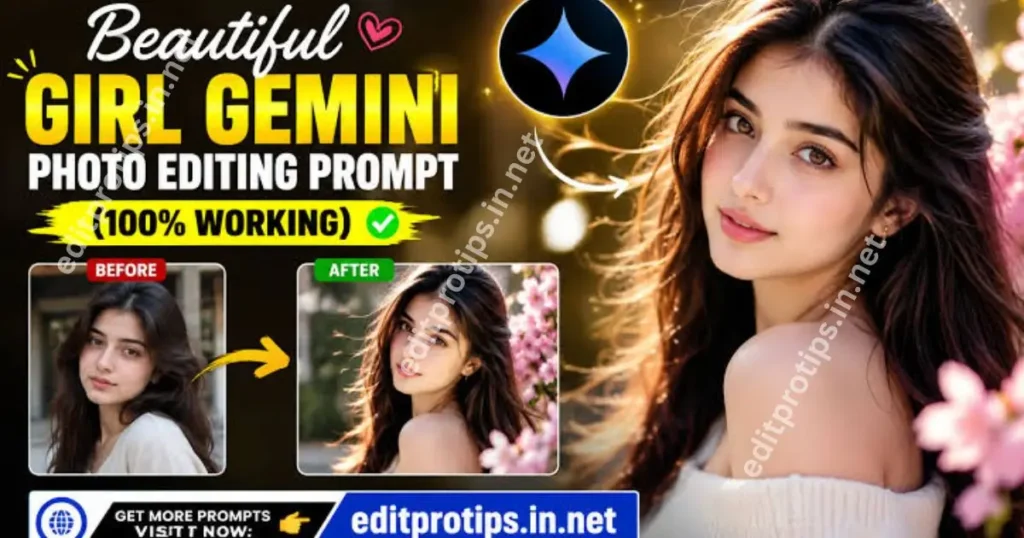
How to Use Christmas Photo Editing Prompts in Gemini AI
Follow these simple steps to create your Christmas photos.
- Open Google Gemini or another compatible AI image editing tool.
- Upload a clear photo of yourself.
- Choose one of the Christmas AI photo editing prompts below.
- Copy and paste the complete prompt into the AI tool.
- Ask the tool to preserve your original facial identity and natural appearance.
- Generate the image and review the result.
- If necessary, adjust the outfit, lighting, background, or pose.
- Save your favorite image and share it on your social media accounts.
Results may vary depending on the image editor, uploaded photo, and prompt. Some tools may require a supported account or have usage limits.
10 Best Christmas Special Photo Editing Prompts for Girls
Here are 10 creative Christmas prompts you can copy and use with your own photo.
1. Red Christmas Dress AI Photo Editing Prompt
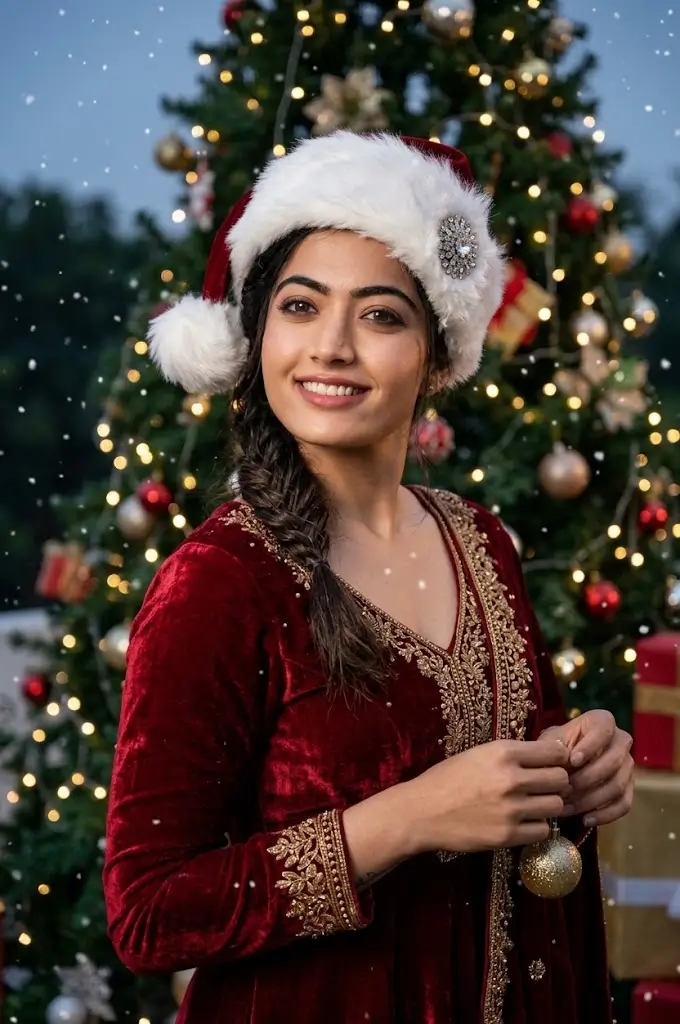
Create a stunning Christmas portrait wearing a beautiful red velvet dress with elegant festive details. Add a stylish white Santa hat, soft snowfall, a decorated Christmas tree, glowing fairy lights, and wrapped Christmas presents in the background. Use realistic skin texture, natural facial features, professional DSLR photography, cinematic lighting, and high-resolution details. Preserve my original face and identity from the uploaded photo. Make the final image elegant, realistic, and suitable for Instagram.
2. Cute Santa Girl Photo Editing Prompt
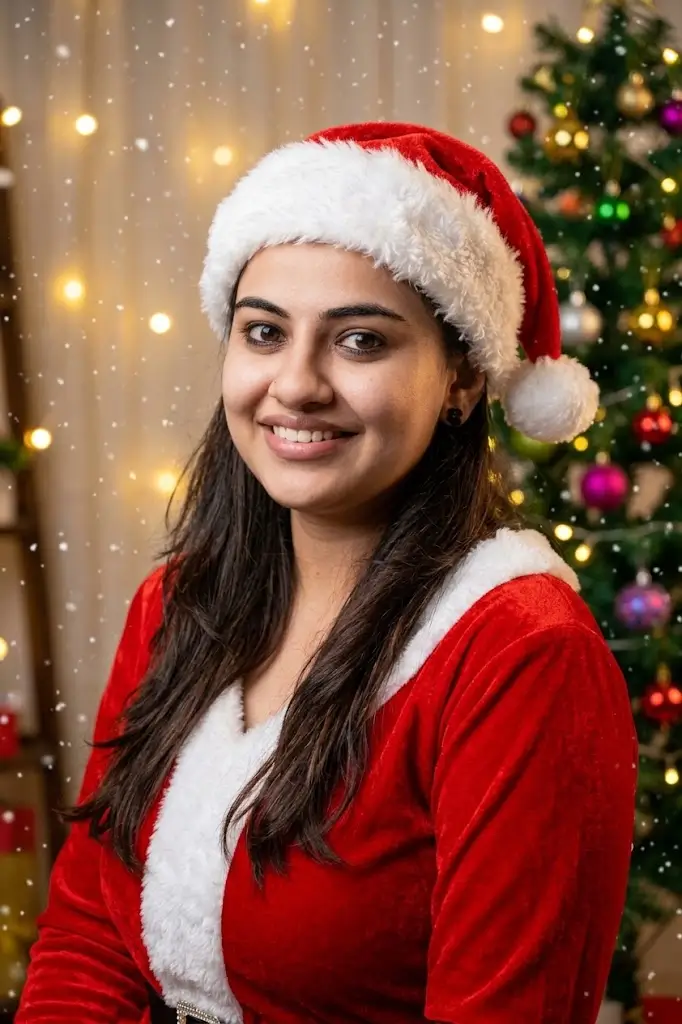
Transform my uploaded photo into a cute Christmas-themed portrait. Dress me in a fashionable red-and-white Santa outfit with a fluffy Santa hat. Add warm Christmas lights, colorful ornaments, a beautiful Christmas tree, and gentle falling snow. Keep my facial identity, natural skin tone, and realistic proportions unchanged. Use soft lighting, a cheerful festive atmosphere, and professional portrait photography.
3. Luxury Christmas Photoshoot Prompt
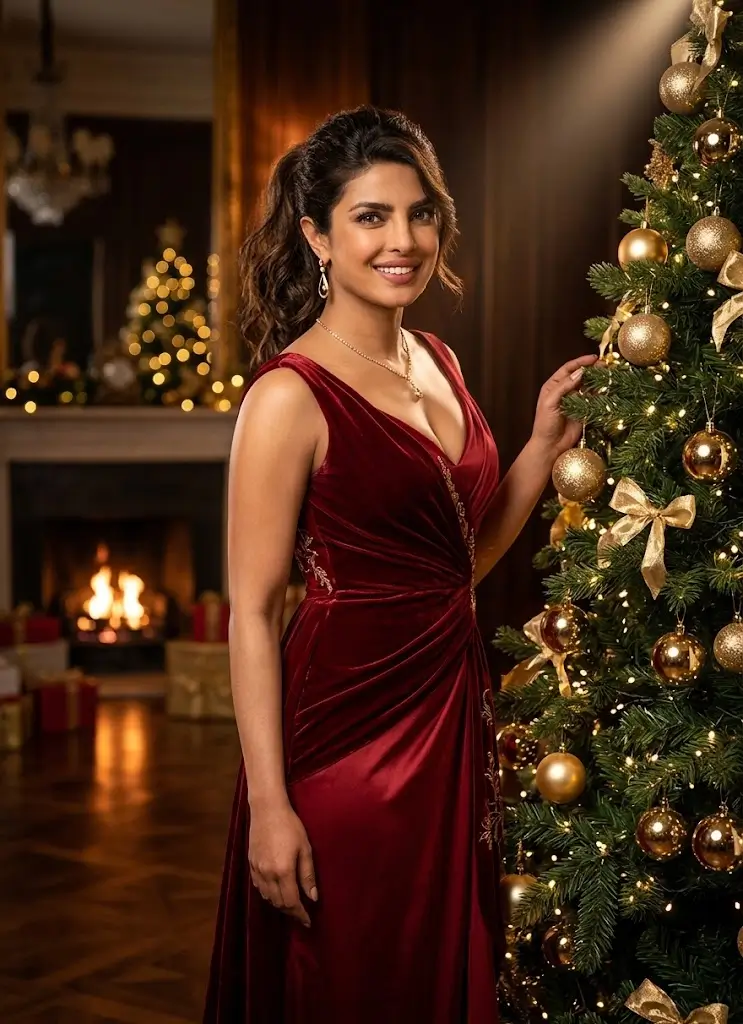
Create a luxurious Christmas fashion photoshoot using my uploaded photo as the identity reference. Style me in an elegant red evening gown with subtle golden accessories. Place me beside a tall Christmas tree decorated with gold ornaments and warm lights. Add a sophisticated indoor setting, cinematic shadows, premium fashion photography, realistic fabric details, and a beautifully blurred background. Preserve my original facial features and create a natural, photorealistic result.
4. Winter Wonderland Girl Portrait Prompt
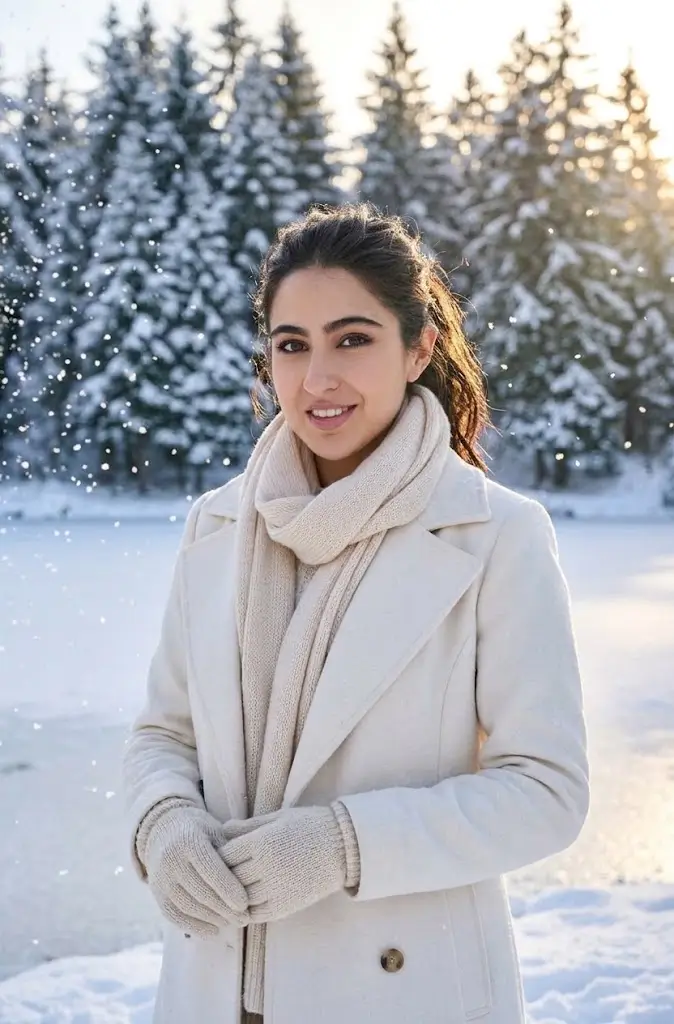
Create a magical winter portrait based on my uploaded photo. Dress me in a stylish white winter coat, a soft knitted scarf, and matching gloves. Surround me with snow-covered trees, sparkling snowflakes, and a peaceful winter landscape. Use cool winter tones balanced with warm natural lighting. Preserve my original face, hairstyle, and identity as closely as possible. Make the image look like a professional outdoor winter photoshoot.
5. Christmas Sweater Aesthetic Photo Prompt
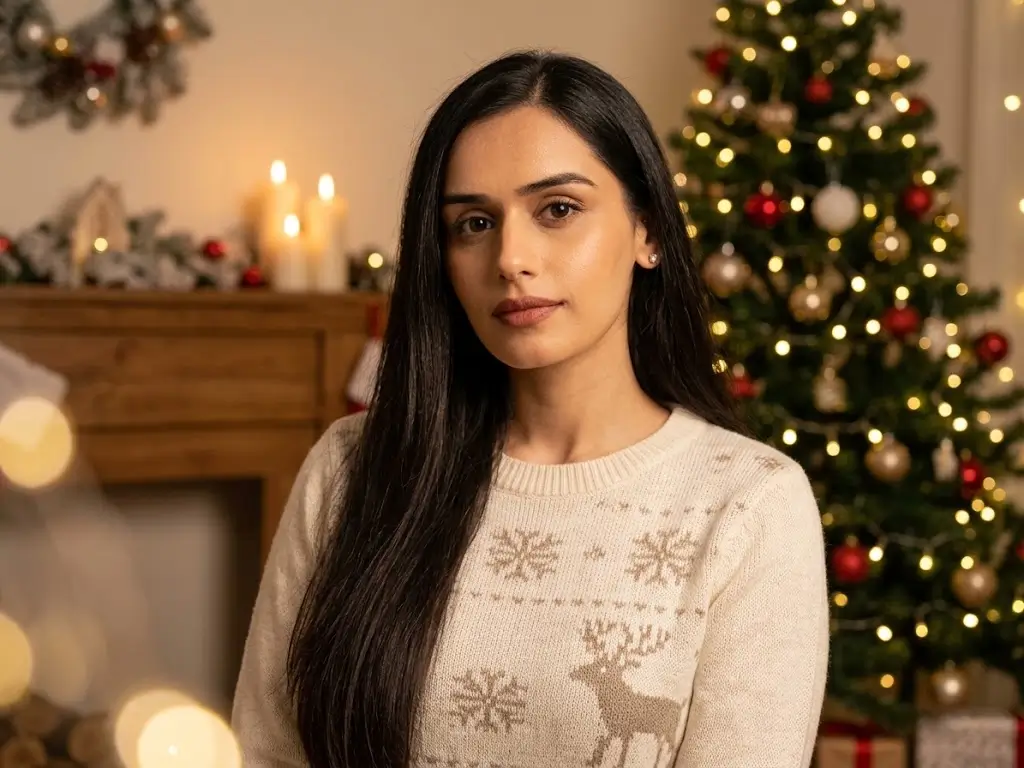
Edit my uploaded photo into a cozy Christmas portrait. Dress me in a beautiful knitted Christmas sweater with subtle festive patterns. Add a warm indoor background, a decorated Christmas tree, candles, fairy lights, and soft holiday decorations. Use natural skin texture, gentle lighting, a warm color palette, and a soft bokeh effect. Keep my original facial identity unchanged and make the portrait realistic, cozy, and aesthetic.
6. White Christmas Dress AI Prompt
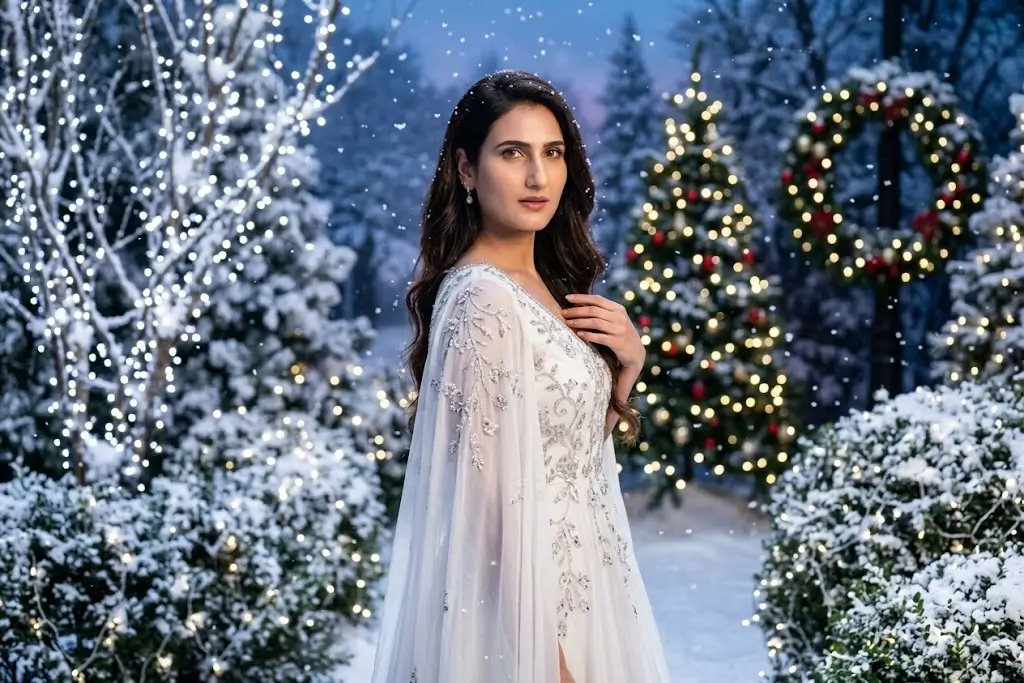
Create an elegant Christmas portrait using my uploaded image as a reference. Dress me in a flowing white winter dress with delicate silver details. Place me in a snowy garden decorated with sparkling lights and snow-covered trees. Add gentle snowfall, soft cinematic lighting, realistic clothing textures, and a dreamy winter atmosphere. Preserve my facial features and natural appearance. Produce a high-quality, photorealistic portrait suitable for social media.
7. Christmas Night Portrait Prompt
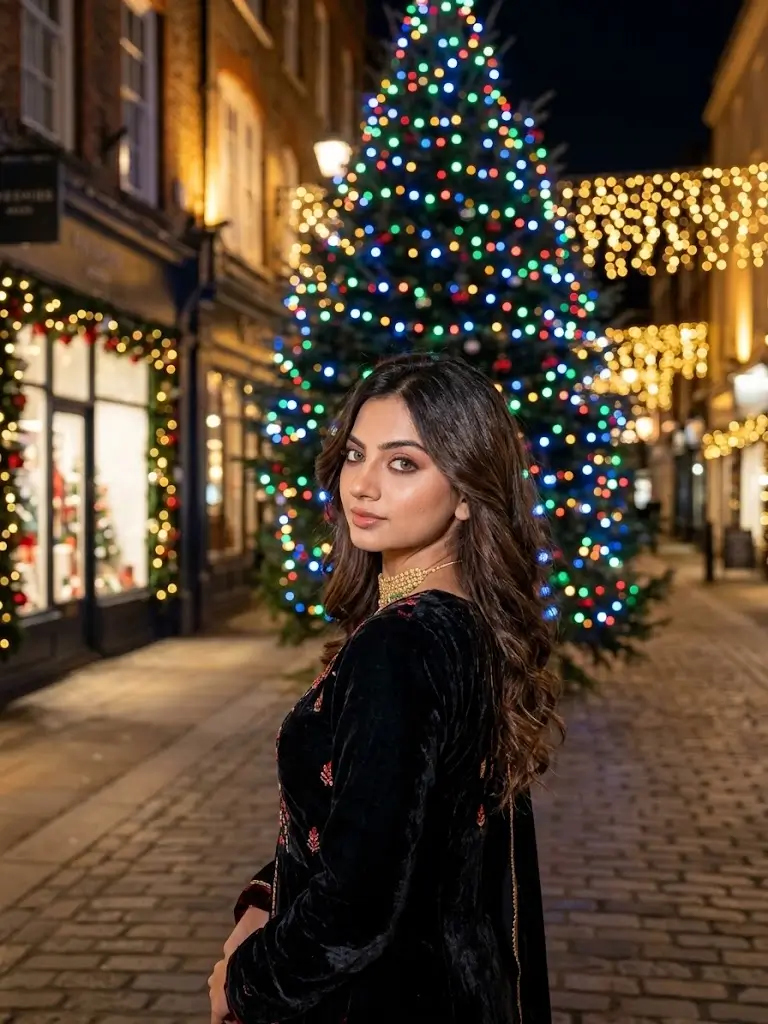
Transform my uploaded photo into a beautiful Christmas night portrait. Keep my original face and natural facial features. Style me in an elegant festive outfit with subtle red and gold accents. Add a Christmas tree glowing with colorful lights, a softly illuminated street, and a background filled with warm bokeh effects. Use professional night photography, balanced exposure, realistic shadows, and sharp facial details for a cinematic result.
8. Snow Queen Christmas Photo Prompt
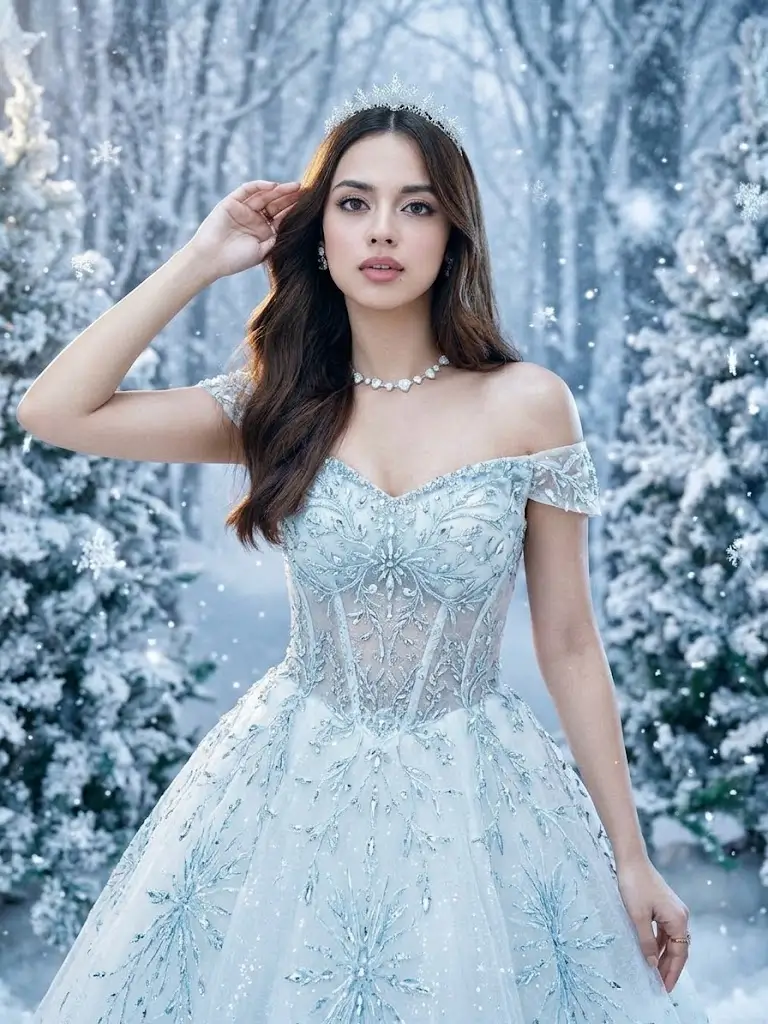
Create a fantasy-inspired Snow Queen portrait based on my uploaded photo. Dress me in an elegant icy-blue and white gown with delicate sparkling details. Add a magical snowy forest, frosted trees, shimmering snowflakes, and soft silver lighting. Preserve my recognizable facial identity and natural facial proportions. Use realistic textures, detailed hair, cinematic composition, and a beautiful winter fairytale atmosphere.
9. Christmas Café Photoshoot Prompt
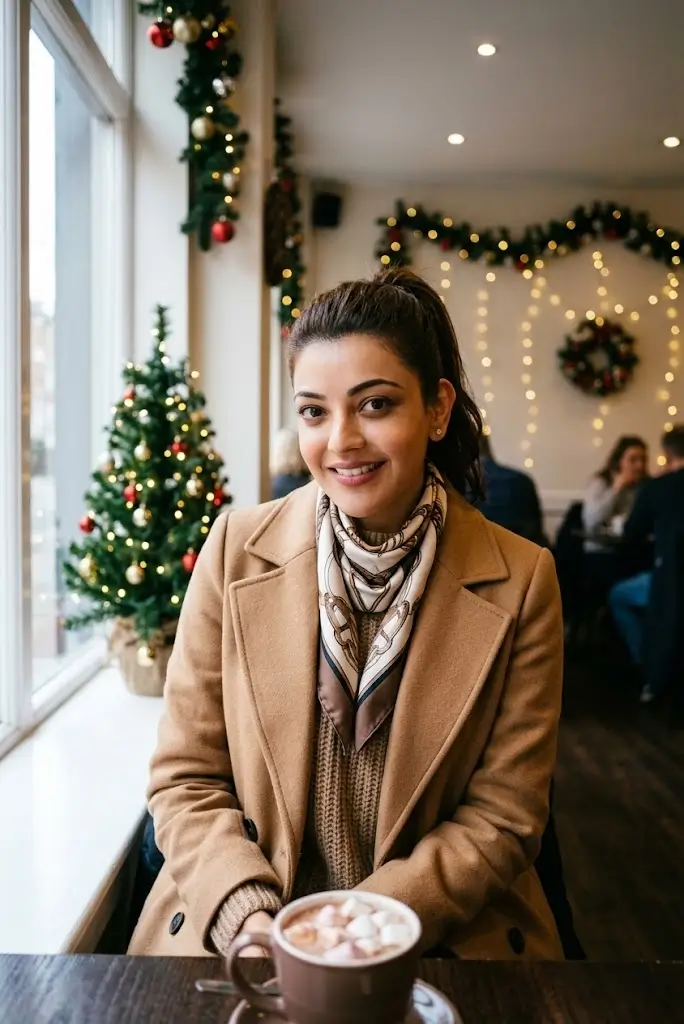
Create a realistic Christmas café portrait using my uploaded photo. Dress me in a stylish winter outfit with a warm coat and a fashionable scarf. Place me inside a cozy café decorated with Christmas garlands, fairy lights, and a small Christmas tree. Add a warm drink on the table, natural window lighting, and a soft background blur. Preserve my original face and create an authentic lifestyle photography look.
10. Instagram Viral Christmas Portrait Prompt
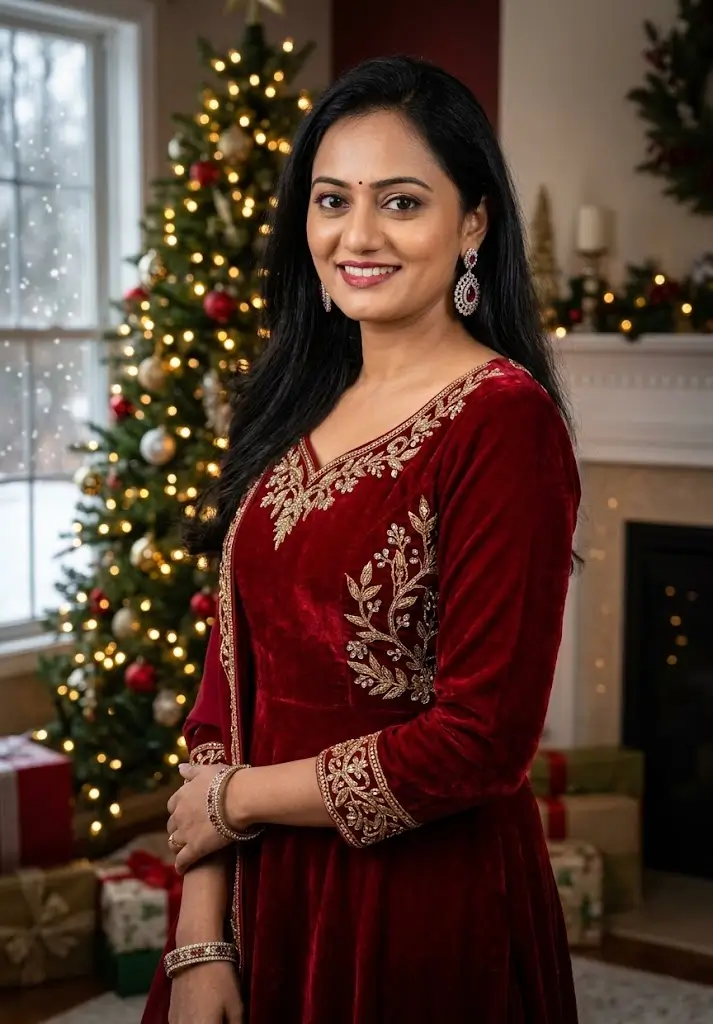
Create a trendy Christmas portrait using my uploaded photo as the primary reference. Dress me in a fashionable red Christmas outfit with elegant accessories. Add a beautifully decorated Christmas tree, glowing lights, falling snow, and a festive background with cinematic depth. Use realistic skin texture, detailed clothing, professional color grading, and high-resolution portrait photography. Preserve my original facial identity and avoid artificial facial changes. Make the final image stylish and suitable for Instagram posts and profile pictures.
Bonus: Universal Christmas AI Photo Editing Prompt
Use this prompt when you want to customize your own Christmas look.
“Edit my uploaded photo into a beautiful, realistic Christmas-themed portrait. Preserve my original facial identity, facial structure, skin tone, and natural expression. Dress me in [your preferred Christmas outfit]. Set the scene in [your preferred Christmas background] with festive decorations, glowing fairy lights, and gentle snowfall. Use professional portrait photography, realistic skin texture, natural shadows, cinematic lighting, detailed clothing, and high-resolution quality. Keep the result natural and photorealistic, without changing my identity. Avoid distorted hands, extra fingers, unnatural facial features, and excessive skin smoothing.”
Replace the text inside the brackets with your preferred outfit and background.
Tips for Getting Better Christmas AI Photo Editing Results
Follow these tips to improve the quality of your AI-generated Christmas portraits.
- Use a clear photo: Choose an image with a well-lit face and good resolution.
- Preserve your identity: Include a direct instruction to keep your original facial features.
- Describe the outfit: Mention specific colors, fabrics, accessories, and styles.
- Choose the right background: Snowy forests, Christmas cafés, decorated homes, and festive streets can create different moods.
- Control the lighting: Try soft golden light for cozy portraits or cool lighting for snowy scenes.
- Avoid excessive effects: Too many decorations or unrealistic filters can make an image look artificial.
- Check the final image: Review facial details, hands, clothing, and background objects before sharing.
Remember that facial preservation depends on the AI tool and its available editing features. Always review the final result carefully.
Best AI Tools for Christmas Photo Editing
You can experiment with different AI image editing tools to create Christmas portraits.
- Google Gemini: Useful for text-based image editing and creative portrait concepts.
- Adobe Photoshop: Suitable for detailed photo adjustments, compositing, and professional finishing.
- Canva: Helpful for creating Christmas greeting cards, social media graphics, and festive layouts.
- Picsart: Offers creative photo editing features and decorative effects.
Features, pricing, and availability may vary between tools and regions.
Frequently Asked Questions
Which are the best Christmas Special Photo Editing Prompts for Girls?
Prompts featuring red Christmas dresses, Santa outfits, snowy backgrounds, winter fashion, and warm fairy lights are popular choices for festive portraits.
Can I use these Christmas prompts in Google Gemini?
Yes. You can try these prompts in Google Gemini or another compatible AI image editor. Upload your photo first if you want the tool to use it as a reference.
How can I keep my face the same in an AI Christmas photo?
Upload a clear reference photo and include instructions such as “Preserve my original facial identity and facial features.” Results may vary depending on the tool.
Are these Christmas AI photo editing prompts free?
The prompts provided in this article are free to copy. However, the AI image editor you choose may have free usage limits, paid features, or account requirements.
Can I use these photos on Instagram and WhatsApp?
Yes, you can generally share your generated portraits on social media, subject to the image tool’s terms and any applicable privacy or content rules.
How do I create a realistic Christmas portrait?
Use a clear reference photo, describe the outfit and background precisely, request realistic lighting and skin texture, and avoid excessive visual effects.
Can I create Christmas profile pictures with Gemini AI?
Yes. Try a prompt with a close-up portrait, a festive outfit, a decorated Christmas tree, warm lighting, and a simple background.
Conclusion
These Christmas Special Photo Editing Prompts for Girls make it easy to explore creative Christmas portraits with AI image editing tools. From elegant red dresses and cute Santa outfits to snowy winter scenes and luxury photoshoots, there are plenty of styles to try for Christmas 2026.