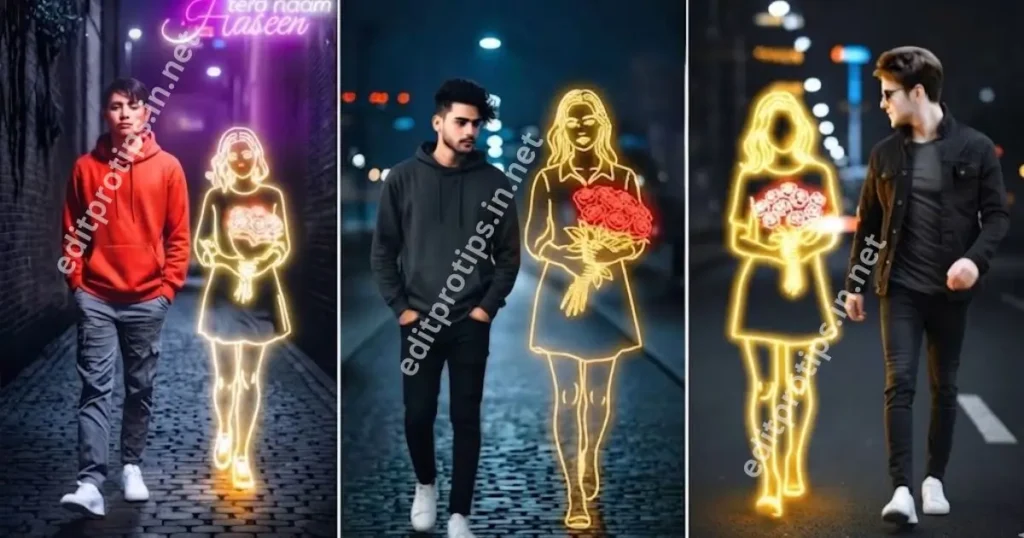
Google Gemini Neon Boy Prompts are a popular creative idea for transforming ordinary portraits into stylish, cinematic photos with glowing neon lights, futuristic backgrounds, vibrant colors, and professional portrait effects. With Google Gemini AI, you can create eye-catching neon boy photos for Instagram, Facebook, WhatsApp, and other social media platforms.
In this guide, EditProTips shares the latest AI photo editing ideas, ready-to-copy prompts, and simple steps to create stunning neon portraits in 2026. Whether you prefer a blue neon aesthetic, a red cyberpunk look, or a dark cinematic portrait, these prompts can help you achieve your desired style.
Table of Contents
What Are Google Gemini Neon Boy Prompts?
Google Gemini Neon Boy Prompts are text instructions that describe how you want an AI-generated or edited portrait to look. You can use them with a compatible image-generation or photo-editing feature in Gemini to create portraits featuring glowing lights, colorful reflections, dramatic shadows, and modern fashion.
For the best results, upload a clear portrait when editing an existing photo and describe the lighting, background, clothing, camera style, and overall mood you want.
Best Google Gemini Neon Boy Prompts for 2026
Try these ready-to-copy prompts to create different neon portrait styles. If you want to edit your own photo, upload it first and include instructions to preserve your facial identity.
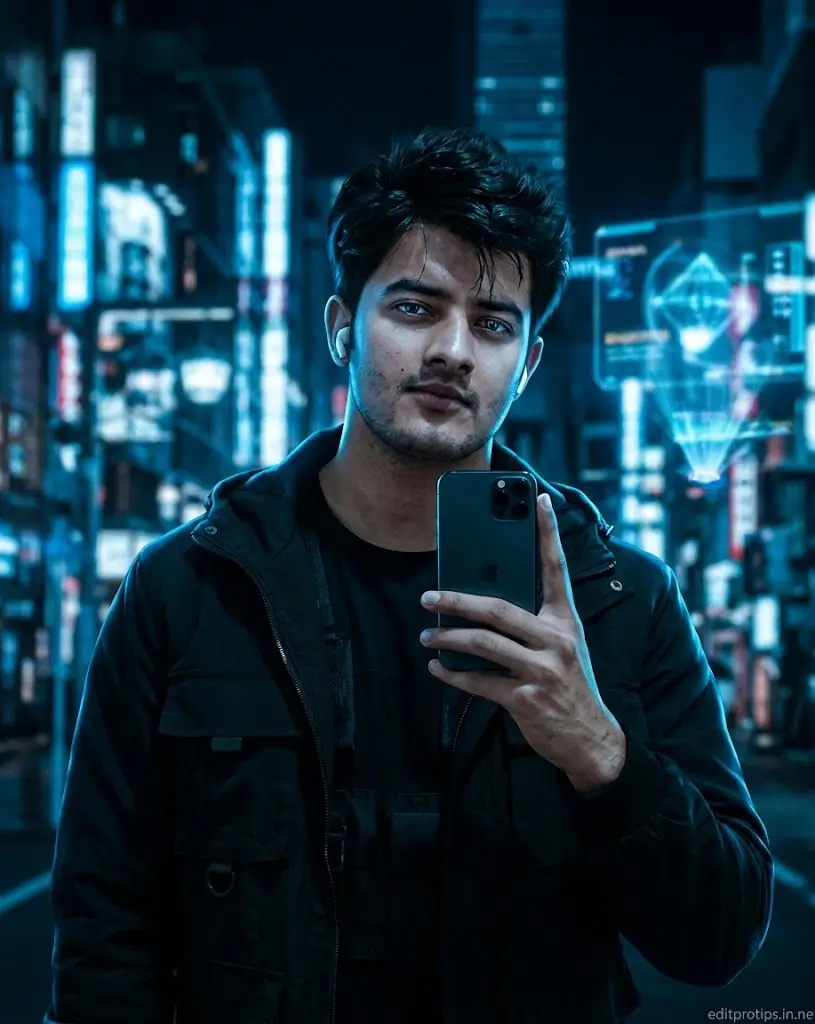
1. Blue Neon Boy Portrait Prompt
“Transform my uploaded photo into a stunning cinematic neon boy portrait. Keep my original face, facial features, skin tone, and identity exactly the same. Add electric blue neon lights illuminating my face, a dark futuristic city background, glowing blue reflections, stylish black streetwear, realistic skin texture, dramatic shadows, and professional cinematic color grading. Create a sharp, high-quality portrait with a modern urban aesthetic, natural facial proportions, and realistic lighting. Avoid excessive smoothing, distorted features, and artificial-looking skin.” Shot on DSLR, 85mm lens, f/1.8, ISO 100. Signature “editprotips.in.net” bottom right.
2. Red Neon Boy Photo Editing Prompt
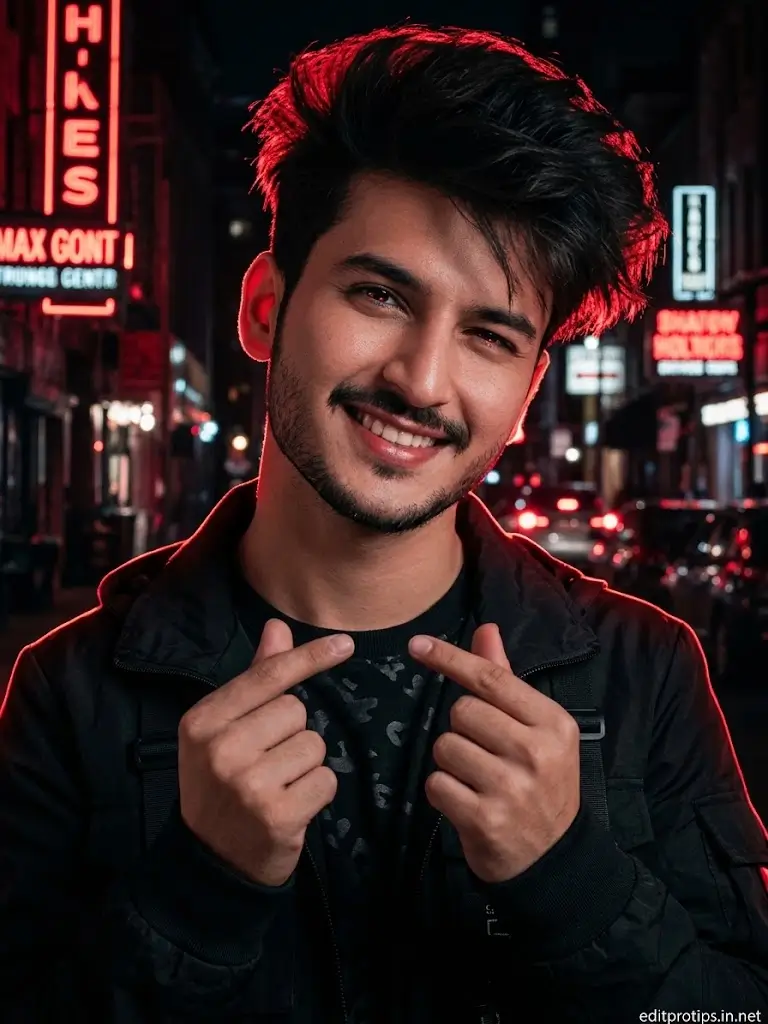
“Edit my uploaded portrait into a bold red neon aesthetic. Preserve my original face and identity. Add glowing red neon signs, a dark city background, red rim lighting around my hair and shoulders, black fashionable clothing, cinematic shadows, and realistic reflections. Use a dramatic night-photography style with deep blacks, rich red tones, detailed skin texture, and a confident expression. Make the final image look professional, realistic, and suitable for a social media profile picture.” Shot on DSLR, 85mm lens, f/1.8, ISO 100. Signature “editprotips.in.net” bottom right.
3. Purple Neon Cinematic Portrait Prompt
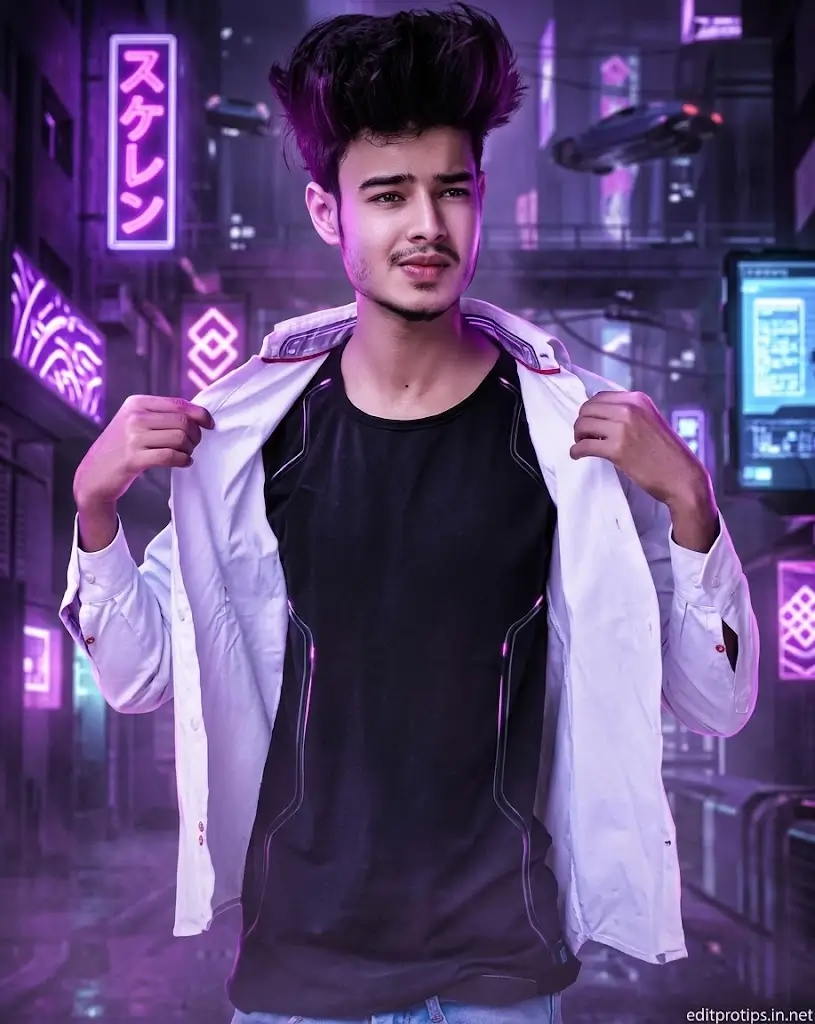
“Create a cinematic purple neon portrait using my uploaded photo as the reference. Keep my face and identity unchanged. Surround me with glowing purple and magenta lights, a futuristic urban background, soft atmospheric haze, stylish modern clothing, and dramatic studio lighting. Add realistic highlights to my face, natural skin texture, detailed eyes, and a subtle depth-of-field effect. Use a premium cyberpunk-inspired photography style with balanced contrast and a high-resolution finish.” Shot on DSLR, 85mm lens, f/1.8, ISO 100. Signature “editprotips.in.net” bottom right.
4. Neon Boy Instagram Profile Picture Prompt
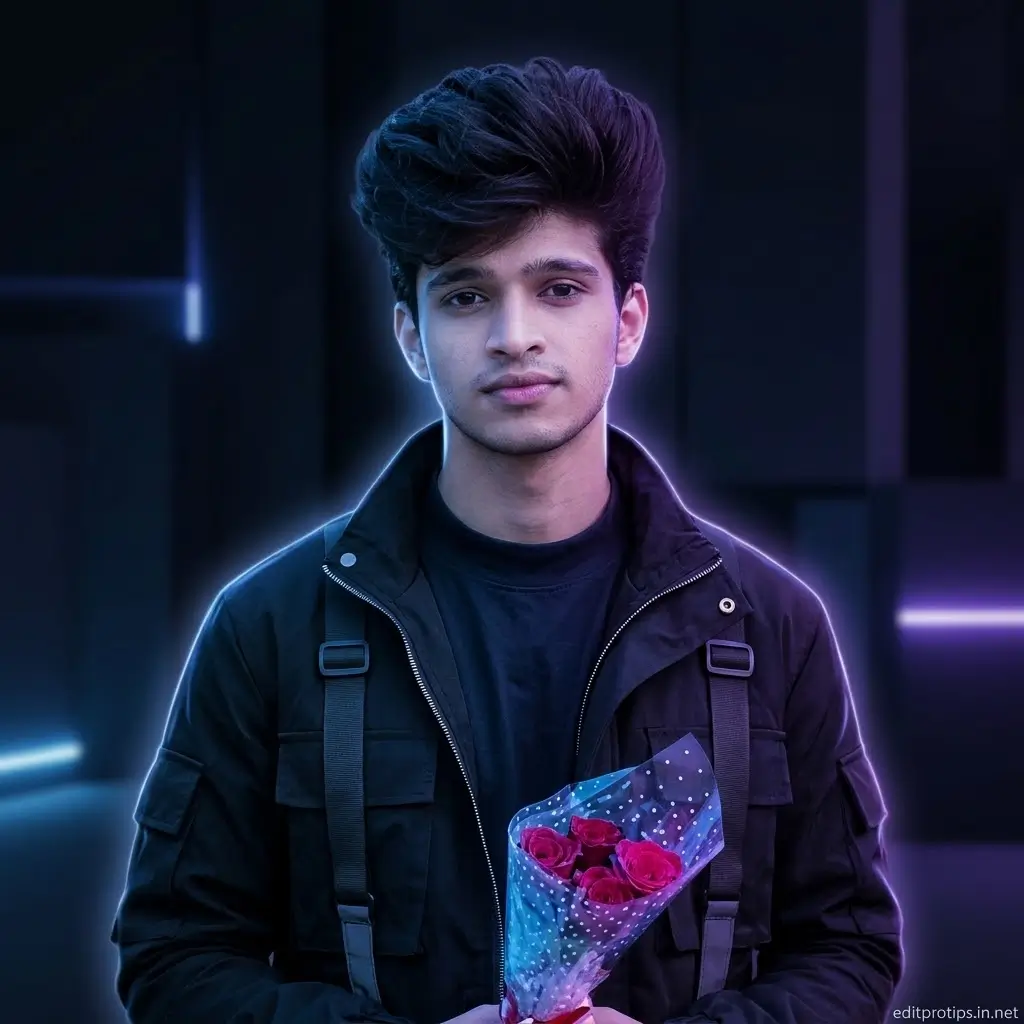
“Turn my uploaded photo into a stylish Instagram profile portrait with a neon aesthetic. Preserve my exact facial identity, hairstyle, and natural skin tone. Add blue and purple neon lighting, a clean dark background, a subtle glowing outline, fashionable streetwear, and professional portrait lighting. Keep my face centered and clearly visible, with sharp eyes and realistic skin details. Use a square composition that looks attractive as a social media profile picture.” Shot on DSLR, 85mm lens, f/1.8, ISO 100. Signature “editprotips.in.net” bottom right.
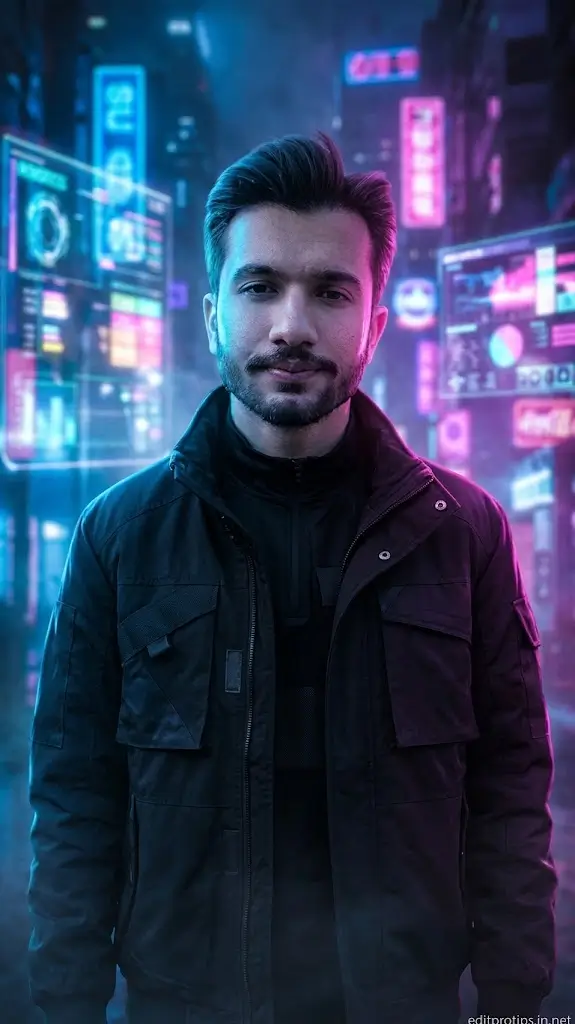
5. Cyberpunk Neon Boy Prompt
“Transform my photo into a futuristic cyberpunk portrait while preserving my original facial identity. Place me in a neon-lit futuristic city at night, with holographic lights, glowing signs, blue and pink reflections, atmospheric fog, and modern black streetwear. Add realistic cinematic lighting, detailed textures, natural facial proportions, and a shallow depth of field. Create an immersive science-fiction atmosphere without making the face look artificial.” Shot on DSLR, 85mm lens, f/1.8, ISO 100. Signature “editprotips.in.net” bottom right.
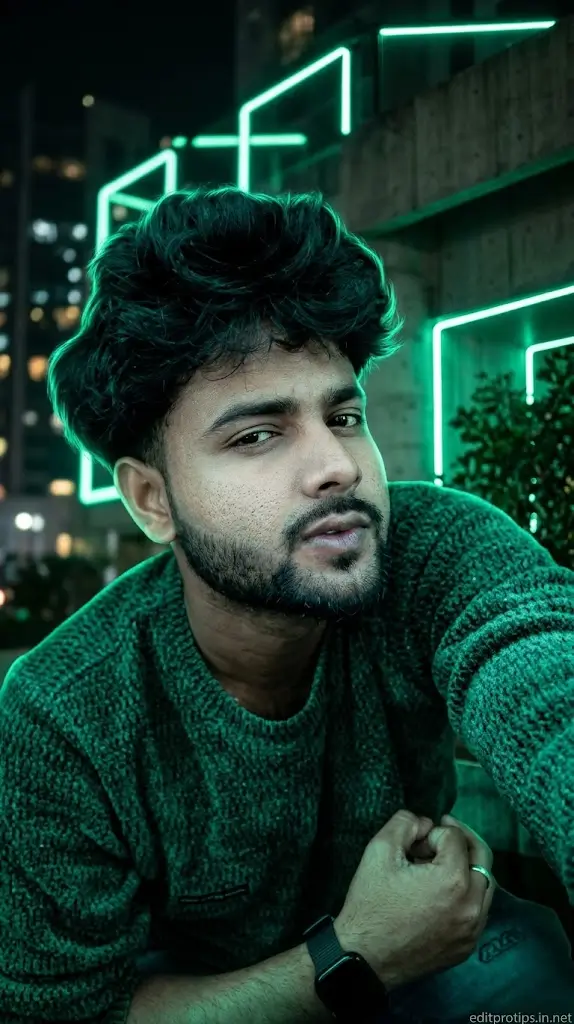
6. Green Neon Boy Portrait Prompt
“Edit my uploaded portrait into a unique green neon photography style. Keep my original face, identity, and skin tone unchanged. Add emerald green neon lighting, a dark urban background, subtle green reflections on my clothes, dramatic shadows, and a stylish modern outfit. Use realistic skin texture, crisp facial details, balanced exposure, and cinematic contrast. Make the image look bold, modern, and suitable for Instagram Reels and profile photos.”Shot on DSLR, 85mm lens, f/1.8, ISO 100. Signature “editprotips.in.net” bottom right.
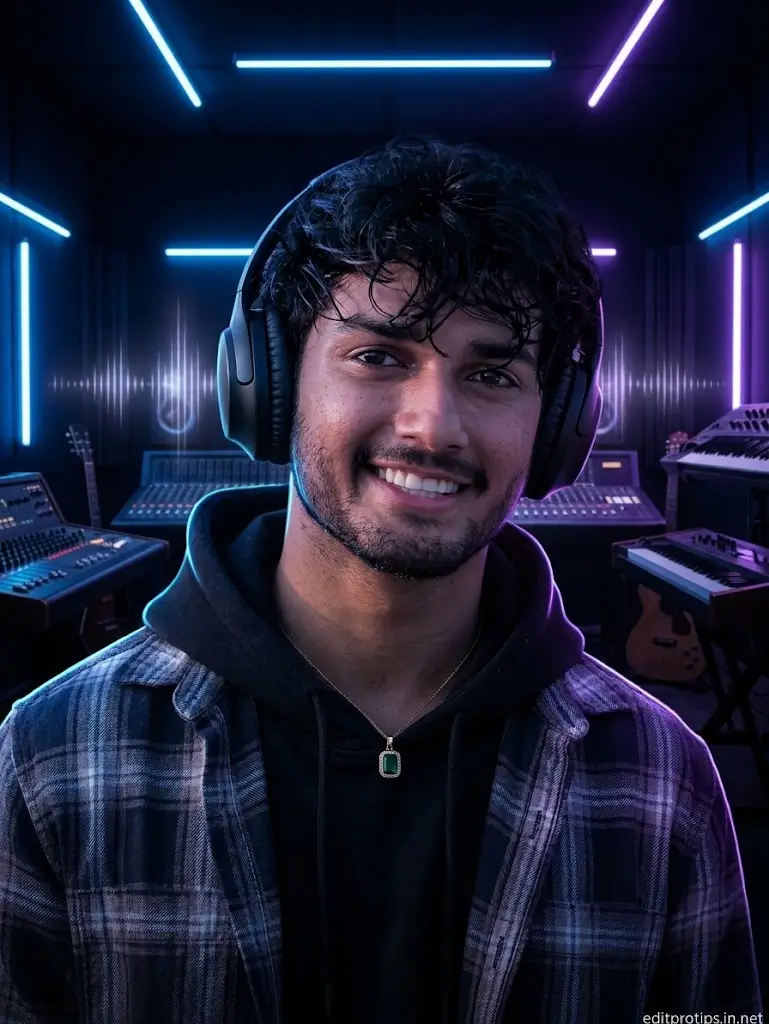
7. Neon Boy with Headphones Prompt
“Create a realistic neon music portrait from my uploaded photo. Preserve my original face and identity. Add stylish over-ear headphones, blue and purple neon lights, a dark music studio background, subtle glowing sound-wave effects, and modern streetwear. Use cinematic rim lighting, detailed facial features, realistic reflections, and professional low-light photography. Keep the overall image clean, sharp, and visually engaging.”Shot on DSLR, 85mm lens, f/1.8, ISO 100. Signature “editprotips.in.net” bottom right.
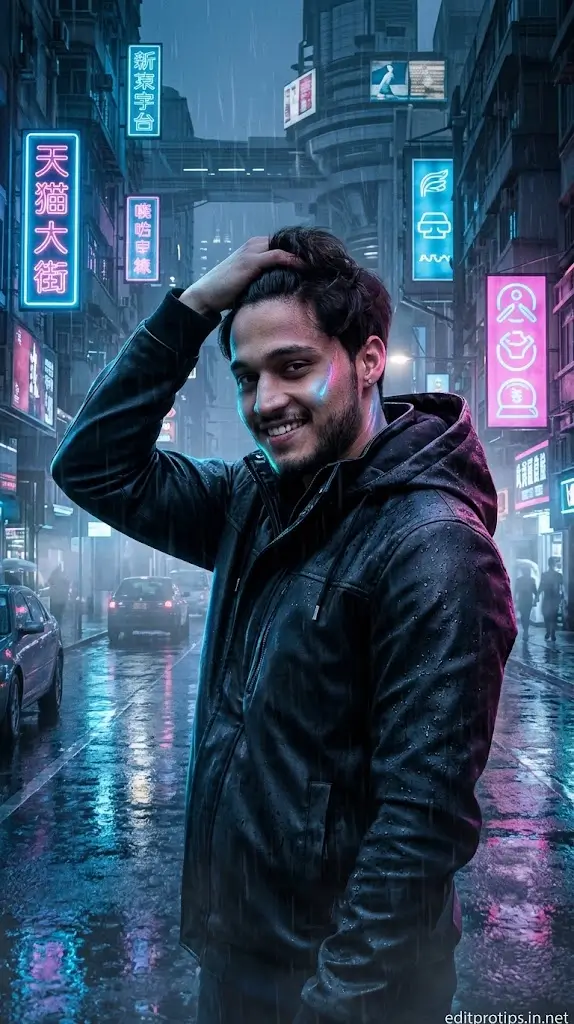
8. Neon Rainy Night Portrait Prompt
“Turn my uploaded photo into a cinematic rainy-night neon portrait. Preserve my exact face and identity. Place me on a futuristic city street with glowing blue and pink signs, wet pavement reflecting neon lights, light rain, and soft atmospheric mist. Add realistic reflections on my jacket, dramatic side lighting, natural skin texture, and a moody cinematic atmosphere. Make it look like a professional night portrait captured with a DSLR camera.” Shot on DSLR, 85mm lens, f/1.8, ISO 100. Signature “editprotips.in.net” bottom right.
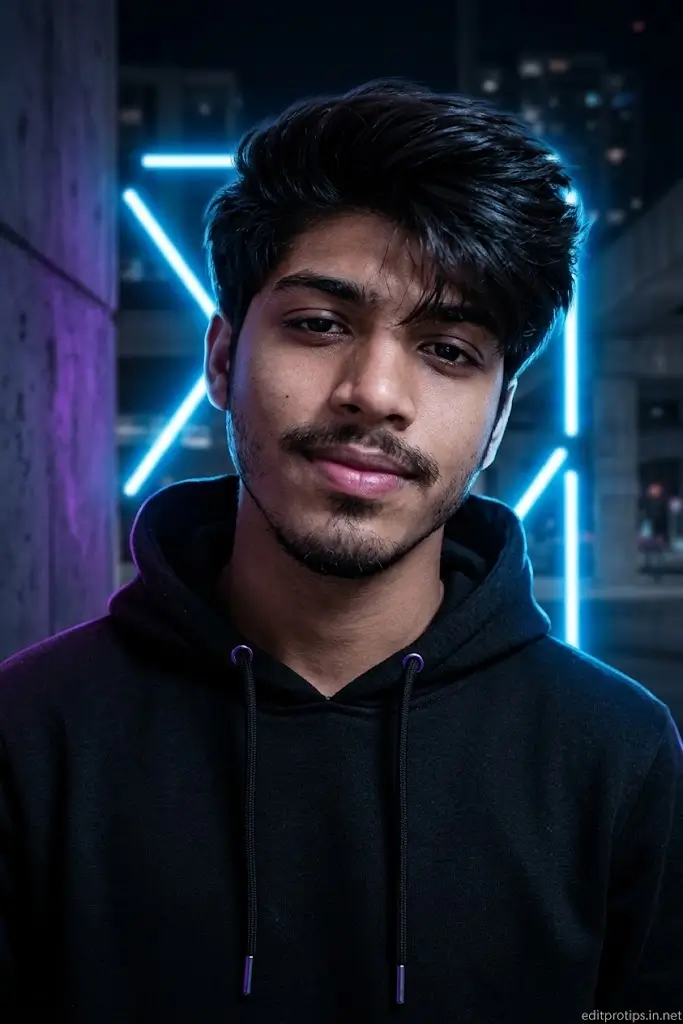
9. Neon Boy with a Black Hoodie Prompt
“Edit my uploaded portrait into a dark neon streetwear photoshoot. Keep my face, hairstyle, and identity unchanged. Dress me in a stylish black hoodie and add glowing blue neon lights behind me, subtle purple highlights, deep shadows, and a modern urban background. Use realistic lighting on the face, detailed fabric texture, sharp focus, and premium cinematic color grading. Create a clean, confident, high-quality portrait.” Shot on DSLR, 85mm lens, f/1.8, ISO 100. Signature “editprotips.in.net” bottom right.
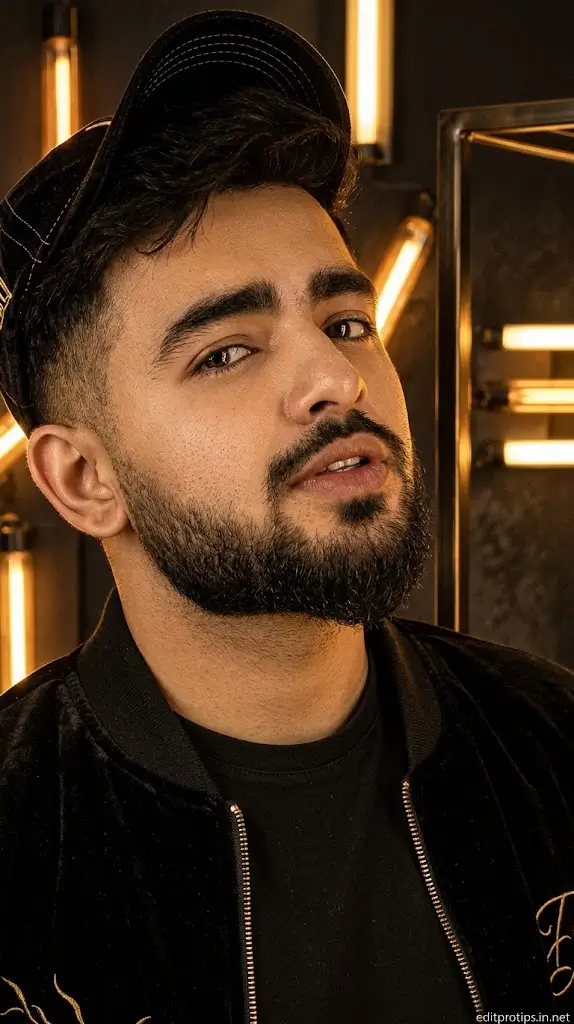
10. Golden Neon Boy Portrait Prompt
“Transform my uploaded photo into a premium golden neon portrait. Preserve my original facial features and identity. Add warm golden neon tubes, amber highlights, a dark elegant background, subtle reflections, and fashionable modern clothing. Use realistic portrait lighting, natural skin texture, sharp eyes, and cinematic contrast. Create a sophisticated editorial photography look with a luxurious golden glow and a professional finish.” Shot on DSLR, 85mm lens, f/1.8, ISO 100. Signature “editprotips.in.net” bottom right.
How to Create Neon Boy Photos with Google Gemini AI
Follow these simple steps to create your own neon portrait.
- Open Google Gemini: Visit Gemini or open its official app.
- Upload your photo: Choose a clear, well-lit portrait with your face visible.
- Copy a prompt: Select one of the Google Gemini Neon Boy Prompts from this article.
- Paste the prompt: Enter it into the image-editing conversation and ask Gemini to edit your uploaded photo.
- Generate the image: Review the result and request adjustments if necessary.
- Save your portrait: Download the finished image if the available interface supports it, then share it on your preferred social media platform.
Available image-editing features may vary depending on your account, region, and current Gemini interface.
Tips for Better Neon Boy AI Photo Editing
To get more realistic results, follow these practical tips:
- Use a clear photo: A sharp, front-facing portrait generally provides a better reference.
- Specify the neon colors: Mention blue, red, purple, green, or golden lighting instead of simply saying “neon effect.”
- Preserve your face: Include the instruction “keep my original face and identity unchanged.”
- Describe the background: A futuristic street, dark studio, rainy city, or neon wall can create a different atmosphere.
- Balance the lighting: Ask for natural skin tones alongside colorful neon highlights.
- Avoid excessive effects: Too much glow can hide facial details and make the image look artificial.
- Try different compositions: Experiment with close-up portraits, waist-up photos, and square profile pictures.
For a DSLR-inspired appearance, you can also add: “Shot on DSLR, 85mm lens, f/1.8, ISO 100, shallow depth of field, realistic skin texture, and professional cinematic lighting.” Treat these camera settings as a stylistic instruction rather than a guarantee of actual camera simulation.

Why Are Neon Boy AI Photos Trending?
Neon portraits combine modern fashion, vibrant colors, and dramatic lighting to create a distinctive visual style. They work especially well for social media profiles, creative posts, gaming-inspired pictures, and short-form video thumbnails.
Different color combinations can communicate different moods. Blue neon creates a cool futuristic appearance, red adds intensity, purple gives a dreamy cyberpunk feeling, and golden lighting produces a more luxurious look.
AI editing also makes it easier to experiment with these styles without manually arranging lights or creating complex backgrounds in professional editing software.
Frequently Asked Questions
What are Google Gemini Neon Boy Prompts?
They are text instructions used to create or edit portraits with neon lighting, futuristic backgrounds, colorful effects, and cinematic styling using compatible Google Gemini image features.
Are these neon boy prompts free to use?
The prompts in this article are free to copy. Access to Gemini image-generation and editing features may depend on current product availability, usage limits, and account eligibility.
How can I keep my face the same in an AI-edited photo?
Upload a clear reference photo and explicitly request that the original face, facial features, hairstyle, skin tone, and identity remain unchanged. AI results can still vary, so check the generated image carefully.
Which neon color is best for boy photo editing?
Blue and purple are good choices for a futuristic look, red works well for dramatic portraits, green creates a distinctive cyberpunk aesthetic, and gold produces a warmer, premium style.
Can I use neon boy photos on Instagram and Facebook?
Yes. You can use your finished portraits for profile pictures, posts, and other suitable social media content. Choose an image size that fits the platform and check the platform’s current rules.
How do I make my neon portrait look realistic?
Use a high-quality reference image, request natural skin texture, keep facial lighting balanced, and avoid excessive glow or unrealistic facial changes.
Conclusion
Google Gemini Neon Boy Prompts offer a simple way to explore creative AI photo editing in 2026. From blue neon portraits and red cinematic effects to purple cyberpunk scenes and golden editorial lighting, these copy-and-paste prompts give you several styles to try. Choose your favorite prompt, upload a suitable photo, and adjust the lighting and background until you achieve the look you want.