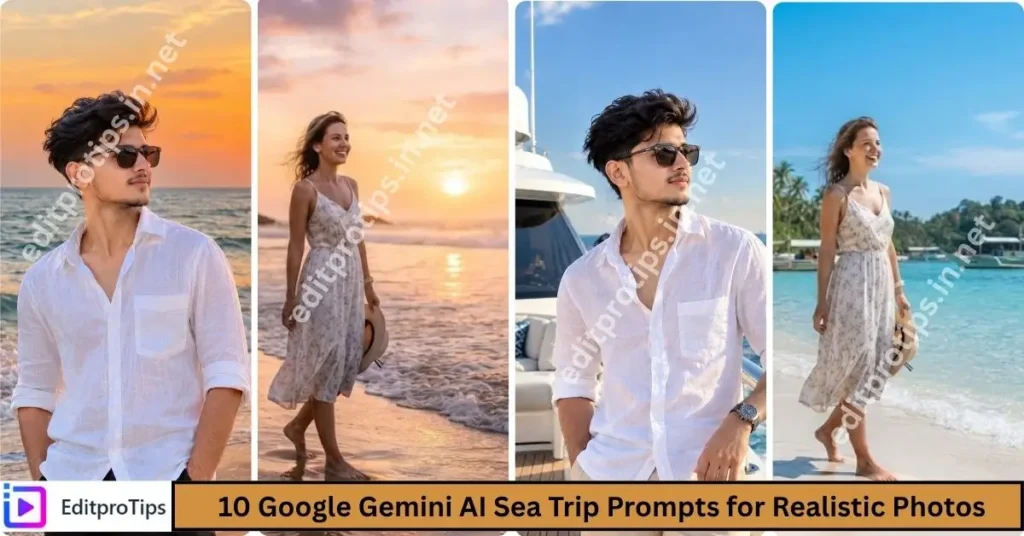
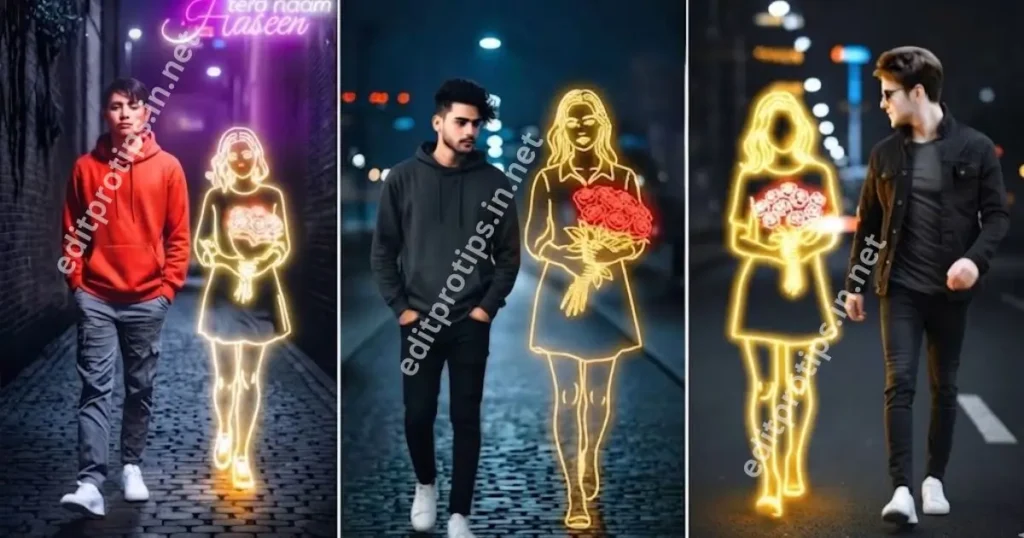
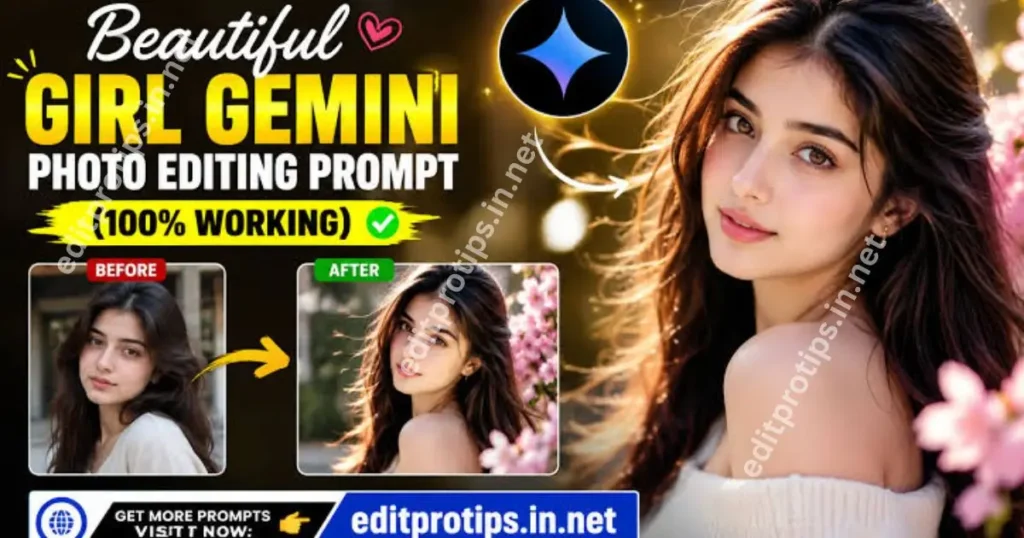
Hello friends! Welcome back to EditProTips. Are you looking for the latest Trending ChatGPT Photo Editing Prompts to transform your ordinary pictures into stunning, professional-looking photos? In 2026, AI photo editing is becoming increasingly popular among content creators, photographers, and social media users who want to create unique and eye-catching images.
With ChatGPT, you can develop creative photo editing prompts for different styles, including cinematic portraits, aesthetic looks, street photography, 3D effects, traditional outfits, and viral Instagram-style edits. You can use these prompts as instructions for compatible AI image editing tools to create amazing results from your own photos.
In this article, we will explore the best trending ChatGPT photo editing prompts for 2026, explain how to use them, and share copy-and-paste ideas to help you create beautiful AI-edited photos.
Table of Contents
What Are Trending ChatGPT Photo Editing Prompts?
Trending ChatGPT photo editing prompts are detailed text instructions that describe how you want an image to look. They can specify the lighting, background, clothing, camera angle, color grading, mood, image quality, and overall photography style.
For example, you can ask ChatGPT to write a prompt for a cinematic portrait with golden-hour lighting, a blurred background, realistic skin texture, and professional color grading.
Depending on the image tool you use, you can then upload your picture and apply the generated instructions to create a personalized result.

1. Gemini AI Prompt for Girl – Watercolor Art
Watercolor butterfly portrait with botanical flowers and realistic face details.
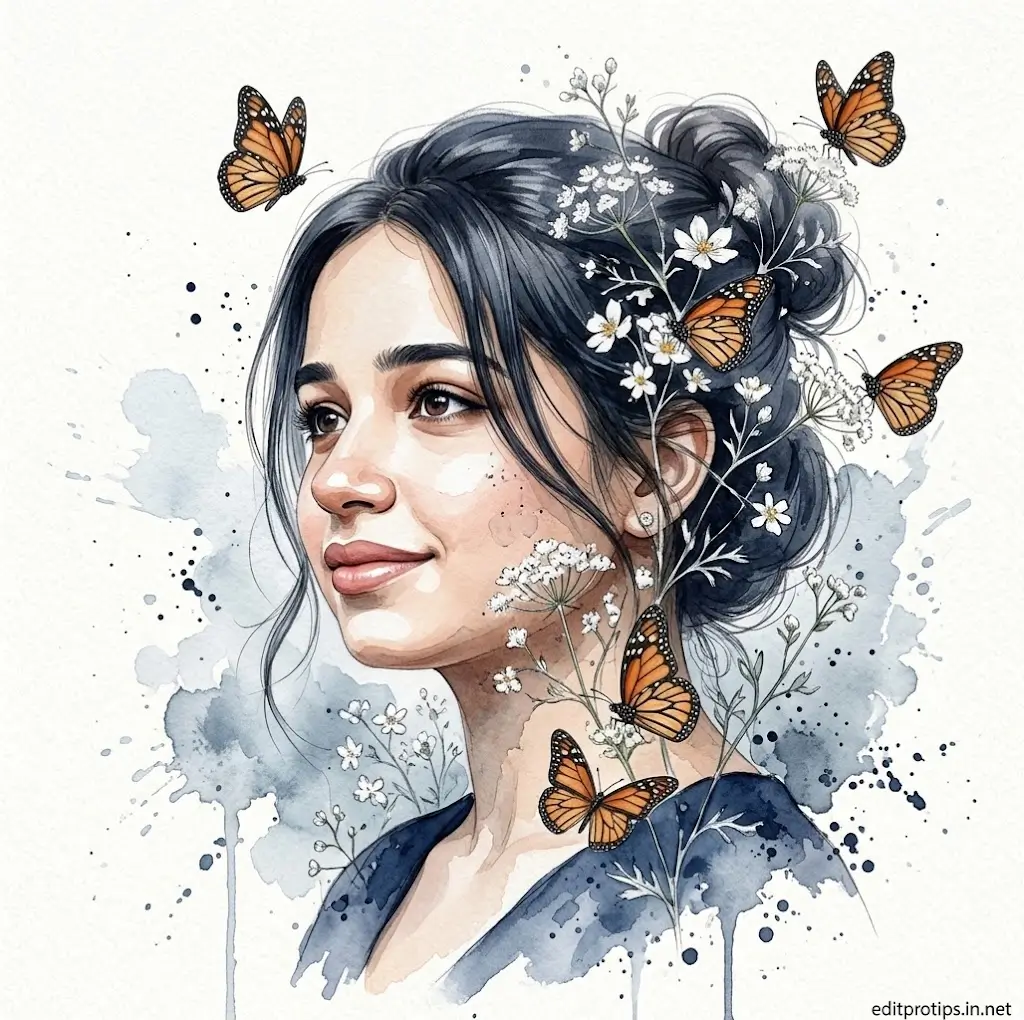
use the uploaded reference photo to preserve the girl's face and identity exactly. create a fine-art watercolor portrait with realistic facial details blended into soft blue-gray watercolor splashes on textured white paper. the girl is shown in a 3/4 side profile looking slightly upward with a calm smile, wearing a navy blue dress and a loose messy bun with soft face-framing strands. blend delicate white wildflowers and foliage into her hair and around her face. add 5–6 realistic monarch butterflies flying around and resting on the flowers. use seamless watercolor edges, ink splatters, subtle paint drips, soft pastel tones, premium botanical illustration style, elegant composition, ultra-detailed eyes and skin, photorealistic face merged with watercolor art, 8k, masterpiece, no text, no watermark.
2. Gemini AI Prompt for Girl – Double Exposure
Watercolor double exposure portrait with butterflies and artistic paper texture.
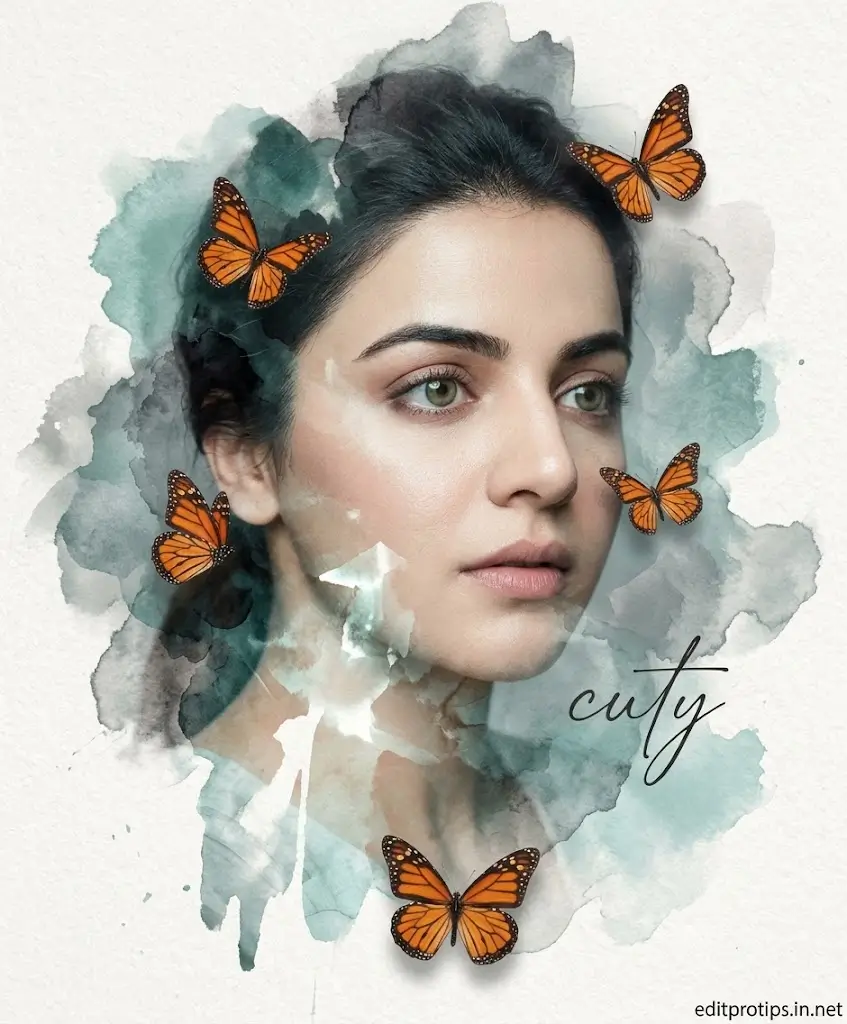
a uploaded image beautiful young woman portrait with pale smooth skin, dark tied-back hair, and soft emotional eyes looking sideways, artistic double exposure with watercolor brush textures in muted teal, smoky gray, and white tones, realistic orange monarch butterflies around the face, dreamy editorial atmosphere, soft lighting, textured paper background, cinematic portrait mixed with watercolor illustration style, elegant handwritten typography "cuty", luxury
3. ChatGPT Photo Prompt – Red Rim Light Black Portrait
Generate a cinematic black background portrait with dramatic red rim lighting, sunglasses, and luxury editorial styling using ChatGPT AI.
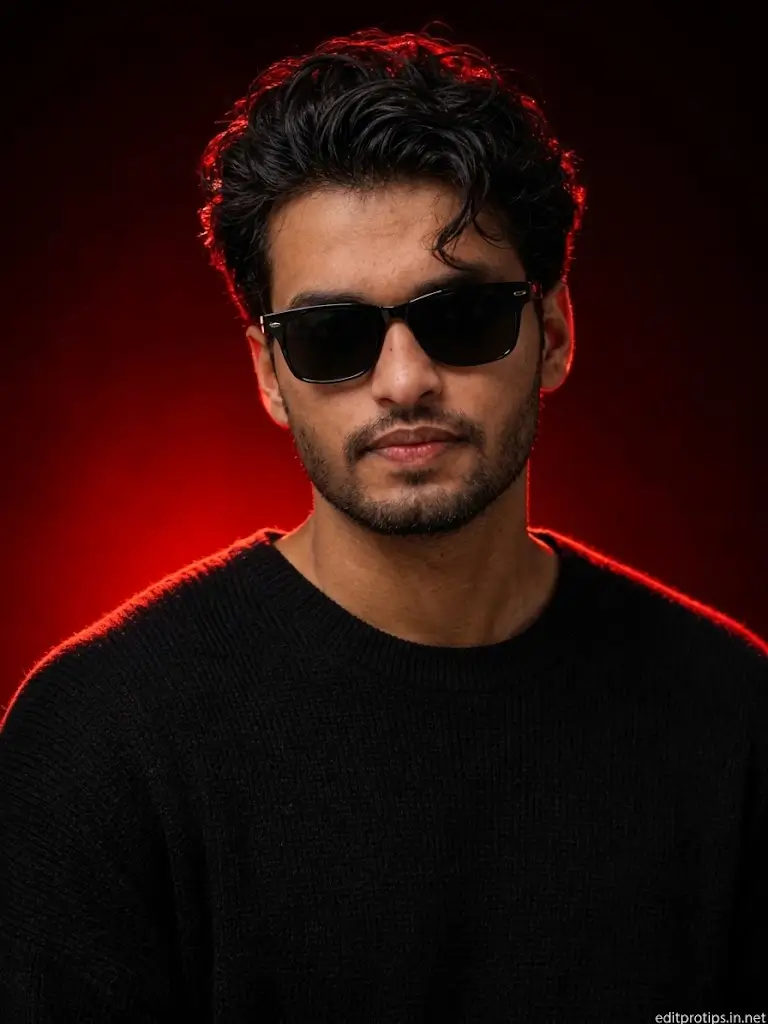
use the uploaded reference photo to preserve 100% facial identity, hairstyle, skin tone, and body proportions. create an ultra-realistic 8k close-up studio portrait of the same person wearing black rectangular sunglasses and a black textured knit sweater, with a neatly groomed light beard and mustache. pose facing the camera with a calm, confident expression. use a deep black background illuminated by a dramatic red backlight creating a glowing rim light around the hair and shoulders. cinematic lighting, premium fashion editorial photography, hdr, ultra-sharp focus, highly detailed, luxury portrait style.
4. ChatGPT Photo Prompt – White Luxury Sports Car Portrait
Generate a premium fashion portrait leaning against a white luxury sports car with modern architecture using ChatGPT AI photo prompts.
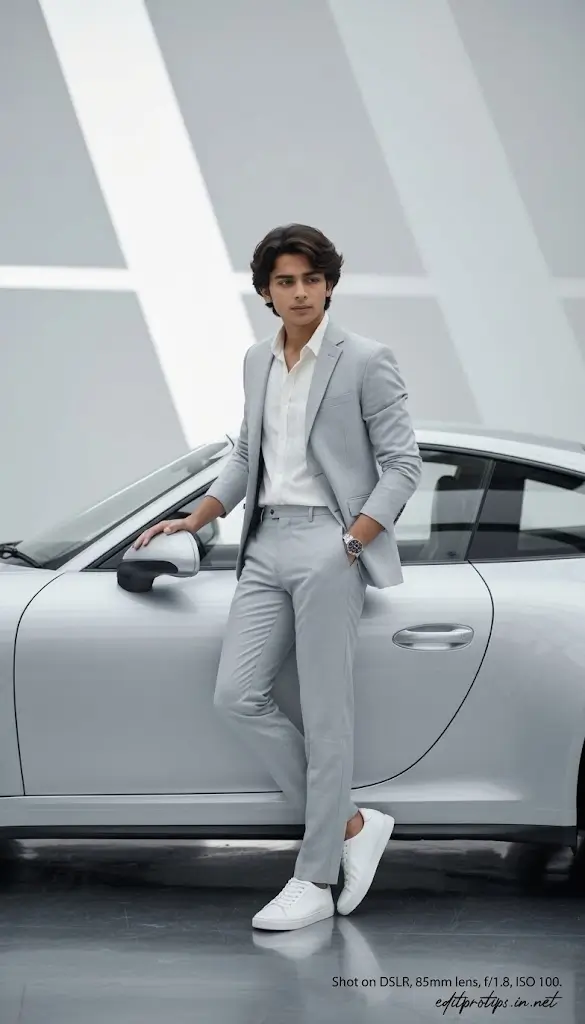
use the uploaded reference photo to preserve 100% facial identity, hairstyle, skin tone, and body proportions. create an ultra-realistic 8k luxury fashion portrait of the same person leaning against a white luxury sports car, left hand resting on the side mirror and right hand in pocket, looking slightly to the side with a calm, confident expression. wear a light gray tailored suit, white open-collar shirt, white sneakers, silver wristwatch, and a black belt. set in a modern minimalist white architectural environment with soft natural lighting, clean geometric background, glossy floor reflections, premium editorial photography, hdr, sharp focus, highly detailed.
5. ChatGPT Photo Prompt – Colorful Bean Bag Studio Portrait
Create a colorful fashion studio portrait on a white bean bag with cinematic neon lighting using ChatGPT AI photo editing prompts.
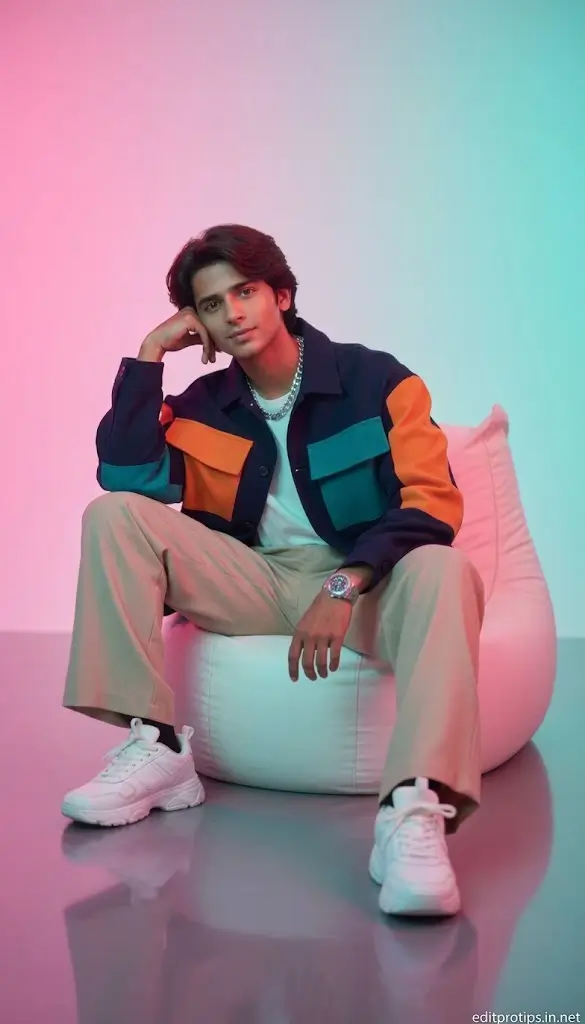
use the uploaded reference photo to preserve 100% facial identity, hairstyle, skin tone, and body proportions. create an ultra-realistic 8k studio portrait of the same person sitting casually on a white bean bag, resting one elbow on the knee with the head supported by one hand, looking directly at the camera with a relaxed, confident expression. wear a navy color-block jacket with orange and teal panels, white t-shirt, beige wide-leg trousers, white chunky sneakers, silver chain, and a luxury wristwatch. use a soft pink and cyan gradient studio background with cinematic neon lighting, glossy floor reflections, premium fashion editorial style, hdr, sharp focus, highly detailed.
6. Purple Saree Golden Evening
Girl in purple-orange saree with gold accents, diya lights, fairy lights, festive cinematic mood
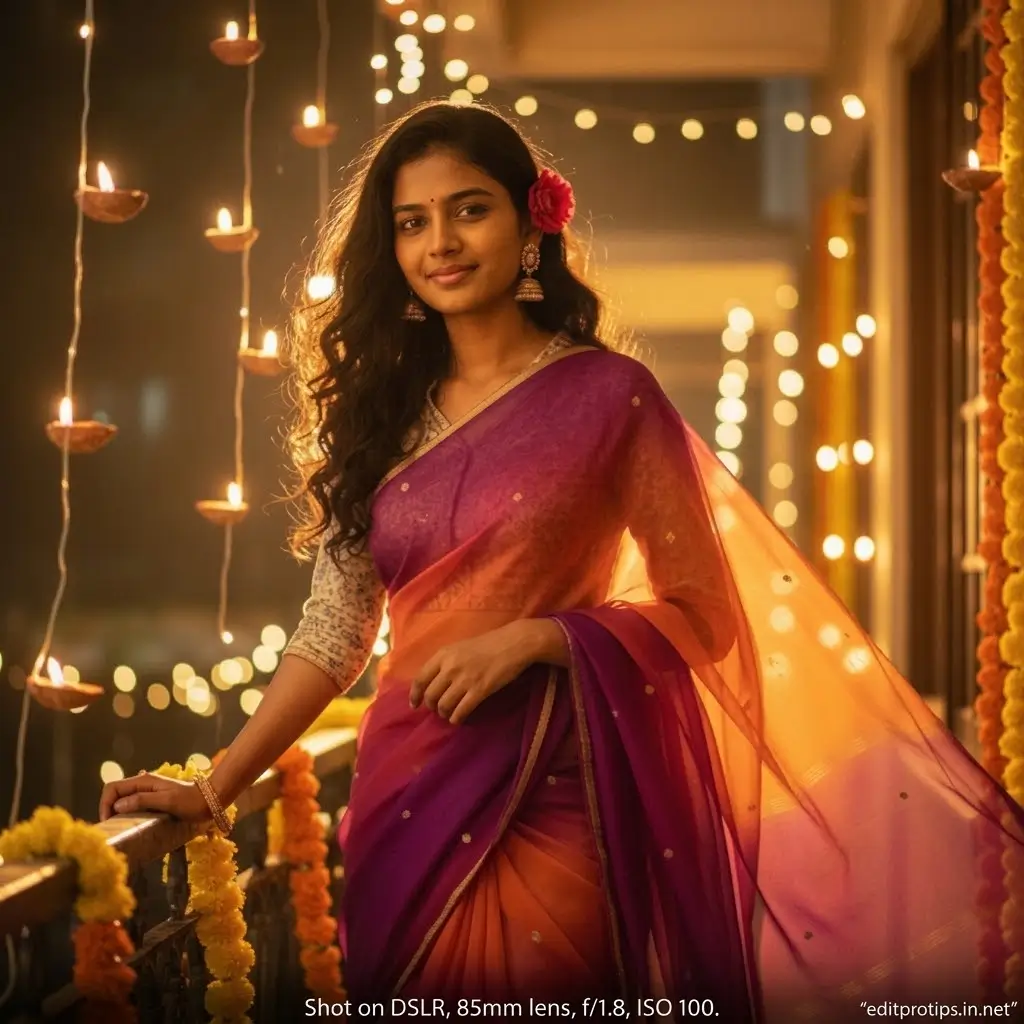
use the reference image for the girl's face and slim body. outfit: vibrant purple and orange chiffon saree with golden accents, softly draped with flowing pleats that catch the wind, paired with elegant jhumka earrings and subtle bangles, exuding festive charm and retro cinematic beauty. hair: dark brown, long and wavy with gentle curls, a few loose strands framing her face naturally, a small red flower tucked behind one ear, glowing under the warm light. pose: standing near a balcony filled with diyas and hanging fairy lights, one hand resting on the railing, the other gently adjusting her saree pallu, body slightly turned with hair moving softly in the wind, capturing a candid, cinematic moment. background: warm and lively — softly glowing diyas, blurred fairy lights, and hints of marigold decorations in the background, creating layers of color, light, and festive emotion. lighting: rich golden and amber tones blending with soft pink reflections, highlights gently touching her face and saree folds, a glowing rim light outlining her silhouette with perfect cinematic warmth. expression: gentle smile with eyes full of calm happiness, a hint of nostalgia and wonder, romantic yet peaceful, as if lost in a quiet festive evening thought. atmosphere: colorful, cinematic, romantic, and festive — blending traditional indian celebration with 90s retro elegance and dreamy lighting, capturing warmth, beauty, and poetic emotion in perfect harmony. keep the face and slim body consistent with the reference image.
7. Pink Kurti Cottage Portrait Prompt
Elegant countryside prompt for Gemini AI girl in a soft pink kurti, ivy-covered stone wall, golden hour
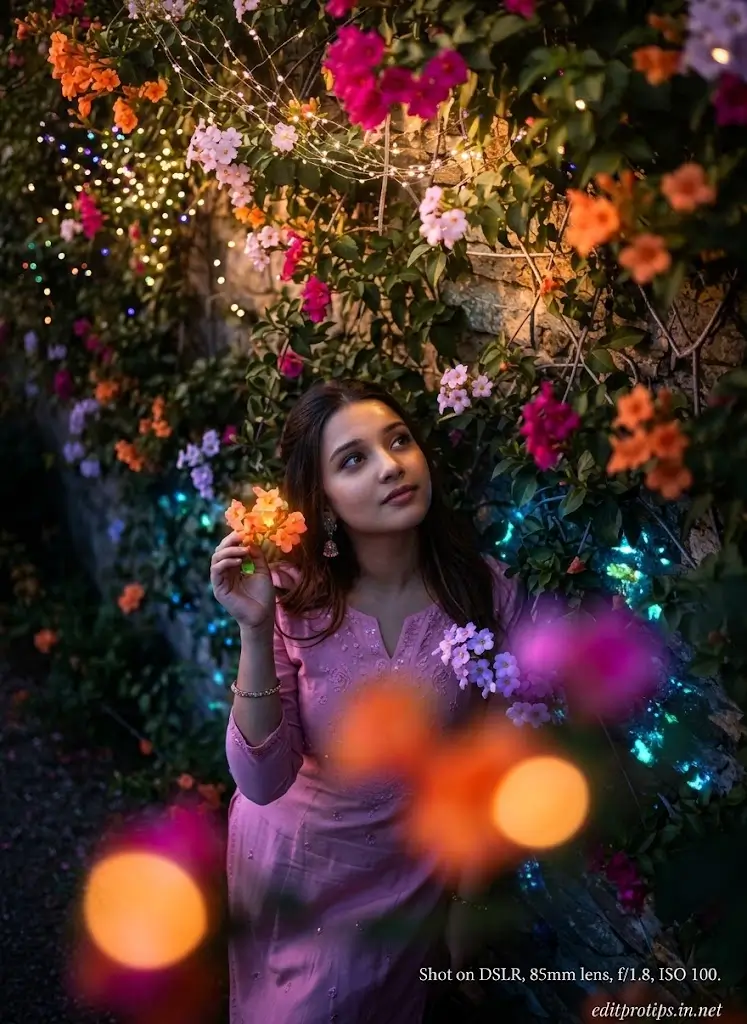
hyper-realistic overhead 9:16 close of myself playfully leaning against an ivy-covered stone wall of an old countryside cottage during golden hour. , one hand brushing away a dangling vine, a soft pink kurti the flowering vines are in full bloom with orange, magenta, and lavender hues, softly blurred in the foreground.
8. Gemini AI Photo Prompt : Retro 90s Polaroid Style
Grainy, faded-edge gemini photo prompt that mimics an authentic 90s polaroid snapshot – a viral trending gemini ai photo prompt copy paste favorite.
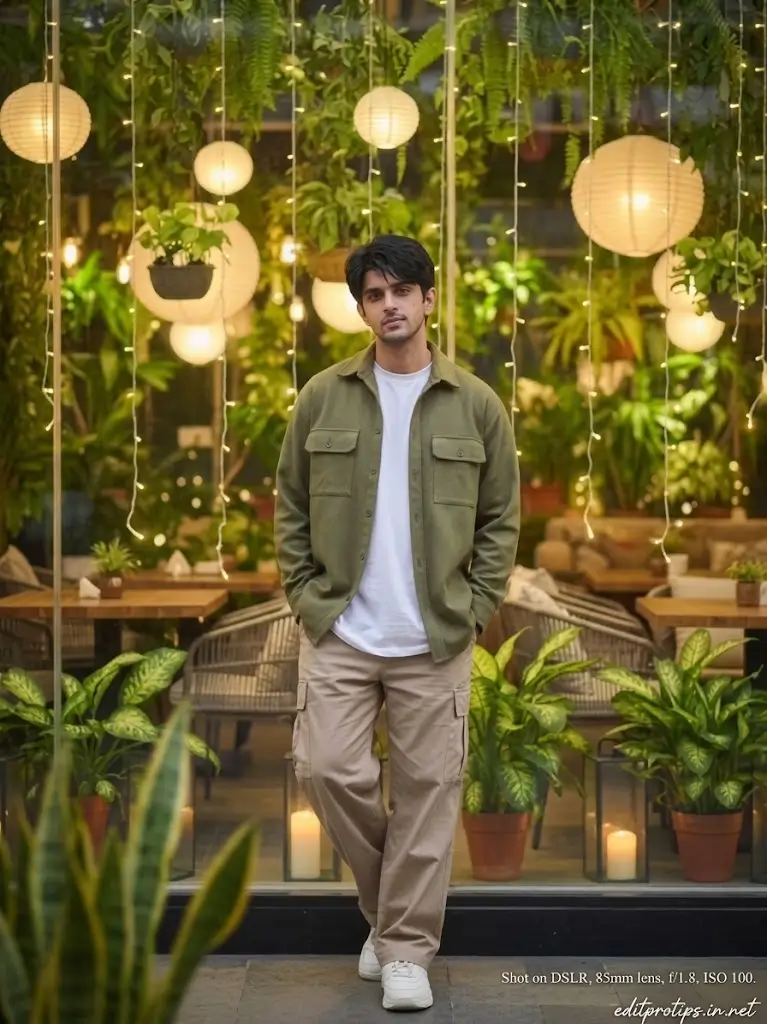
use the reference person’s exact face (no changes). full-body portrait of a young man standing casually with hands in pockets, wearing an olive green overshirt, white t-shirt, beige pants, and white sneakers. background: cozy plant-filled café with hanging warm paper lanterns, fairy lights, and lush greenery. soft warm lighting, shallow depth of field, cinematic bokeh. centered composition, relaxed pose, natural expression, ultra-realistic, 85mm lens, f/1.8.
9. ChatGPT AI Photo Prompt for Girls – Watercolor Portrait
ChatGPT AI photo prompt for girls with a watercolor splash effect, traditional outfit, and premium digital artwork.
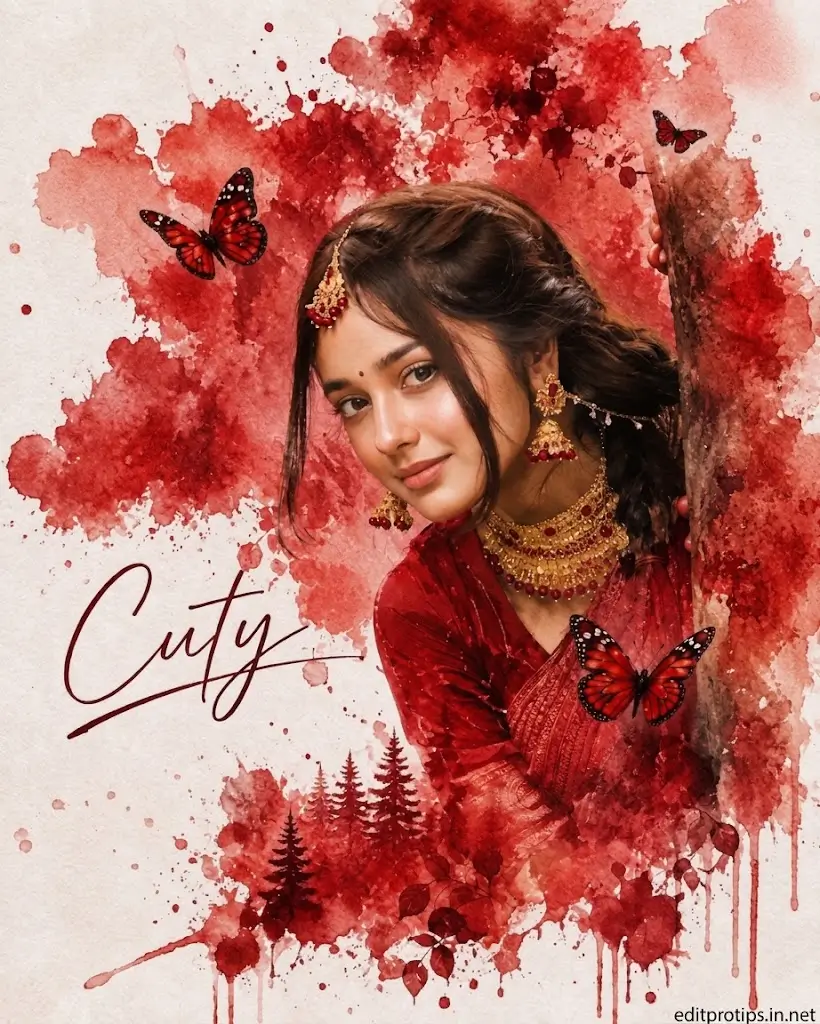
use the uploaded reference photo for 100% facial identity, hairstyle, skin tone, and body proportions. create a vibrant watercolor splash portrait of the same girl in a rich red traditional outfit with ornate gold jewelry, peeking from behind a rustic tree trunk. white textured paper background with bold crimson paint splashes, red butterflies, subtle forest silhouette, artistic ink drips, and elegant handwritten "cuty" text. high-detail watercolor illustration, soft lighting, premium digital art, 3:4 composition.
10. Nano Banana Glitch Poster Prompt
Nano Banana prompt to turn a man’s photo into a dramatic movie poster style edit with bold title typography space.
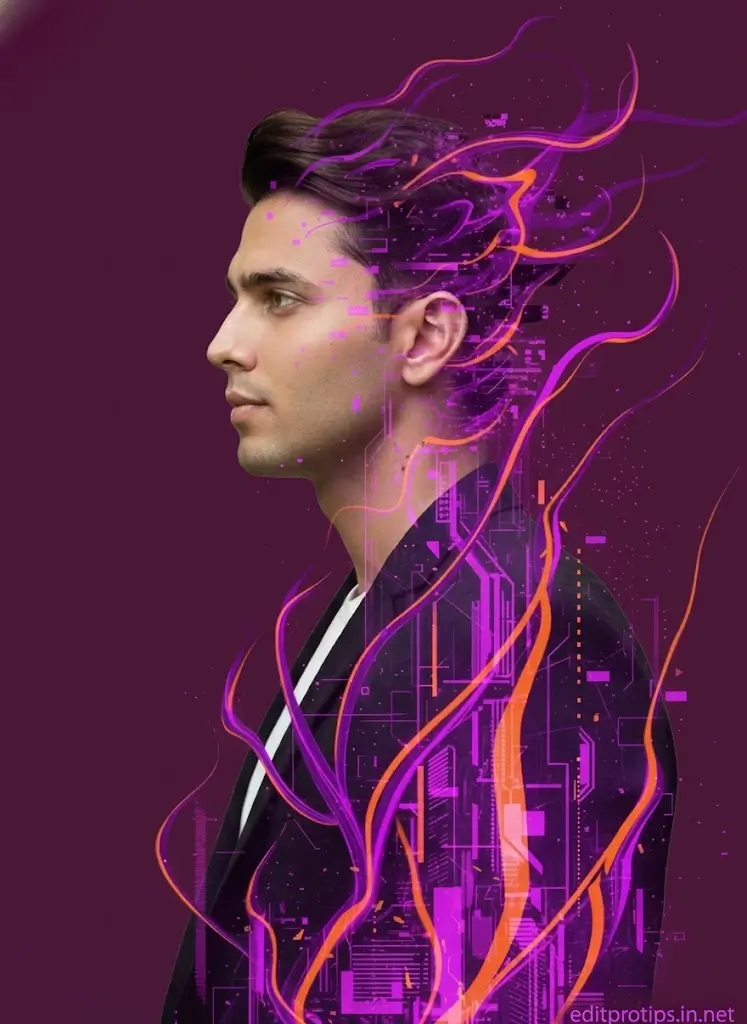
side-profile portrait of person from uploaded photo facing left, merged with abstract futuristic city graphics. vibrant yellow monochrome background with cyan accents. jacket, realistic editorial skin. hair and clothing blend into flat geometric urban collage, vertical glitch lines and architectural overlays. clean poster composition, sharp edges, minimal depth, high detail.
11. Instagram Trending Prompt: Wildflower Field Overhead Shot
Ranked among the best instagram gemini ai prompts for boys and mens copy paste — a cinematic top-down pose in a blooming wildflower field.
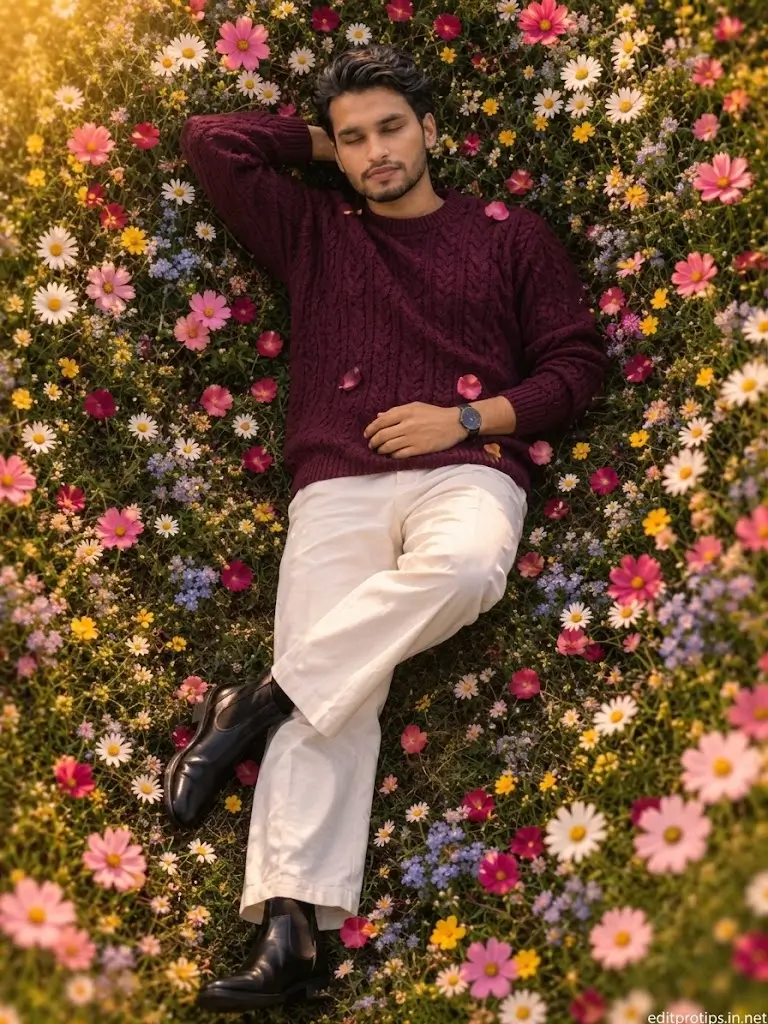
using the uploaded reference photo, preserve the person's face, identity, skin tone, facial hair, hairstyle, body build, and all facial features exactly without any alteration; change only the pose to a dreamy cinematic overhead (top-down) view of the person lying on the ground in a lush field of blooming wildflowers including white daisies with yellow centers, pink cosmos, blue forget-me-nots, yellow buttercups, and scattered rose petals forming a vibrant floral frame around the body, with eyes gently closed in a calm peaceful expression, arms relaxed at the sides, one leg slightly bent over the other, wearing a textured deep plum cable-knit sweater, white straight-leg trousers, and black leather chelsea boots, captured during golden hour with warm soft natural light, subtle glow, rich earthy tones, shallow depth of field, creamy bokeh around the edges, ultra-realistic floral details, cinematic color grading, high contrast, extremely detailed fabric textures, sharp focus on the subject, perfectly symmetrical composition, editorial fashion photography, ethereal atmosphere, medium-format look, hdr, 8k, photorealistic, 3:4 aspect ratio, keeping the exact same face, hairstyle, body build, and identity as the reference image.
12. Gemini AI Photo Prompt: Festival Night Lights
Vibrant, colorful gemini photo prompt copy paste featuring festival lanterns and neon reflections – one of the most trending gemini ai photo prompt ideas for 2026.
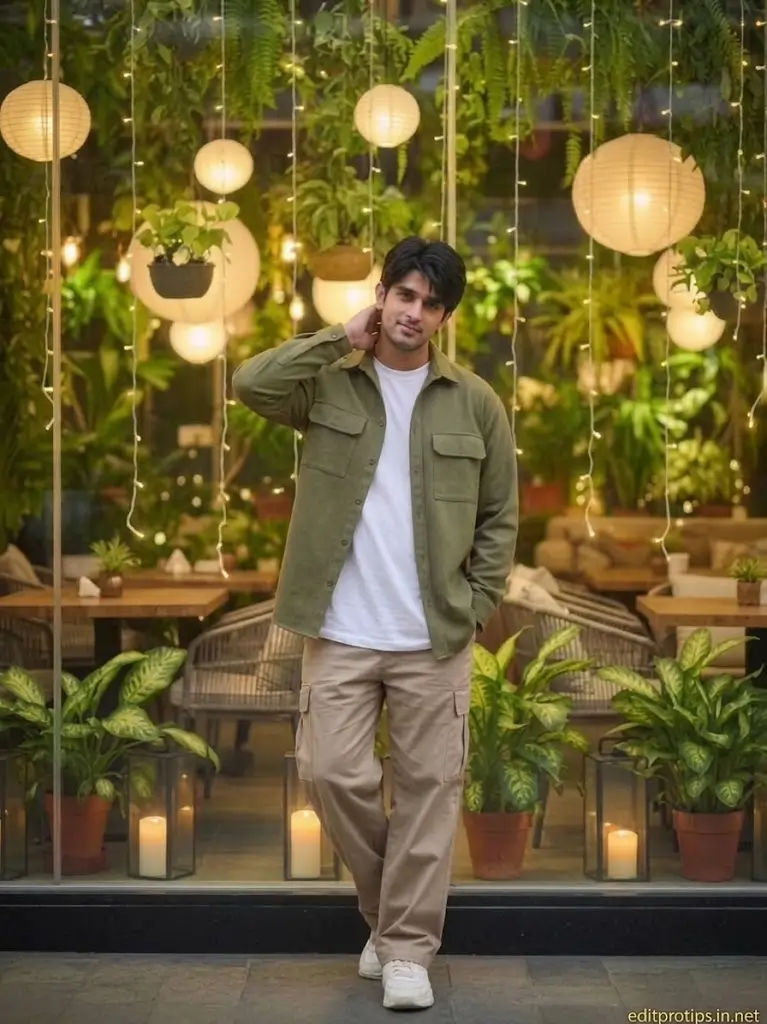
use the reference person’s exact face (no changes). full-body portrait of a young man standing casually with hands in pockets, wearing an olive green overshirt, white t-shirt, beige pants, and white sneakers. background: cozy plant-filled café with hanging warm paper lanterns, fairy lights, and lush greenery. soft warm lighting, shallow depth of field, cinematic bokeh. centered composition, relaxed pose, natural expression, ultra-realistic, 85mm lens, f/1.8.
How to Use Trending ChatGPT Photo Editing Prompts
Follow these simple steps to create your own AI-edited pictures.
- Choose your photo: Select a clear image with good lighting and visible facial details.
- Open ChatGPT: Ask ChatGPT to create or improve a photo editing prompt for your preferred style.
- Upload your reference image: Use an image-editing feature or another compatible AI image tool that supports image uploads.
- Copy your prompt: Paste the selected prompt into the image editor and explain any changes you want.
- Generate the result: Review the output and refine the prompt if the lighting, background, outfit, or composition needs improvement.
- Save your image: Export the final image in the appropriate resolution and aspect ratio for your intended platform.
Note: Image generation and editing features vary by tool and account. ChatGPT can help write prompts, but the result depends on the image tool being used.
Tips for Getting Better AI Photo Editing Results
To get more realistic and attractive results, keep these practical tips in mind:
- Use a clear reference image: Sharp, well-lit photos usually provide better starting material.
- Describe the lighting: Specify golden hour, soft studio lighting, natural daylight, or cinematic shadows.
- Protect facial identity: Include instructions such as “preserve my original facial identity and natural features.”
- Be specific about the background: Describe the location, colors, atmosphere, and level of background blur.
- Avoid excessive retouching: Ask for natural skin texture instead of plastic-looking skin.
- Make one change at a time: If the result looks incorrect, refine the background, lighting, or clothing separately.
- Choose the right aspect ratio: Use a vertical composition for Reels and Stories, square for many profile images, and landscape for featured images.
- Check the final result: Look for distorted hands, inconsistent accessories, unnatural facial details, and unwanted text.
Frequently Asked Questions
What are the best Trending ChatGPT Photo Editing Prompts in 2026?
Cinematic portraits, Instagram aesthetic edits, luxury fashion photography, rainy-night portraits, golden-hour images, vintage film effects, and professional headshots are useful styles to explore.
Can ChatGPT edit my photo directly?
ChatGPT can help create editing instructions and may support image generation or editing depending on the features available to your account. You can also use compatible AI image editors with your prompts.
How can I keep my face the same in an AI-edited photo?
Upload a clear reference image and include instructions to preserve your original facial identity, hairstyle, skin tone, and expression. Results can vary, so check the generated image carefully.
Are ChatGPT photo editing prompts free to use?
Writing prompts with ChatGPT may be available at no cost, depending on your plan and usage limits. Some image generation and editing tools require paid access or have separate restrictions.
Which AI photo editing style is best for Instagram?
Cinematic portraits, aesthetic color grading, luxury fashion looks, golden-hour photography, and rainy-night edits are good options for creating visually appealing Instagram content.
Can I use these prompts for boys’ and girls’ photos?
Yes. You can adapt the prompts to different people, outfits, backgrounds, and photography styles. Always use images you have permission to edit and share.
Conclusion
Trending ChatGPT Photo Editing Prompts offer a simple way to explore creative photography styles in 2026. From cinematic portraits and luxury fashion looks to vintage film effects and professional headshots, these prompts can help you describe the image you want with greater precision.
Start with one of the copy-and-paste prompts in this guide, upload a suitable reference image to a compatible editing tool, and adjust the instructions until you achieve the desired result.