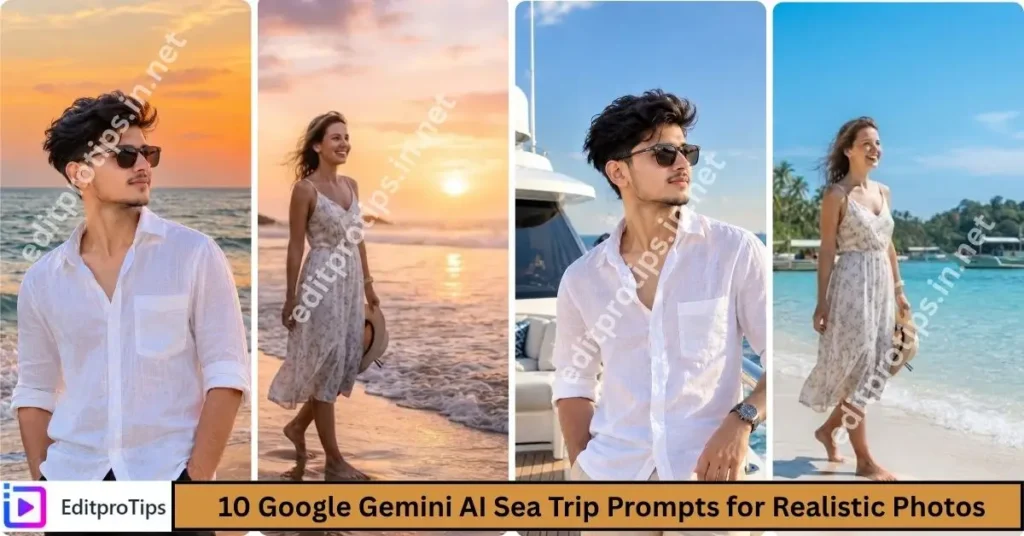
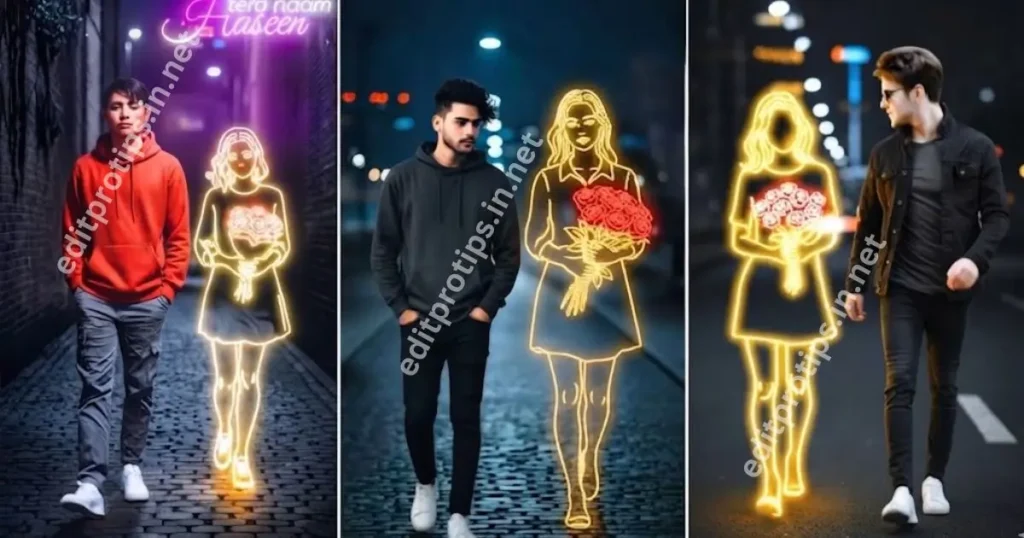
Welcome to EditProTips! Are you looking for the latest New Trending AI Photo Editing Prompt to create stunning, professional, and viral photos? AI photo editing is becoming increasingly popular in 2026 because it allows anyone to transform ordinary pictures into beautiful, creative, and cinematic images.
With AI tools like Google Gemini, ChatGPT, and other AI photo editors, you can create stylish portraits, cinematic photos, Instagram-ready pictures, professional fashion photography, and realistic backgrounds using simple text prompts.
In this article, we will share the best new trending AI photo editing prompts for boys and girls in 2026. You can copy these prompts, upload your photo, and create amazing AI-generated edits.
template by editprotips
What Is a New Trending AI Photo Editing Prompt?
A New Trending AI Photo Editing Prompt is a written instruction that tells an AI image editor how to transform your uploaded photograph. It describes the desired background, clothing, lighting, camera angle, pose, colors, and overall photography style.
Instead of manually editing every detail, you can use a simple prompt to generate professional-looking results in just a few steps.
10 Best New Trending AI Photo Editing Prompts 2026
Try these popular AI photo editing ideas to create attractive and realistic pictures.
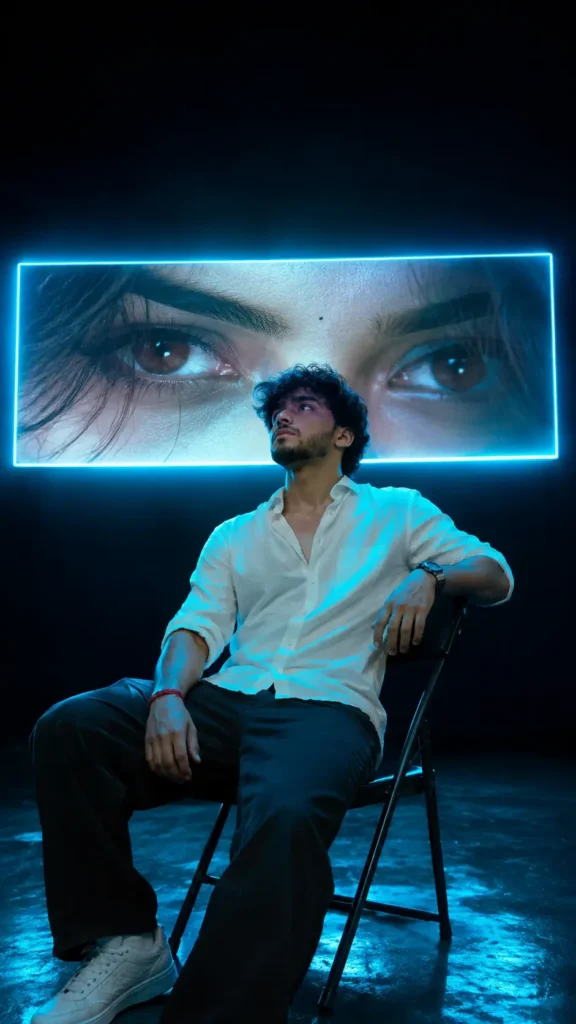
Neon Eyes Screen Portrait AI Photo Prompt for Boys
using my reference photo, prioritize preserving my exact identity and facial appearance. Keep my face unchanged, including facial structure,A young man with dark, middle part hairstyleseated on a dark metal folding chair in a pitch-black studio space, leaning back slightly and gazing upward. Behind him, a large horizon-tal glowing rectangular screen displays a close-up, high-detail shot of a woman's brown eyes staring directly forward. Moody atmo- sphere illuminated primarily by intense cyan blue light, electric neon glowing screen edges, deep shadows, cinematic rim lighting, 8k resolution, photorealistic, dramatic composition, vertical9:16 aspect ratio
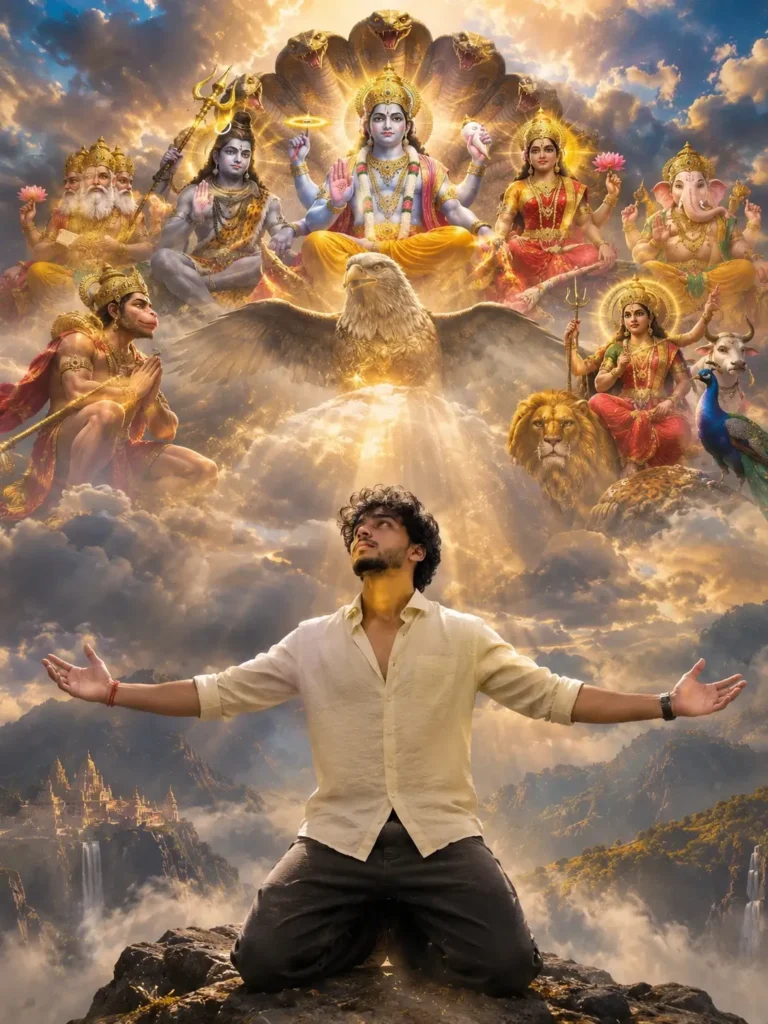
Divine Darshan Cinematic AI Photo Prompt for Boys
Use my uploaded photo as the exact identity reference. Create a photorealistic cinematic scene.

Show me kneeling on a dark rocky surface, both arms extended sideways with open palms, head tilted slightly back, looking upward.

Above me, recreate the grand assembly of Hindu gods like the reference: Lord Vishnu at the center with all other deities, their divine vehicles and weapons, in the same arrangement and poses.

Fill the sky with dramatic golden and blue clouds, divine rays, mist and a majestic, devotional atmosphere
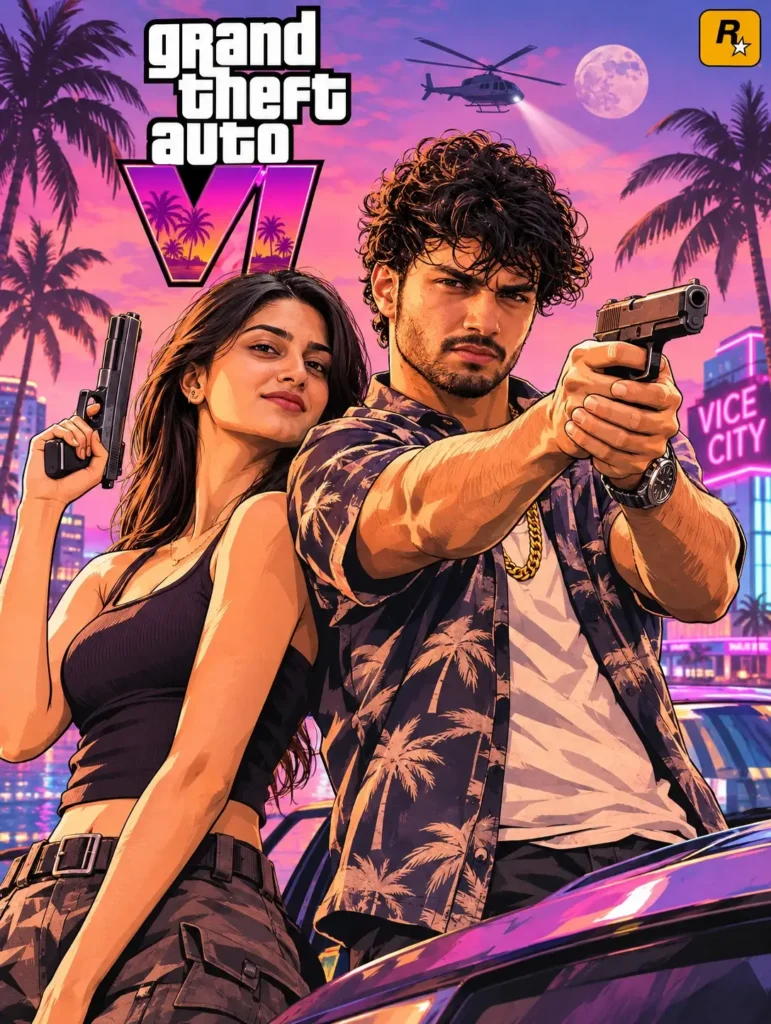
GTA 6 Couple Poster Style AI Photo Prompt
Turn this couple photo into GTA 6 style criminal duo in action pose, one holding gun, dynamic tension between them, tropical Vice City night scene, official Rockstar character artwork style, vibrant pastel and neon palette.
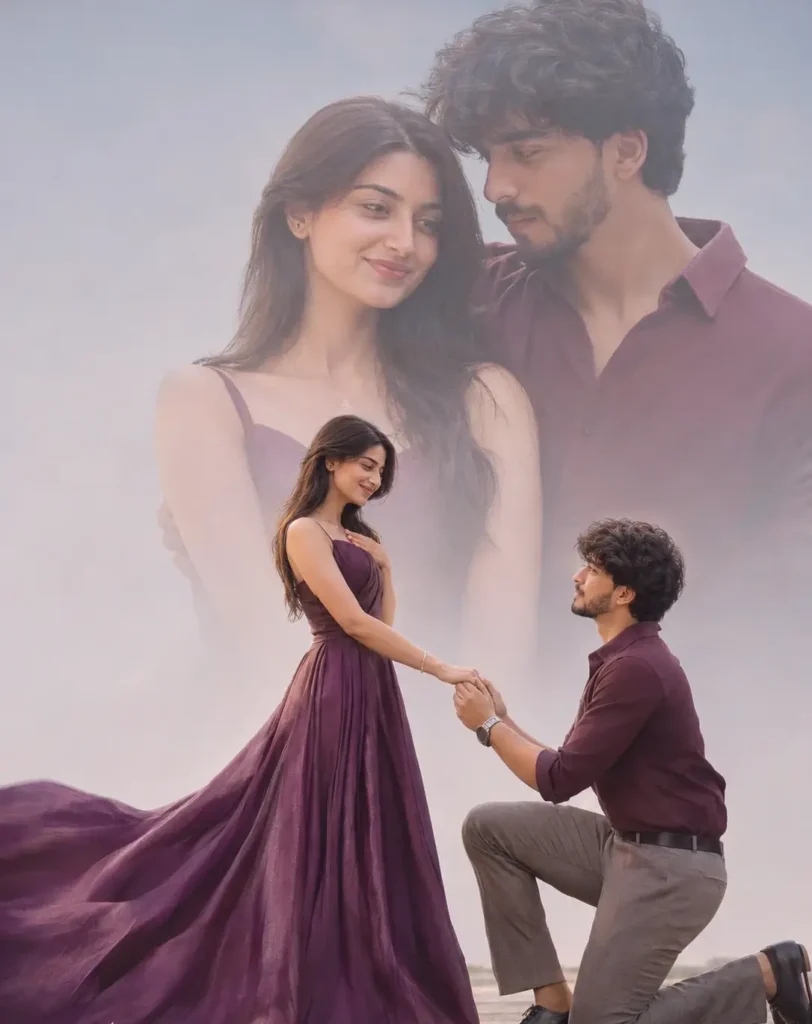
Romantic Proposal Double Exposure AI Photo Prompt for Couple
Use the uploaded reference photograph as the primary identity reference for both subjects and preserve each person’s facial identity exactly as shown, including face shape, eyes, eyebrows, nose, lips, cheekbones, jawline, skin tone, natural facial asymmetry, and all distinctive features without altering, beautifying, replacing, or redesigning either face. Create a dreamy fine art double exposure couple prompt rendered as a romantic engagement photoshoot poster. The background layer covers the full vertical frame as a large soft semi-transparent overlay at approximately forty-five percent opacity, showing the same couple standing together in a gentle embrace, the woman wearing a flowing deep purple silk evening gown with dramatic train spreading behind her, the man in a fitted maroon shirt and tailored light charcoal trousers, both rendered slightly out of focus with a soft painterly quality, this layer giving the composition a romantic memory quality against the minimal background. The foreground layer is sharp and placed at the lower center of the frame, showing the same couple on a flat minimalist horizon, the sky behind them an open soft pastel blue-gray with no clouds or objects, clean and airy. The man is down on one knee, turned slightly toward the camera, holding the woman’s right hand in both of his with a sincere and hopeful expression, looking up at her. She stands facing him, her posture elegant and slightly surprised, her left hand resting gently at her chest with a soft emotional smile. Her deep purple silk gown extends dramatically from her waist, the long flowing train caught by a gentle breeze and sweeping across the lower left of the frame in a wide graceful arc, individual silk fabric folds and light reflections visible in the textile surface. The color relationship is built around deep violet, wine purple, warm maroon, soft blue-gray, and ivory skin tones, with restrained warm highlights and subtle cinematic color grading. Camera positioned at chest level, wide enough to include the full figure from head to ground plus the train of the gown in a clean vertical three-four composition. Lighting is soft diffused skylight with even illumination across both subjects, no hard shadows, gentle rim light along the edges of the gown and his jacket shoulder. Realistic skin with natural pores and subtle tonal variation, silk fabric with authentic light interaction and fold physics, visible stitching at the waist seam of the gown, realistic hair with individual strands. Ultra photorealistic professional photography, authentic human anatomy, natural proportions, physically believable fabric behavior, no plastic skin, no CGI appearance, no distorted hands, no oversaturation, no artificial blur. Vertical three to four composition. Add a subtle bottom left corner watermark reading “promptpin.in” in Petit Formal Script, thin elegant cursive strokes, subtle premium handwritten signature style, small and elegant without interfering with the subject.
Black Car Night Petrol Pump AI Photo Prompt for Boys
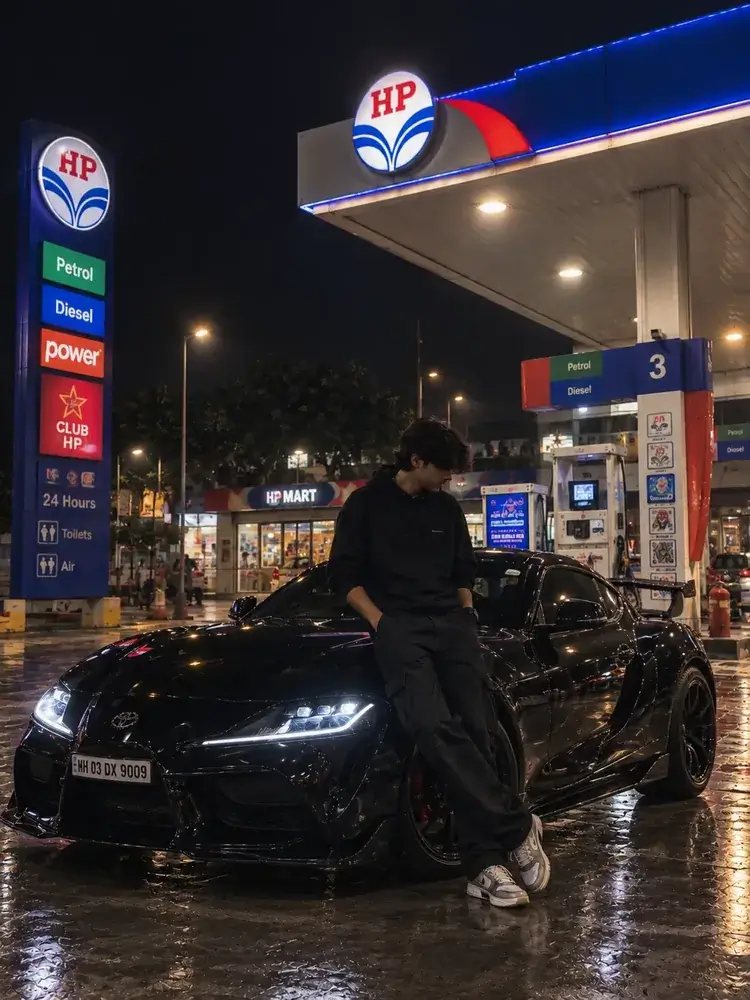
Use the uploaded photo as the ONLY reference image for the person.

PERSON IDENTITY LOCK: Preserve the exact person from the uploaded image. Keep the face, facial structure, eyes, eyebrows, nose, lips, jawline, hairstyle, hair texture, skin tone, skin texture, facial hair, body proportions, height, clothing, accessories, and natural appearance exactly unchanged. Do not beautify, reshape, slim, bulk up, age, de-age, or alter the person's identity.

BACKGROUND & VEHICLE: Completely replace the original background with a realistic modern HP Petrol Pump in India at nighttime. Add a premium exotic supercar naturally parked beside the person. The supercar should look like a real high-end performance car, with aggressive aerodynamic styling, low stance, sharp LED headlights, large alloy wheels, glossy paint, and realistic proportions.

Do not preserve or recreate any motorcycle or vehicle from the original reference image. The only vehicle in the final composition should be the newly added supercar, with a few distant background vehicles allowed only if necessary for realism.

Position the person naturally beside the supercar, casually leaning against it or standing next to the front/side section with a relaxed, confident posture. Keep the person's original clothing and accessories unchanged.

Create a photorealistic cinematic nighttime photoshoot at an illuminated HP petrol station, with recognizable HP canopy branding, fuel pumps, HP Mart, station signage, overhead lights, and subtle background activity.

Add wet pavement after rain, creating realistic reflections of the HP blue/red/white lighting and the supercar's headlights and bodywork. Match the lighting on the person's face, clothing, and skin perfectly to the petrol-station environment.

Ensure physically accurate shadows, reflections, contact points, perspective, scale, depth of field, lens characteristics, natural skin texture, realistic fabric detail, and cinematic low-light photography.

Composition: Vertical 4:5 portrait, full-body or near-full-body framing. Person and supercar are the primary subjects, with the illuminated HP petrol pump clearly recognizable behind them.

CRITICAL: This is a single-reference-image transformation. Use the uploaded image only for the person's identity and appearance. Completely replace the original background. Do not use, preserve, or infer any motorcycle from the reference image. Add a newly generated realistic supercar only. The final result must look like a genuine professional nighttime photograph taken at an HP Petrol Pump.
Ultra realistic cinematic portrait of a young man
𝟖𝐊 𝐀𝐈 𝐑𝐎𝐘𝐀𝐋 𝐋𝐎𝐎𝐊 𝐁𝐎𝐘𝐒 𝐏𝐑𝐎𝐌𝐏𝐓

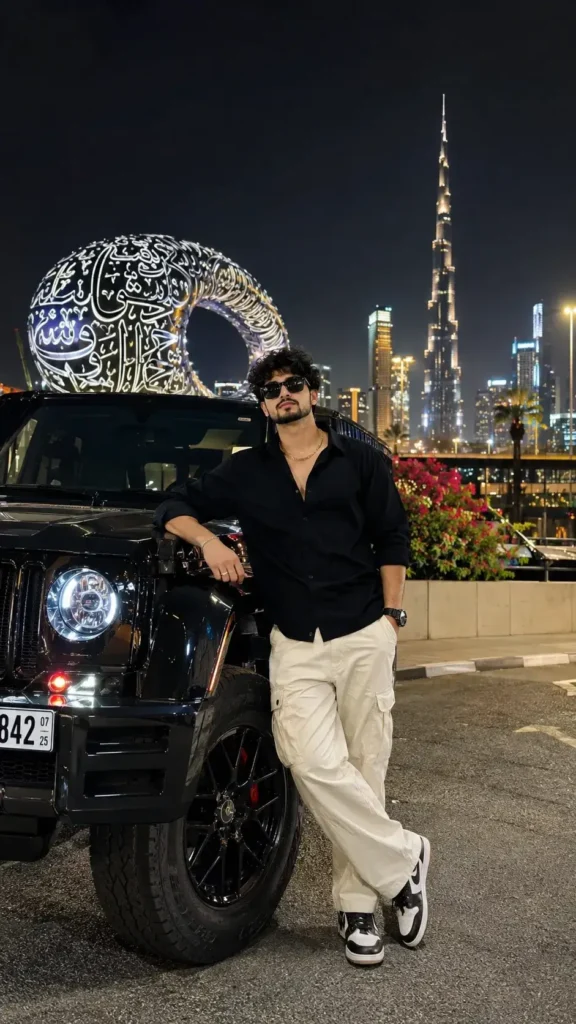
> Ultra-realistic full-body DSLR photograph of a stylish young South Asian man standing confidently beside a glossy black modified Mahindra Thar in Dubai at night. Preserve the exact face, facial features, hairstyle and identity from the reference photo. Natural bright skin tone, clean fresh face, no tanning, no dullness, realistic skin texture. Wearing a premium black slim-fit open-collar shirt, elegant cream cargo trousers, stylish black-and-white sneakers, luxury sunglasses, gold chain, wristwatch and bracelet.


Pose: One hand resting casually on the SUV bonnet, the other hand in trouser pocket, legs naturally crossed, confident relaxed body language.

Body proportions: Tall appearance, natural athletic body, properly proportioned head and shoulders, realistic long legs, accurate full-body anatomy. Do not make the head oversized or legs short.

Background: Iconic glowing Museum of the Future, Burj Khalifa and beautiful Dubai skyline at night.

Professional luxury fashion photography, realistic night lighting, balanced skin tones, sharp facial details, natural shadows, premium color grading, 85mm DSLR lens, ultra-detailed, 8K UHD, photorealistic, vertical 9:16 composition. No cartoon effect, no artificial face, no distorted body, no oversized head, no short legs.
Cinematic Black SUV Boy Photography
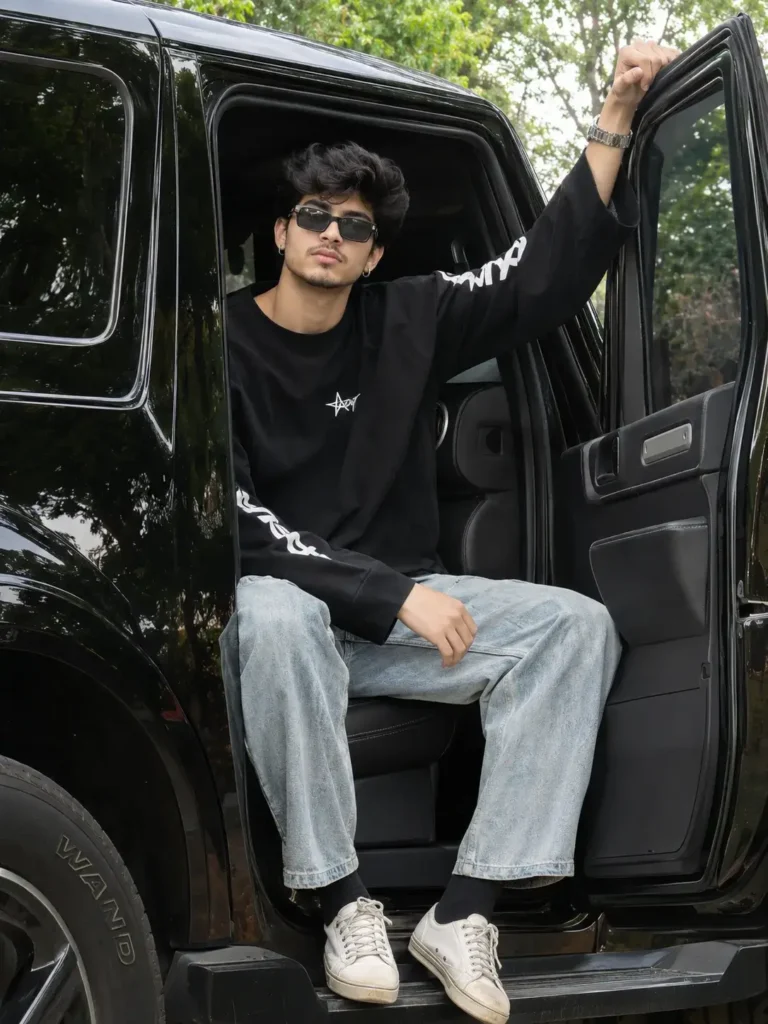
A candid vertical outdoor portrait photograph (3:4 aspect ratio) at eye level, capturing a man seated inside the open right-side doorway of a glossy black boxy SUV. He has perfect facial details as reference image and a small earring in his left ear, wearing dark-tinted rectangular sunglasses. With a calm, neutral expression and head slightly tilted, he looks directly at the camera. He sits facing slightly right with his left arm raised high to grip the top frame of the open car door, showing a silver metal-link watch on his wrist, while his right arm rests across his lap. He wears a loose black long-sleeve top with a small white stylized logo on the center chest and bold white graphic lettering along the sleeves, paired with pale light-wash relaxed denim jeans, black socks, and off-white canvas sneakers with light brown rubber soles resting on the black side running board. The black SUV fills most of the frame, showing the open door with interior trim on the right, glossy paint reflecting soft foliage, and a rear tire at the bottom-left with white-outlined "WAND" sidewall lettering. Through the windows and above the roof, a softly blurred outdoor background of bright green trees and pale sky is visible. Illuminated by soft, diffused natural daylight with even exposure on the subject, gentle shadows inside the dark cabin, and natural, slightly muted colours with realistic skin tones and slightly lifted charcoal blacks. Captured with natural perspective, crisp focus on the subject and vehicle frame, shallow background blur, authentic fabric and skin textures, and subtle natural sensor grain in the darker shadows, preserving the unpolished, realistic look of the original photograph.
NEGATIVE PROMPT:
Altered crop or framing, different pose or hand placement, smiling or exaggerated expression, missing sunglasses or watch, changed clothing graphics or colours, different vehicle type or colour, sharp background, harsh direct sunlight, heavy colour grading, oversaturated colours, HDR, artificial glow or bloom, overly smooth plastic skin, heavy retouching, added text or watermarks, distorted anatomy or car geometry.
How to Create Trending AI Photos Using Prompts
Follow these simple steps to create your own AI-generated photographs.
- Open Google Gemini, ChatGPT, or another compatible AI image editing tool.
- Upload a clear photograph that you want to edit.
- Choose any trending AI photo editing prompt from this article.
- Copy the complete prompt and paste it into the AI tool.
- Generate your edited photograph.
- If the result is not perfect, adjust the prompt and generate again.
- Save your favorite image and share it on Instagram, Facebook, or other social media platforms.
Best AI Tools for Photo Editing in 2026
You can experiment with different AI-powered tools to create creative photographs.
- Google Gemini: Useful for AI image generation and photo editing with text instructions.
- ChatGPT: Helps create detailed image prompts and supports image generation and editing.
- Adobe Photoshop: Offers advanced photo editing features and AI-powered creative tools.
- Canva: Useful for designing social media graphics and editing creative images.
- Other AI Photo Editors: Different AI editing apps offer portrait enhancement, background replacement, and creative effects.
Available features may vary depending on the tool and subscription.
Tips for Getting the Best AI Photo Editing Results
To achieve better results, keep these tips in mind:
- Upload a clear, high-quality reference photo.
- Use detailed prompts with clear instructions.
- Mention the background, clothing, lighting, and photography style.
- Include instructions to preserve your original facial identity.
- Avoid adding too many conflicting effects.
- Try different lighting and background styles.
- Review the final image before sharing it.
Why Are New Trending AI Photo Editing Prompts So Popular?
AI photo editing prompts are popular because they make creative photography easier and more accessible. People can experiment with different fashion styles, cinematic backgrounds, professional portraits, and social media aesthetics without needing advanced editing skills.
Creators also use AI-generated images for Instagram posts, Facebook profiles, YouTube thumbnails, and other digital content.
Frequently Asked Questions
What is the best New Trending AI Photo Editing Prompt?
The best prompt is one that clearly describes your desired photography style, background, outfit, lighting, and facial details. A detailed prompt generally produces more consistent results.
Can I use AI prompts to edit my own photos?
Yes. You can upload your own photograph to a compatible AI image editing tool and provide instructions to transform it.
Which AI tool is best for photo editing in 2026?
Google Gemini, ChatGPT, Adobe Photoshop, and Canva are popular options. The best choice depends on your editing requirements.
How can I create realistic AI photos?
Use a clear reference image, describe realistic lighting and natural skin texture, and specifically instruct the AI to preserve your original facial identity.
Are AI photo editing prompts free?
Many AI tools offer free features or limited free usage. However, some advanced editing and image generation features may require a paid subscription.
Conclusion
The New Trending AI Photo Editing Prompt 2026 is a great way to transform ordinary photographs into beautiful, professional-looking images. Whether you want cinematic portraits, stylish boy photos, beautiful girl edits, royal looks, or romantic couple pictures, the prompts in this article can help you explore different creative styles. Simply copy your favorite prompt, upload a clear photo, and let AI create something amazing.
Keep visiting EditProTips for more trending AI photo editing prompts, creative ideas, and useful editing tutorials.